

How to upgrade your camera firmware via webpage
How to upgrade your camera firmware via webpage
2025-07-28
Before you begin, please use your computer to connect to the LAN where the camera is located.
If you don't know how to find your camera's LAN IP address, please read this: How to find my camera’s LAN IP address?
Step 1
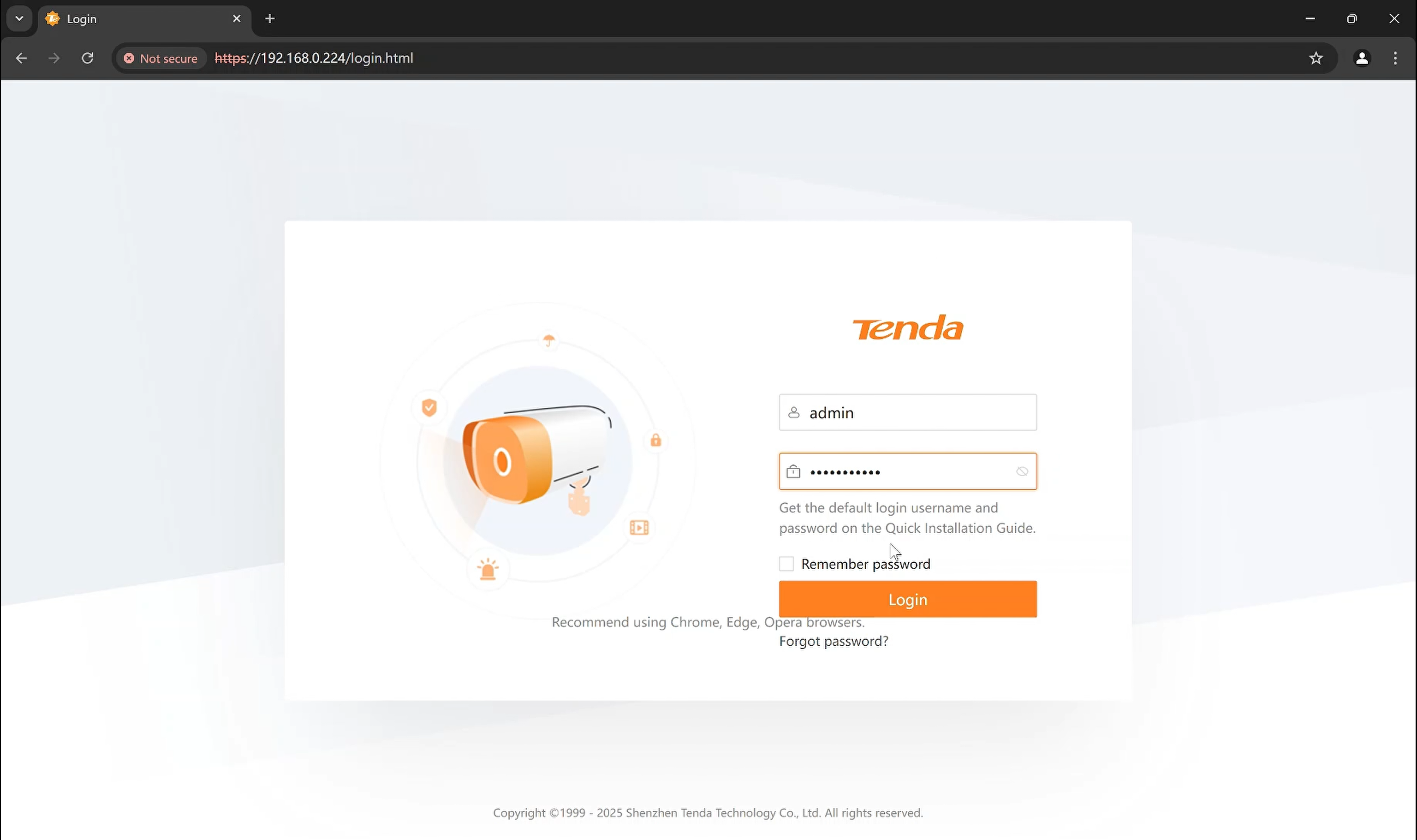
Please use a browser (recommend using Chrome, Edge, Opera) to visit your camera’s IP address and login.
Step 2
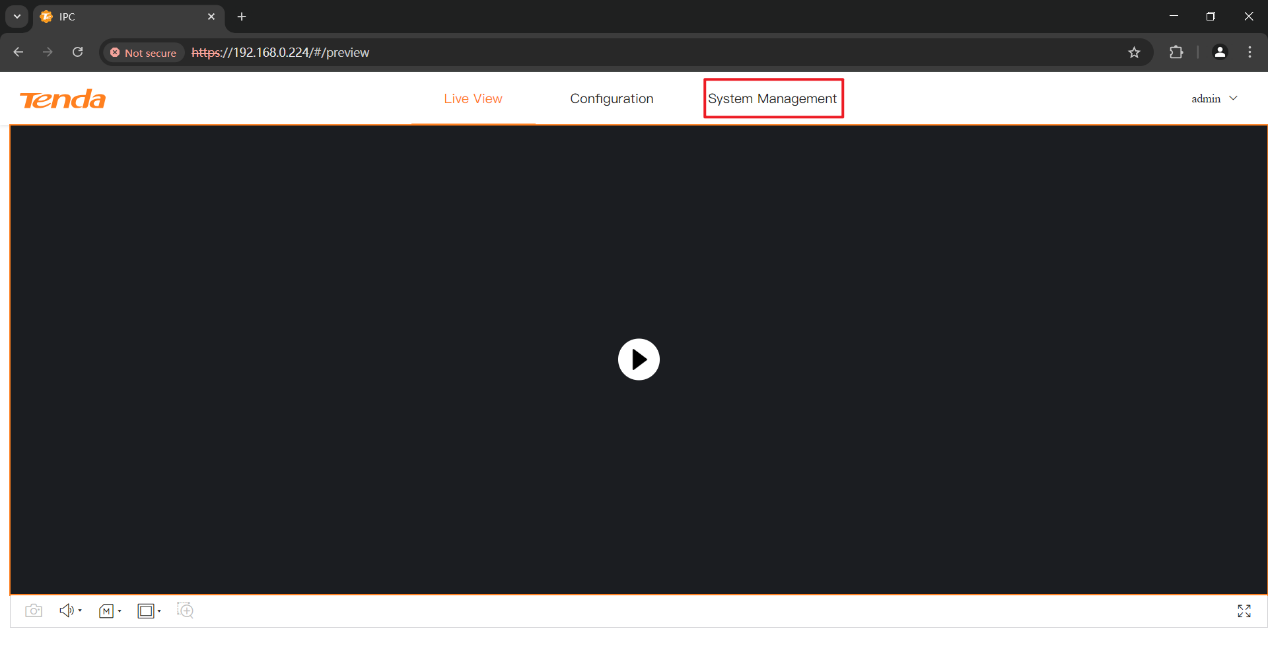
Click System Management to continue.
Step 3
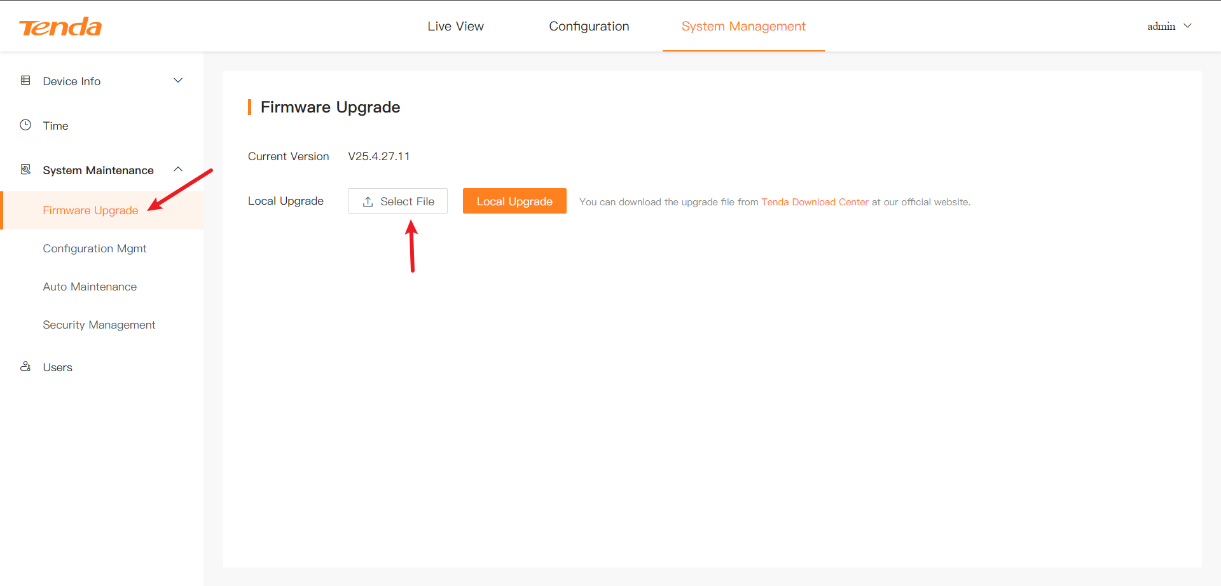
Please go to Firmware Upgrade. Then you will see a button named Select File. Click Select File to choose the firmware you downloaded.
Step 4
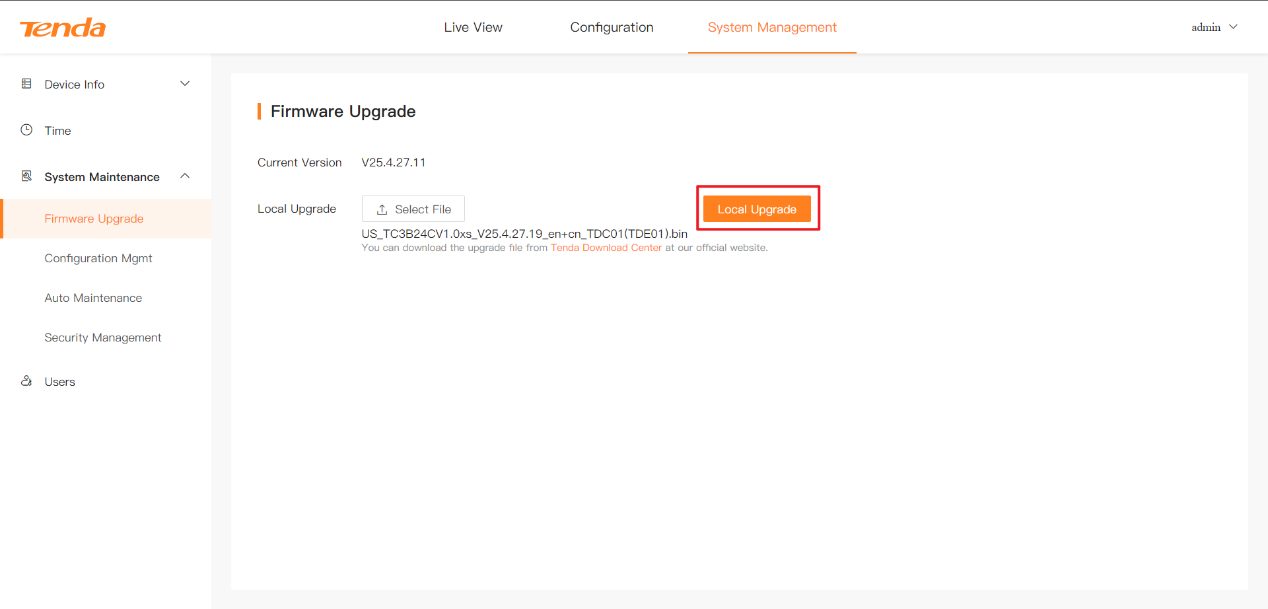
After choosing, please click Local Upgrade.
Then, the camera will start the firmware update. Please DO NOT disconnect from the Internet, power off the camera or refresh the page during this period.
After the upgrade is complete, please refresh this page and login again.
If above steps could not solve your problem, please contact our technical support.
Contact us: tendasecurity@tenda.cn