

How to find my camera’s LAN IP address?
Update: 2025-07-28Format:html
Mobile View
For:
IP Camera
Method 1: Find it in TDSEE
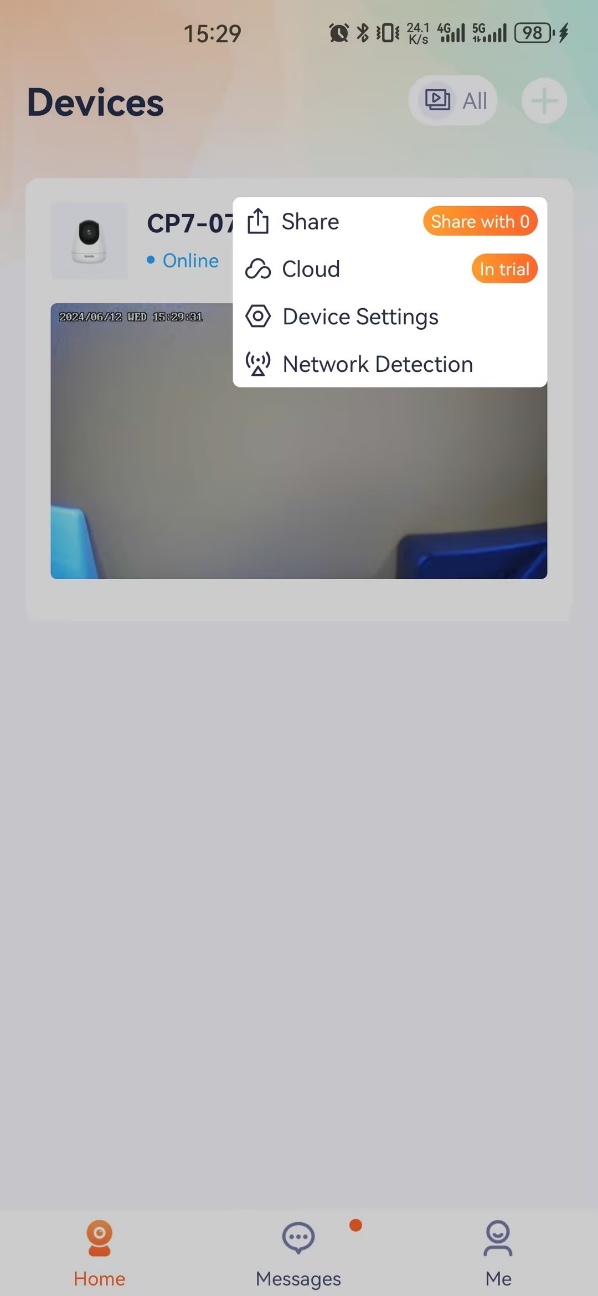
Please open TDSEE, select a camera and go to Device Settings.
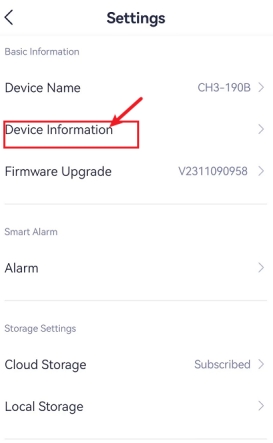
Then, tap Device Information as shown in the red box.
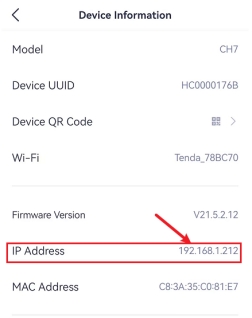
You can find the camera's IP Address.
Method 2: Find it in TD search tool
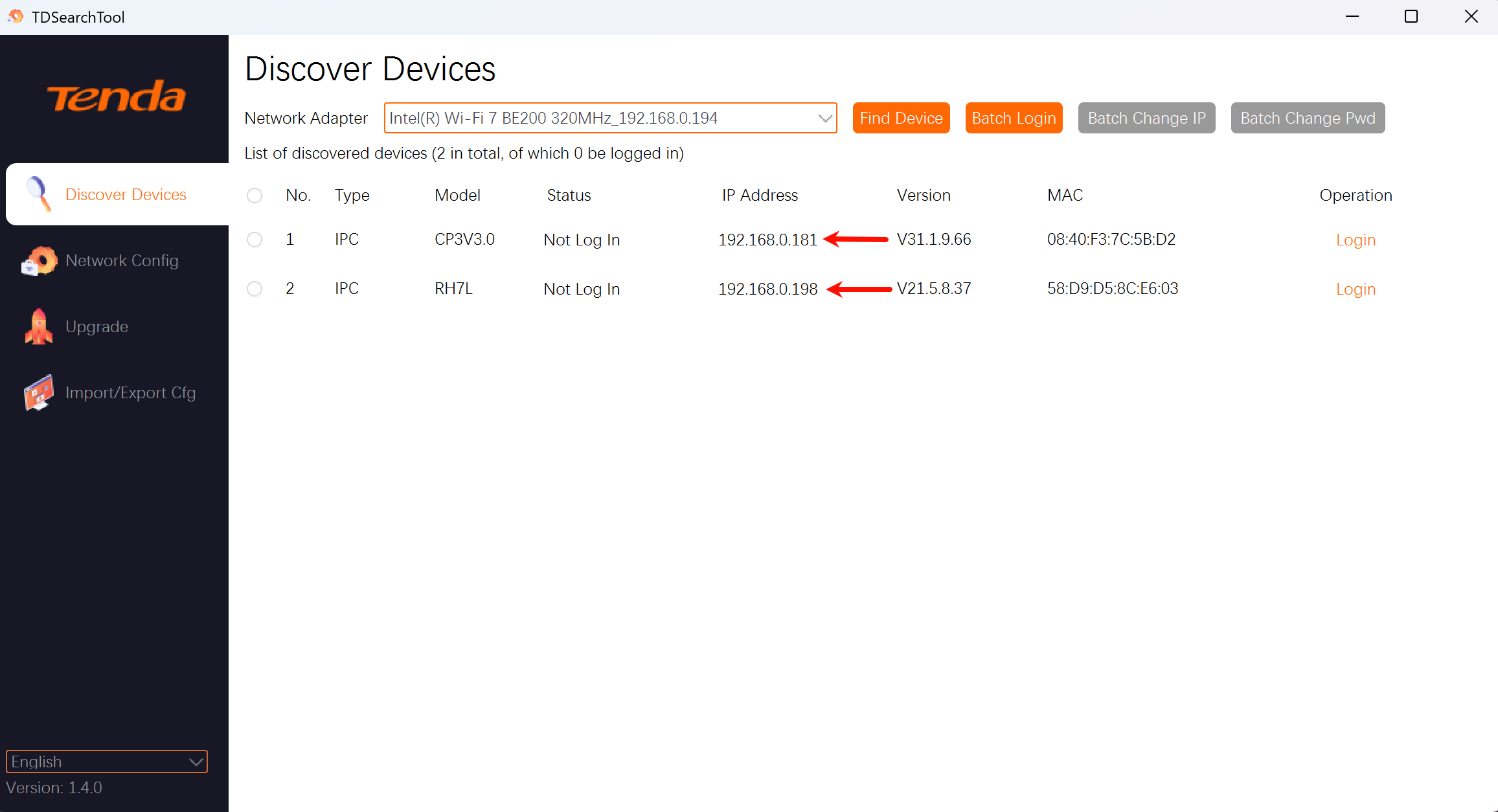
Please use your PC to open TD search tool, select a network adapter which is connected to LAN and click Find Device.
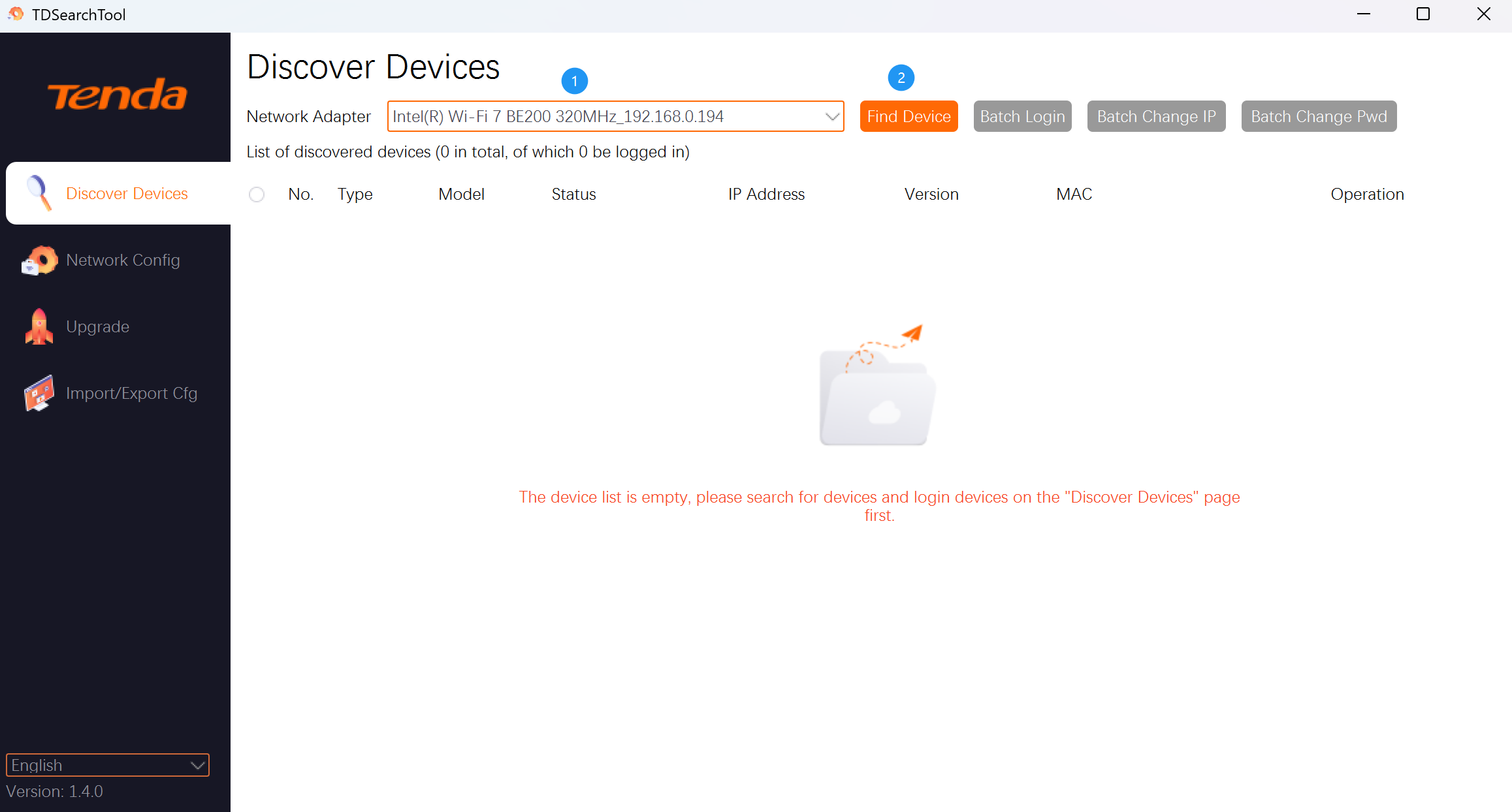
Waiting for a while, the IP addresses of all cameras in the LAN will be displayed.
Method 3: Find it in NVR
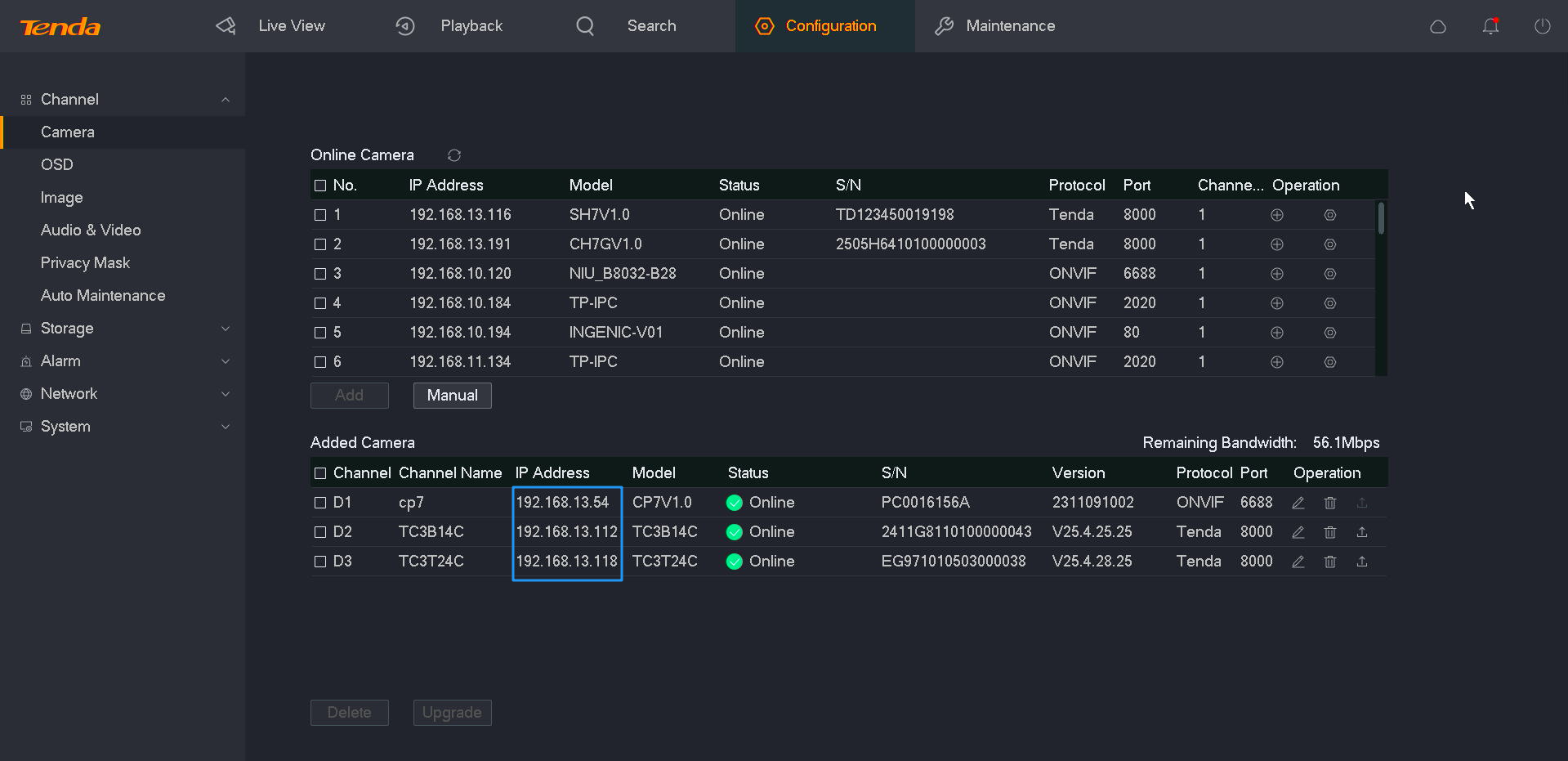
If your cameras are connected to a Tenda NVR, please open your NVR and go to Configuration -> Camera -> Added Camera. Then, you will see your cameras’ IP address here as shown in the blue box.
Will it help you?