

[ONT-1.1.5] How to Reset Your Device
อัปเดต: 2026-04-01ฟอร์แมต:html
มุมมองมือถือ
สำหรับ:
ONT
Soft Reset
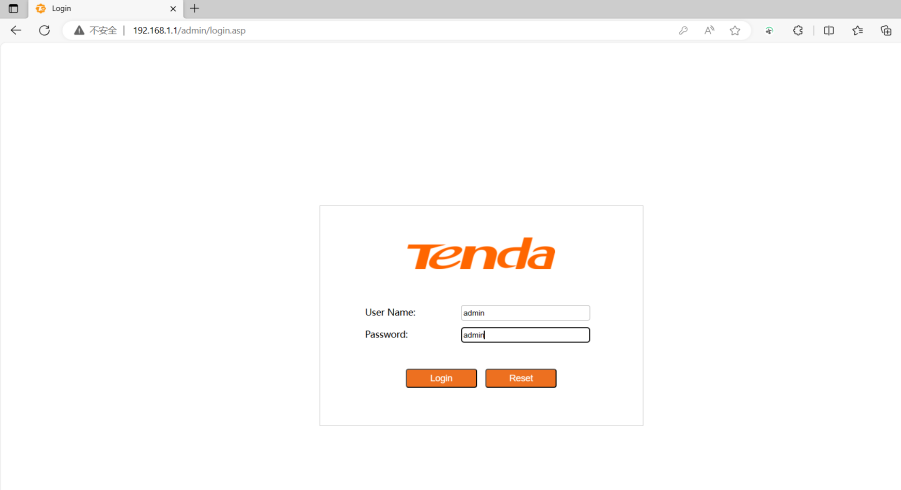
Step 1: Log in to the ONT management interface
- ONT website default login IP: 192.168.1.1
- Default username : admin Default password: admin
PC network card : Configure the IP address of the computer‘s network card to 192.168.1. X
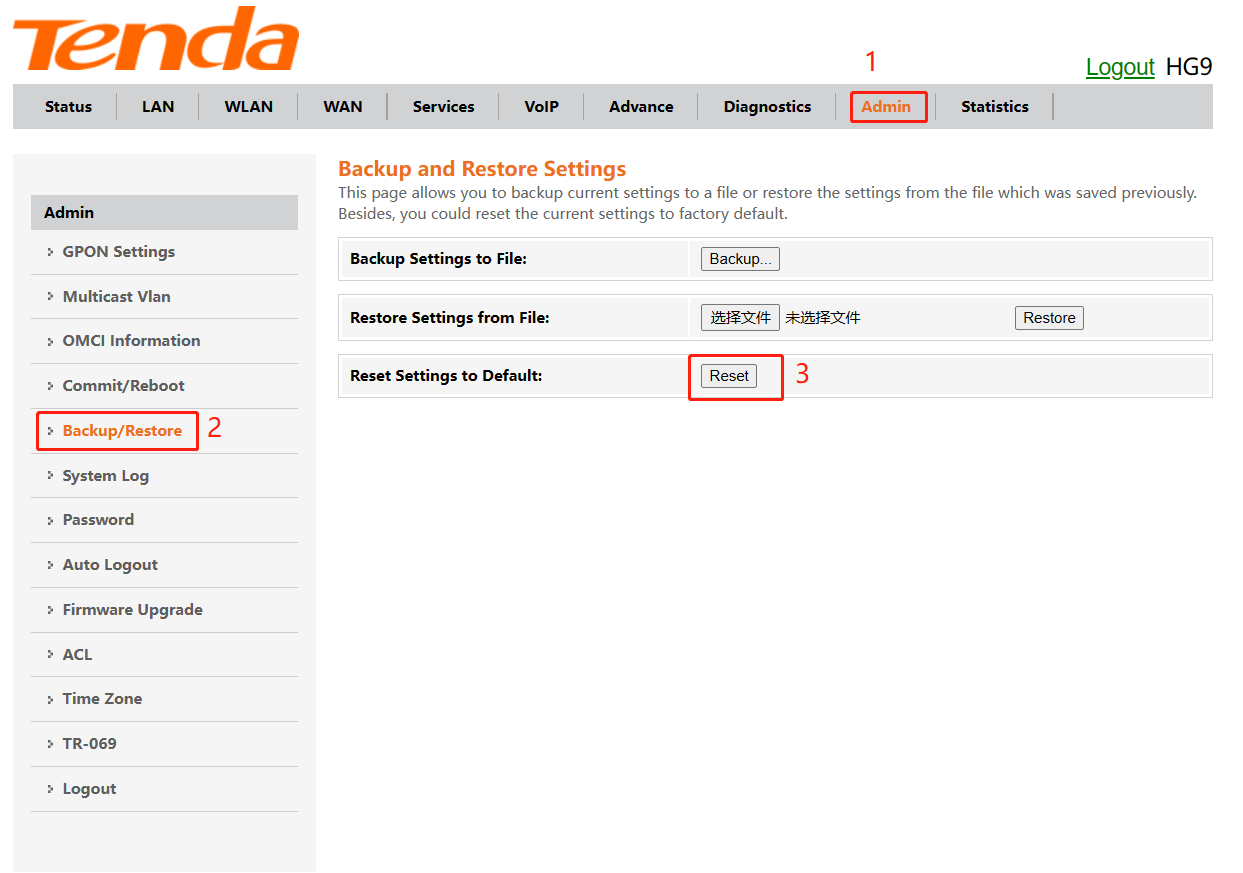
Step 2: If you need to restore the ONT configuration to the factory settings, click the reset button and wait for the ONT to automatically restart.
Hard Reset
Step 1: After the ONT completes startup, use an object with a spike to hold down the Reset button for more than 10 seconds and then release it. All LED indicators light off in a few seconds.

ข้อมูลนี้มีประโยชน์หรือไม่