

How do I update my 4G router locally
How do I update my 4G router locally?
1.Download the Firmware Version Matching the Device
Method 1: Contact Technical Support support@tenda.cn to obtain the latest firmware.
Method 2: Go to the Tenda official website: https://www.tendacn.com/default.html.Search for your product model.

Then click Download and select the latest firmware version. (Need to check if the hardware version is the same: How do I check the hardware version?)
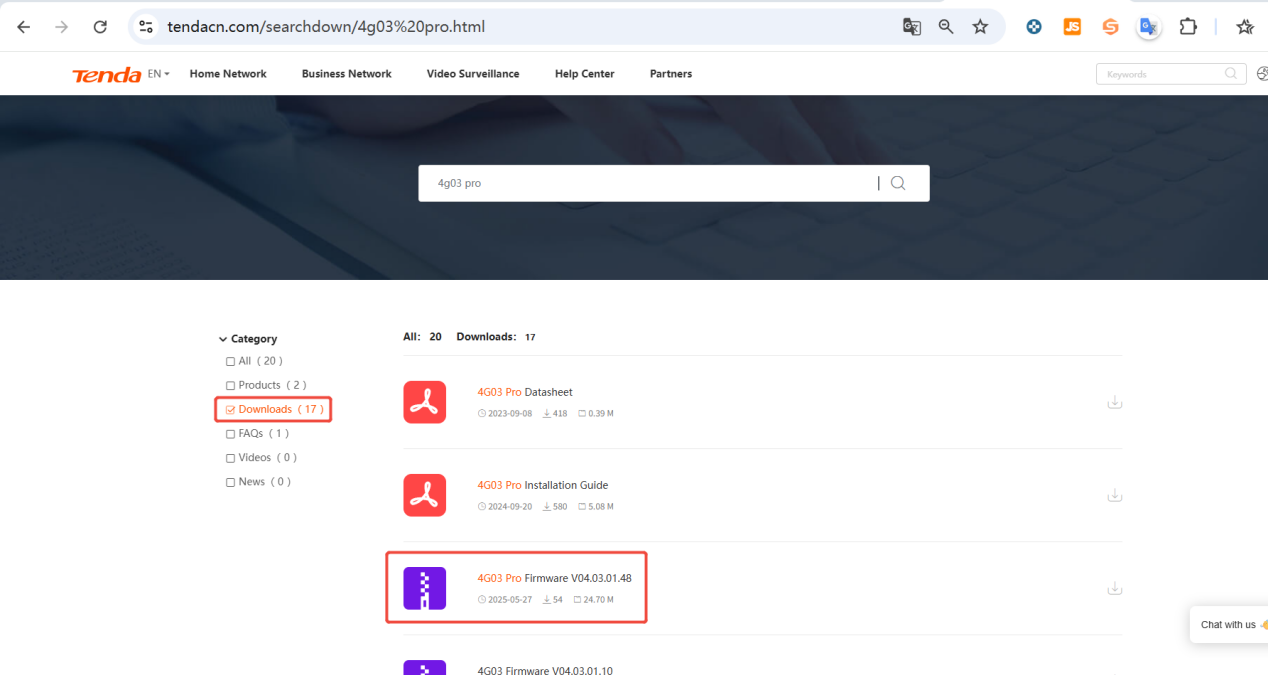
Note: After you have downloaded the firmware, please use decompression software such as WinZIP or WinRAR to extract the firmware file to a folder.
- Perform a Local Update
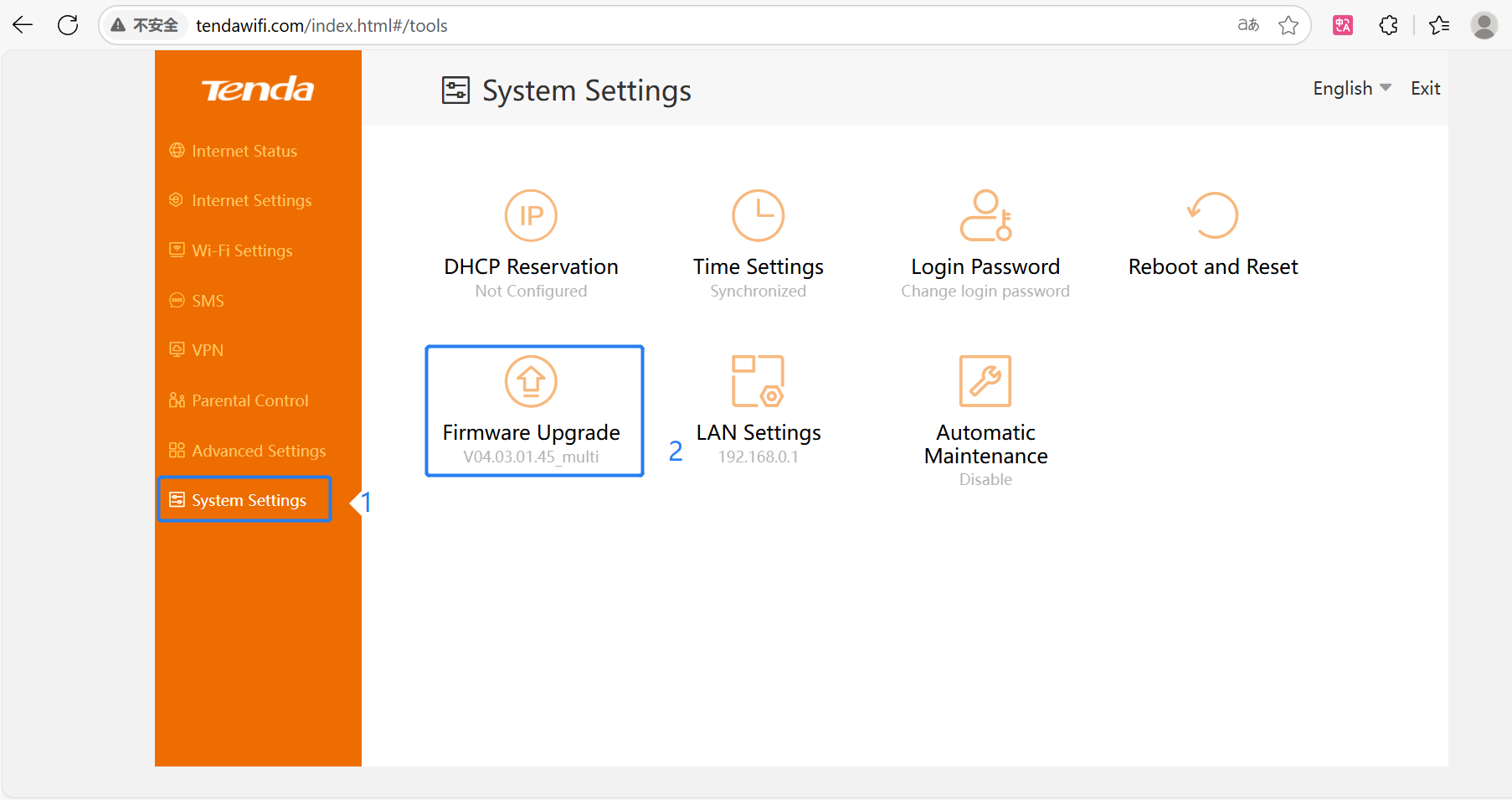
Step 1: Connect the router to your PC or cell phone by wired connection and enter 192.168.0.1 in the browser to log in the user page. Then click “System Setting”->“Firmware Upgrade” to enter the update page.
Step 2: According to the instructions in the following figure, first select the local update, then click “Selectafile” to upload the firmware successfully, and then click “Upgrade” to wait for it. Note: Please do not turn off the power or disconnect the Ethernet cable during the upgrade process.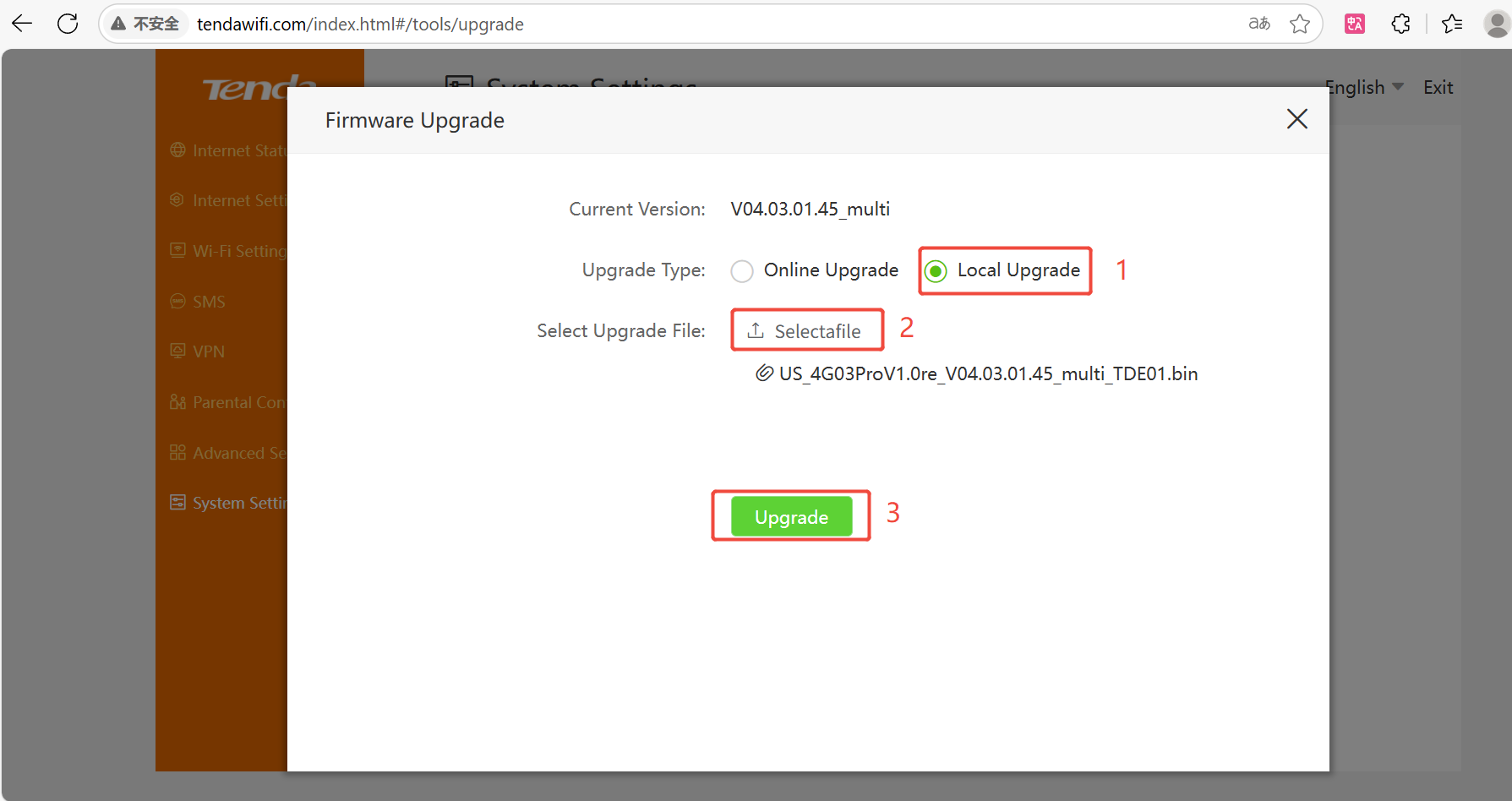
Get to know more details of each function and configuration please go to https://www.tendacn.com/default.html. to download the manual of your product.