

How to change your router's management password on Tenda WiFi - Wi-Fi 7
Update: 2025-09-03Format:html
Mobile View
For:
Wi-Fi 7 RoutersNova Mesh Wi-Fi 7
How to change your router's management password on Tenda WiFi - Wi-Fi 7
2025-09-03
For:
Wi-Fi 7 RoutersNova Mesh Wi-Fi 7
Step 1
Please open Tenda WiFi app and tap your router.

Step 2
Tap More Functions to continue.

Step 3
Tap Management Password.

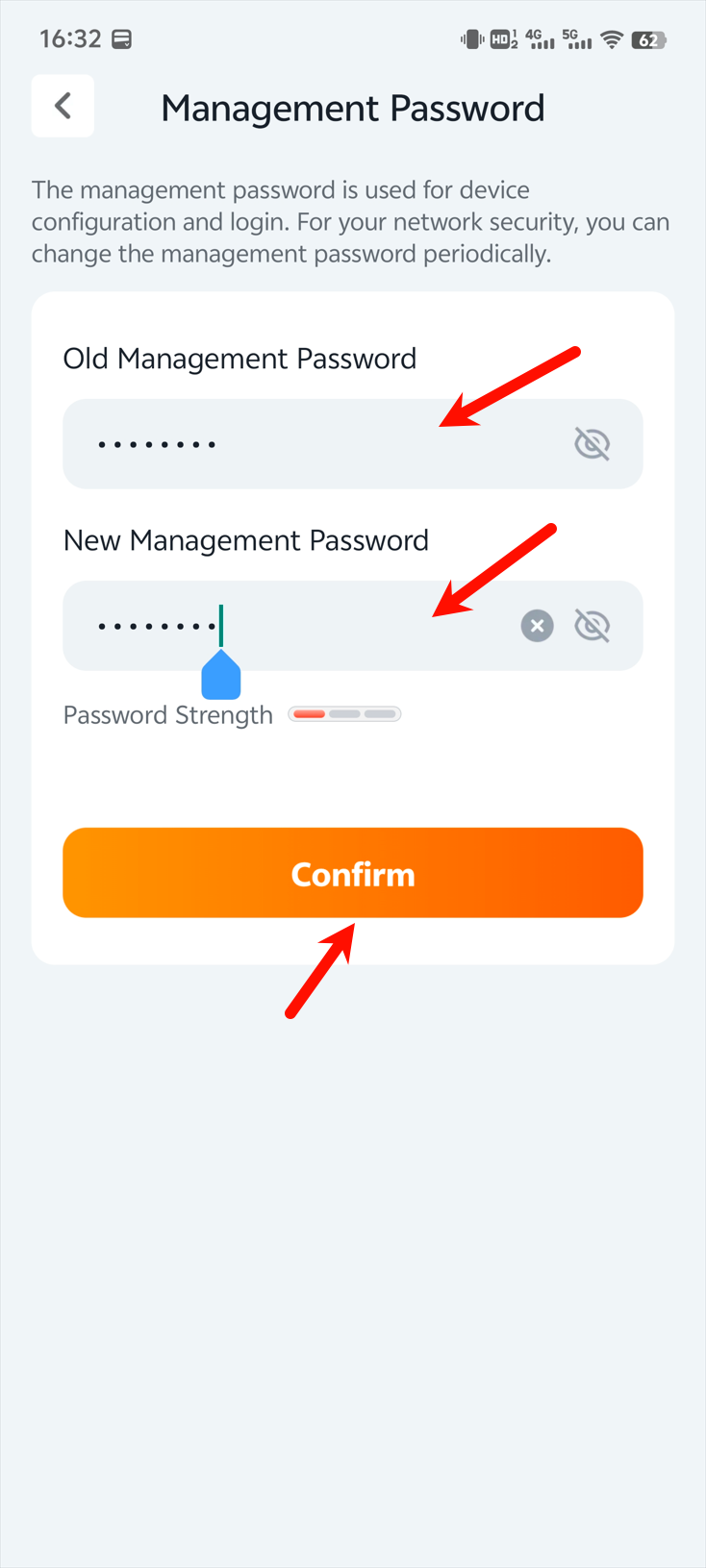
Step 4
Please follow the prompts to change the password (the old password is usually your Wi-Fi password). After setting up, don't forget to click Confirm.
Will it help you?