

What should I do if my Wi-Fi 7 router is disconnected from the Internet?
What should I do if my Wi-Fi 7 router is disconnected from the Internet?
2025-06-20
Step 1
Please use your computer to connect to your router, go to http://tendawifi.com or http://192.168.0.1 and login.
Step 2
Please go to More -> Network Settings -> WAN/LAN Auto-negotiation and check the ethernet port status.
You need to see if the network port connecting the optical modem to the router turns green and is identified as the "WAN" port.
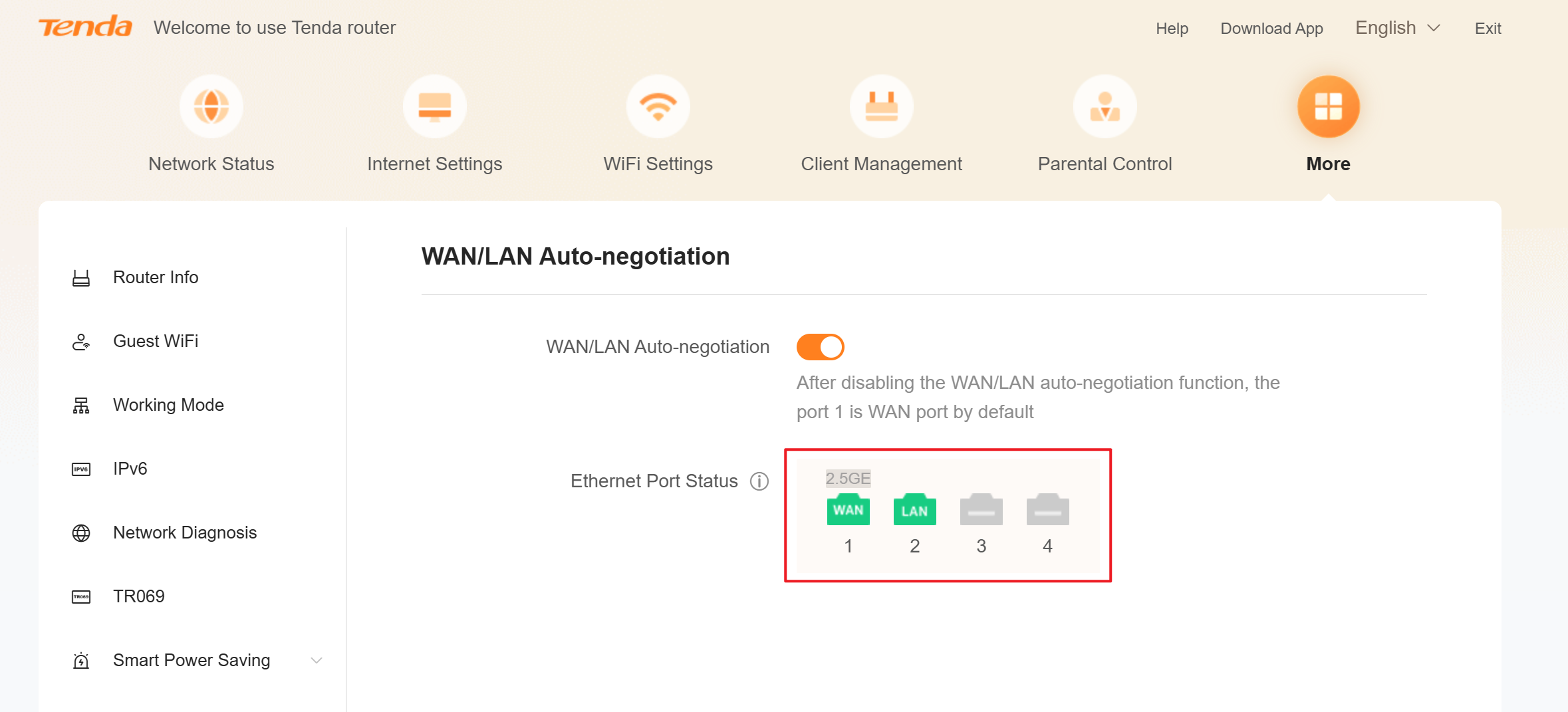
If the color is gray, it means that the router has not recognized the ethernet cable. You can check whether the two ends of the ethernet cable are loose.
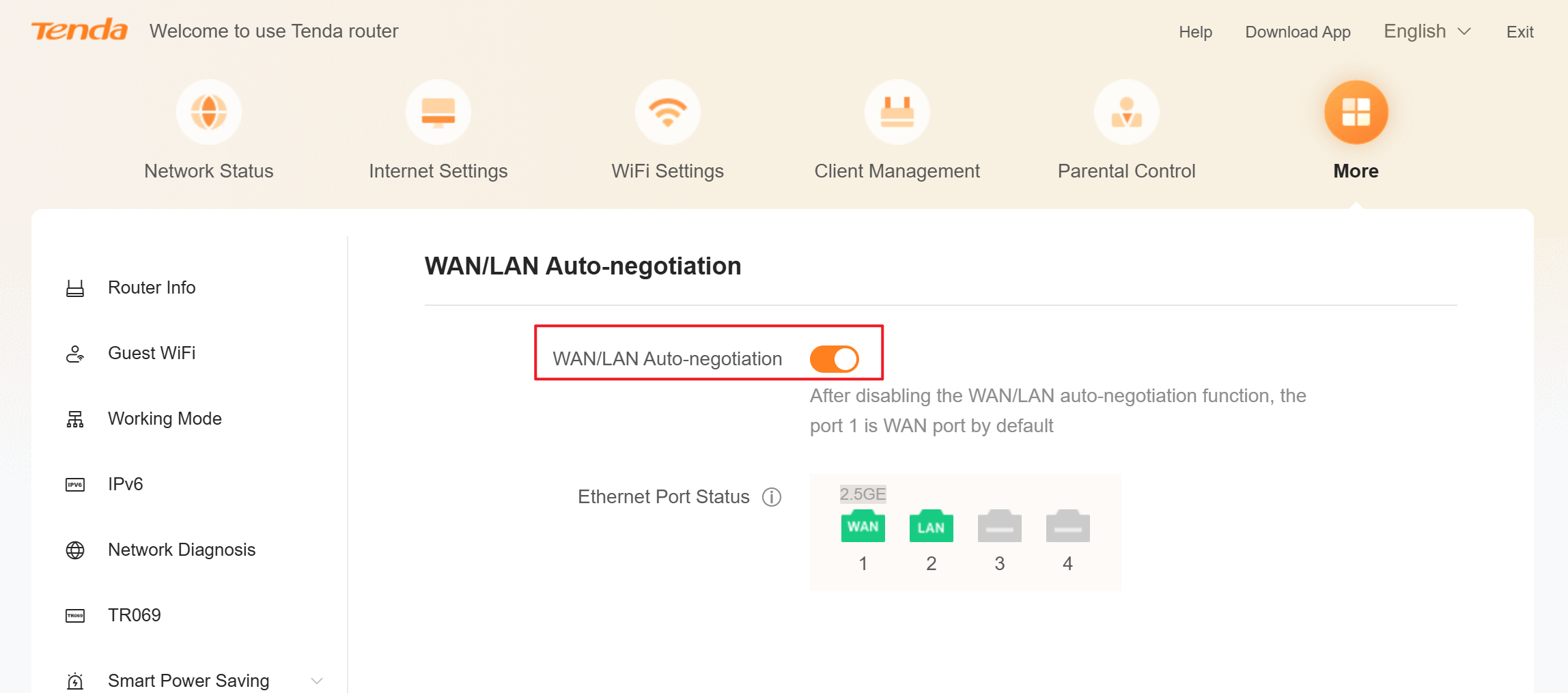
If the corresponding network port of the router is identified as a LAN port, please turn off WAN/LAN Auto-negotiation and connect the ethernet cable to the No.1 port (the network port is marked as 1), then restart the router.
Finally, please observe whether the network can be connected.
If above steps could not solve your problem, please contact our technical support.
Contact us: Contact Us_Tenda-All For Better NetWorking