

How to set up a band lock?
Update: 2024-12-04Format:html
Mobile View
For:
4G05 4G03 Pro
Step 1.
Please use your computer to connect to 4G05, log into http://tendawifi.com and click Internet Settings.
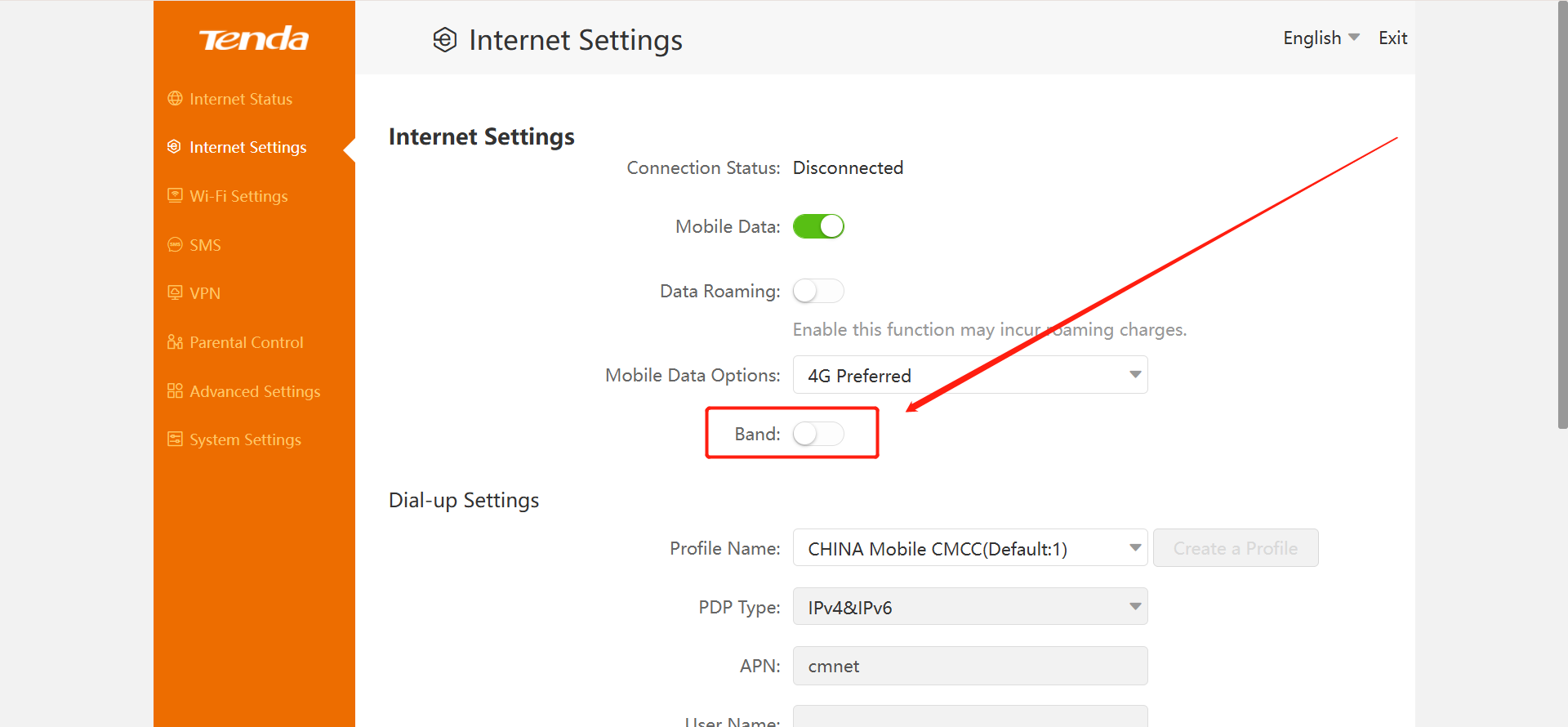
Then you can find Band switch. Turn it on and wait for a while.
(Note: When scanning Band, the network may be disconnected. This is normal, please wait for a while.)
Step 2.
After waiting for a few minutes, You can select a band in the band list and lock it.
(Note: Do not move the router after locking bands.
Please pay attention to the band changes of your operator)
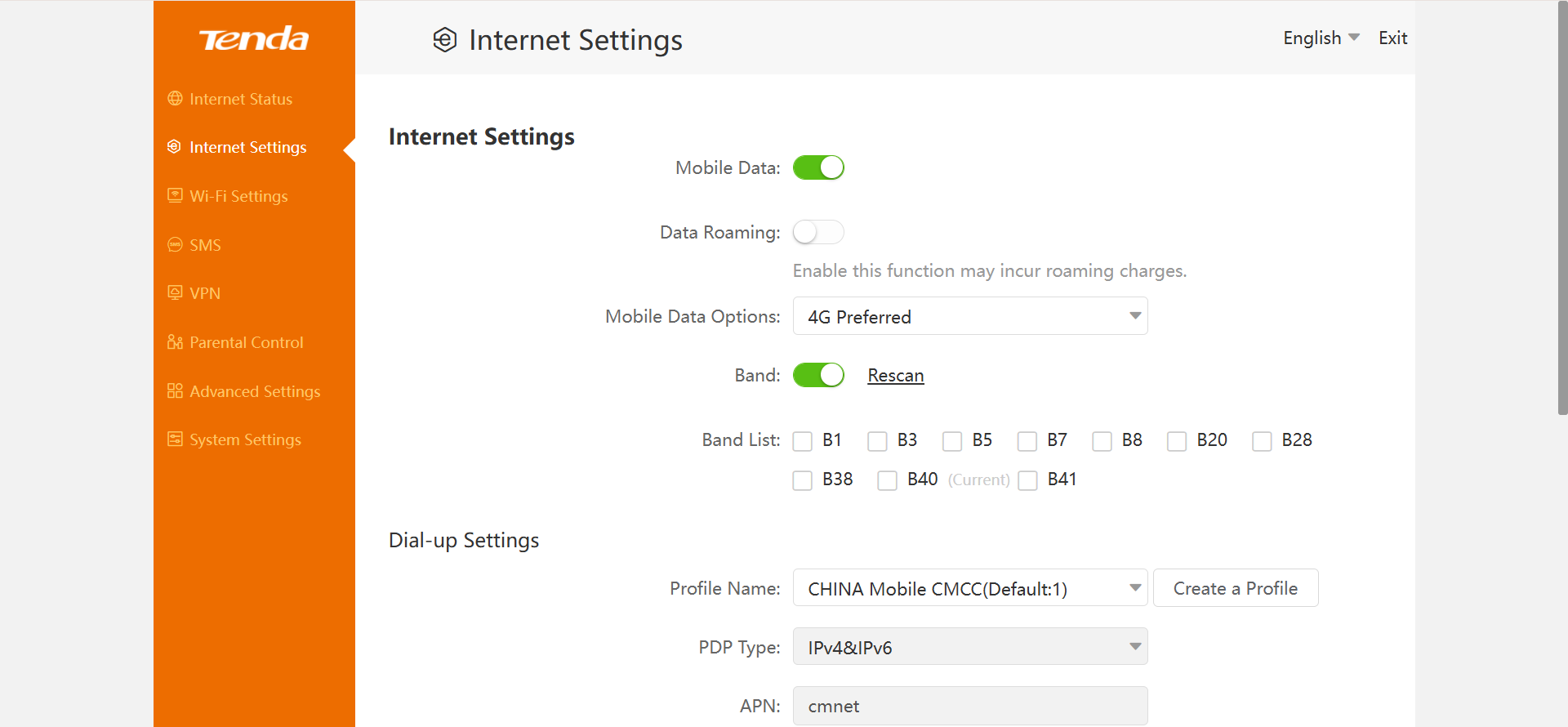
After setting up, click Connect to save.
If the above steps still do not solve your problem, Please contact our technical support.
Will it help you?