

How to disable the one touch call?
Update: 2025-08-08Format:html
Mobile View
For:
CP3 Pro V1.0RP3 Pro V1.0RP7 V2.0CP7 V2.0RP3 Pro +
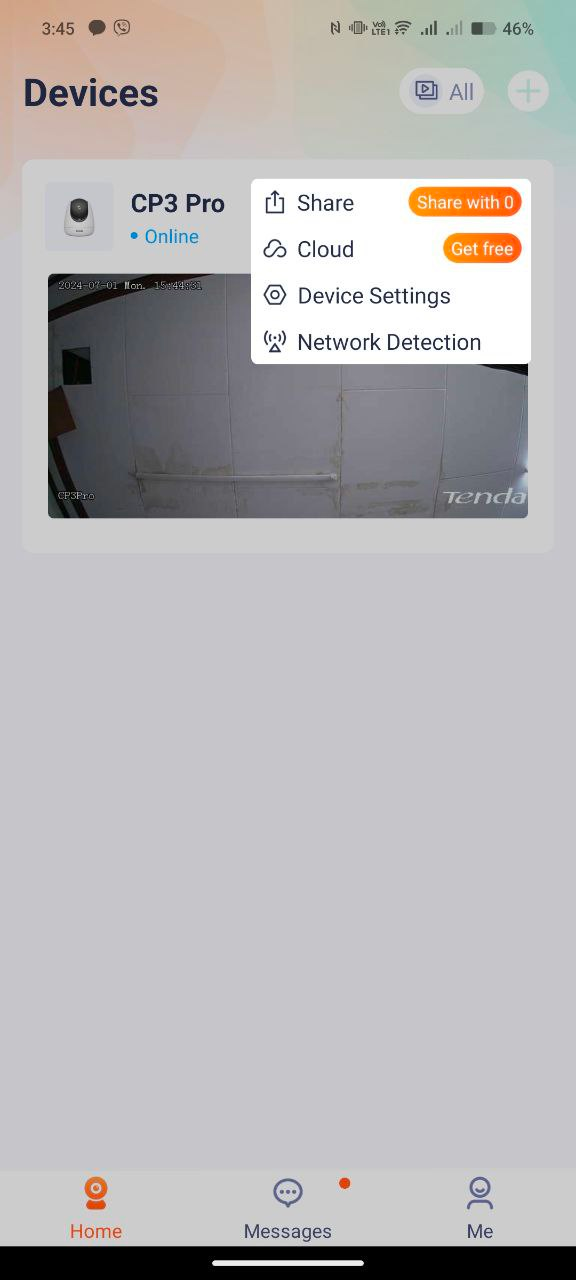
Step 1: Enter the camera's device setting
Open the Tenda Security app—Homepage—Click on the screen to enter the camera settings located at the upper right part of the camera monitor. And choose Device settings
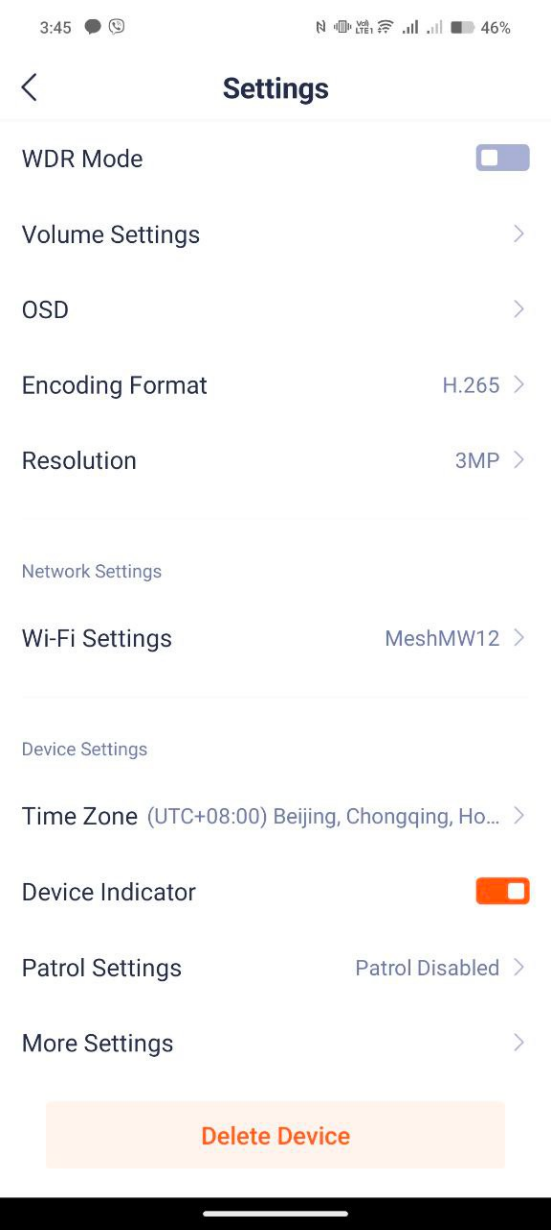
Step 2: Scroll down and Tap “More Settings”
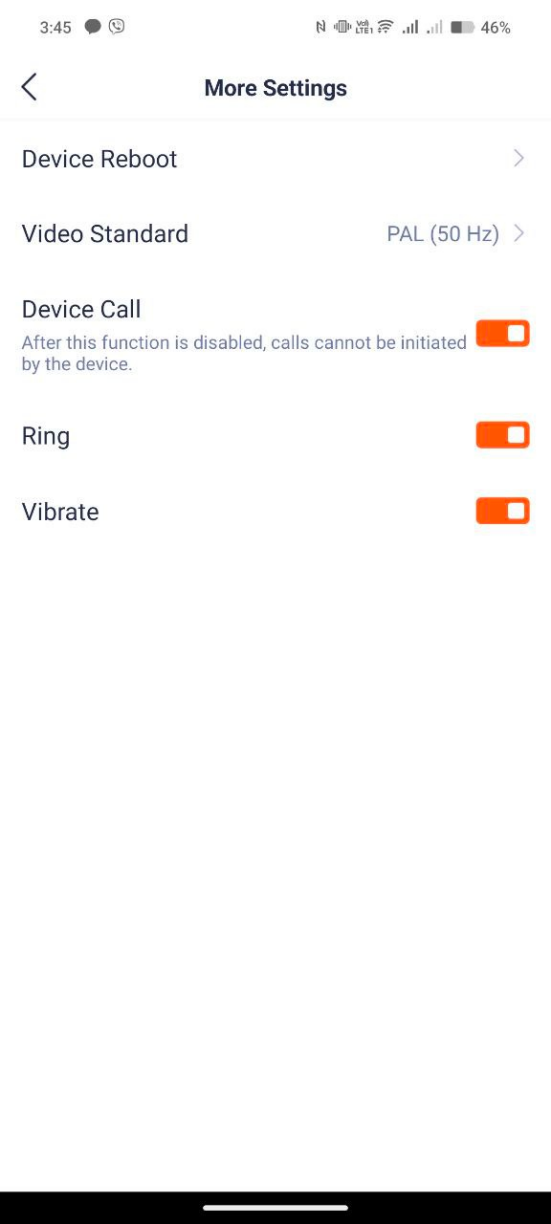
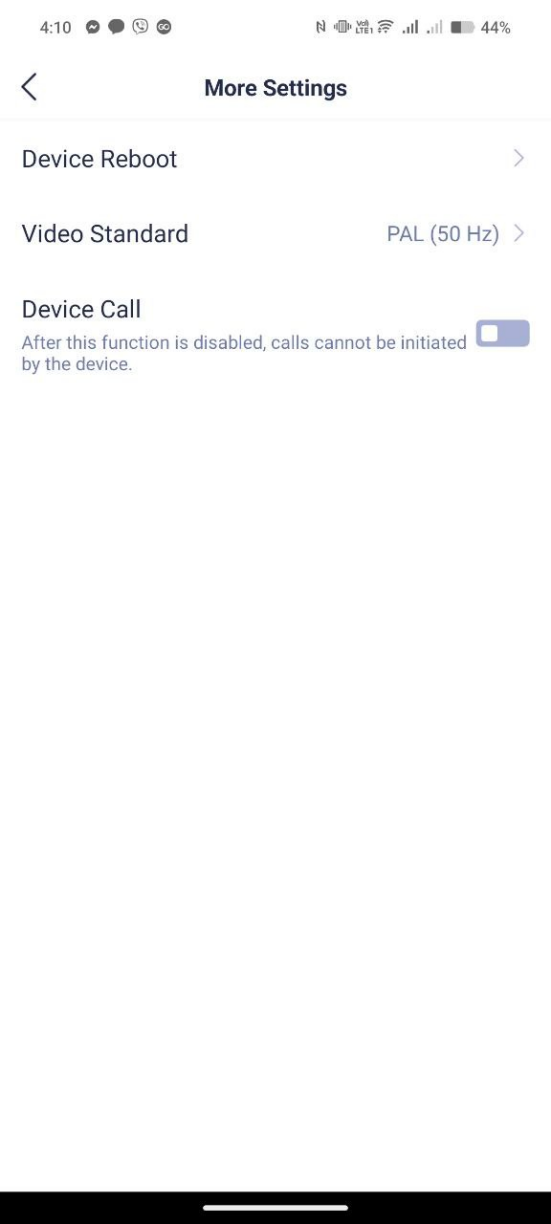
Step 3: Tap the “Device Call” setting to disable the One Touch Call features
Will it help you?