

How to set the alarm function of CP3 Pro
Update: 2025-07-17Format:html
Mobile View
For:
CP3 Pro V1.0CP3 Pro RP3 Pro V1.0RP3 Pro
Step 1: Enter the camera
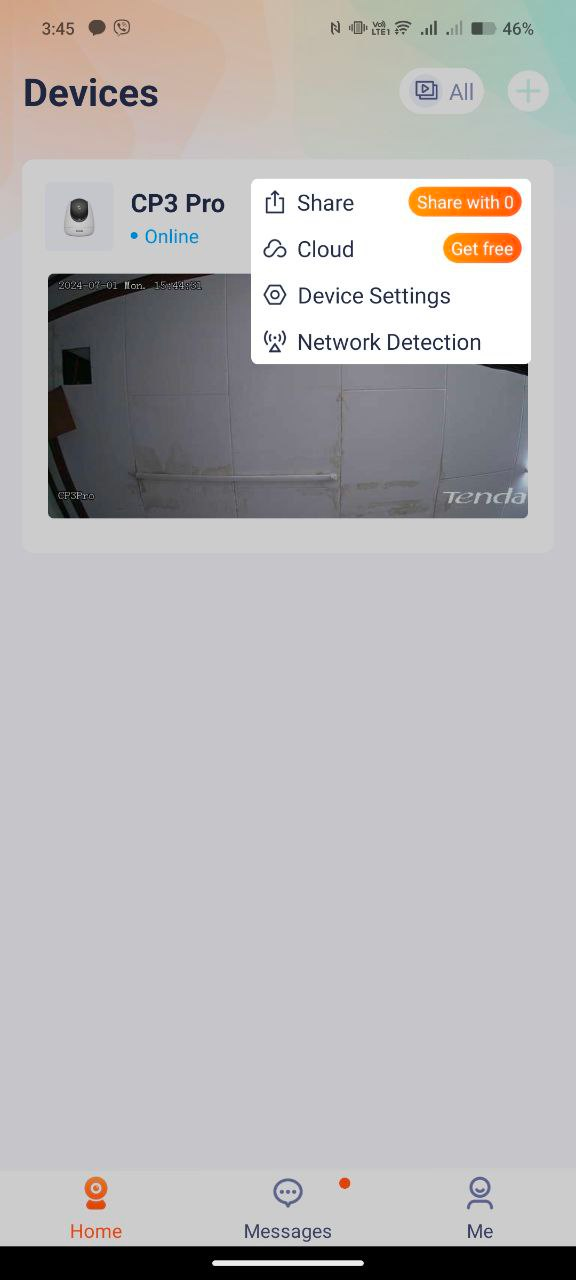
Open the Tenda Security app—Homepage—Click on the screen to enter the camera settings located at the upper right part of the camera monitor. And choose Device settings
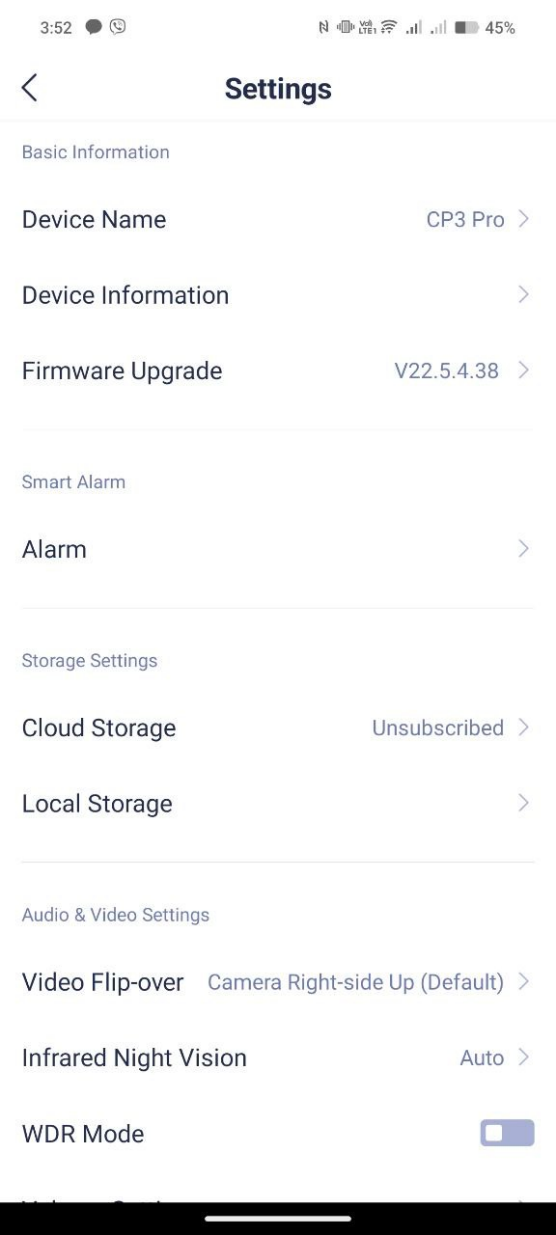
Step 2: Click “Alarm” settings to check smart alarm functions.
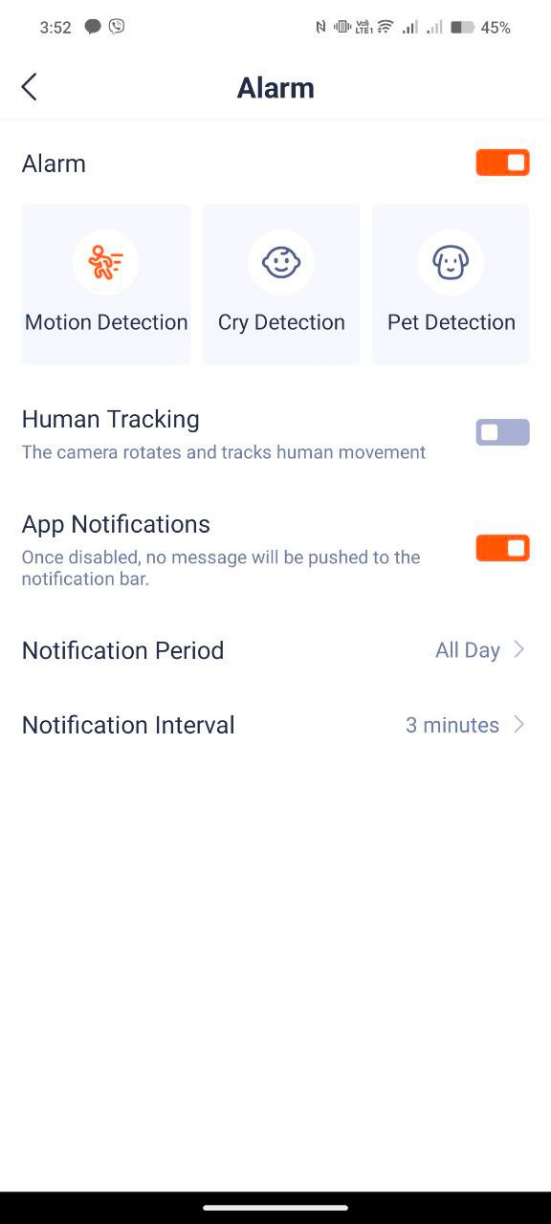
Step 3: Click “Motion detection” if you want to turn it on or to turn it off.
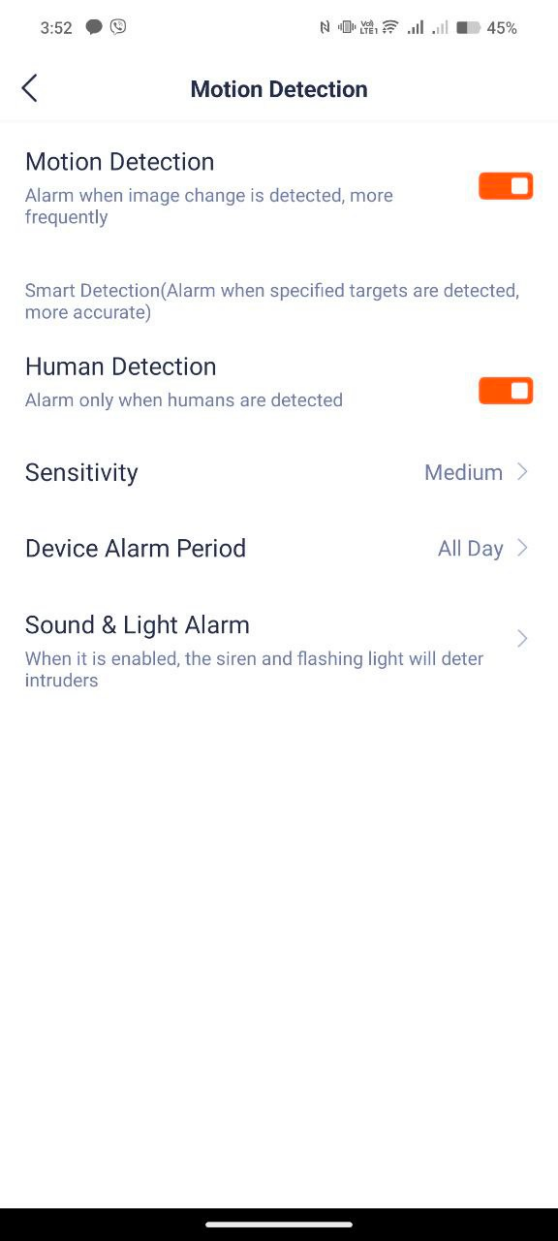
- Click “Cry Detection” if you want to turn it on.

- Click “Pet Detection” if you want to turn it on.

Will it help you?