

How to enable mobile phones to discover and install smart home devices that only support 2.4GHz?
Update: 2025-10-10Format:html
Mobile View
For:
Nova Mesh Wi-Fi 5
How to enable mobile phones to discover and install smart home devices that only support 2.4GHz?
2025-10-10
For:
Nova Mesh Wi-Fi 5
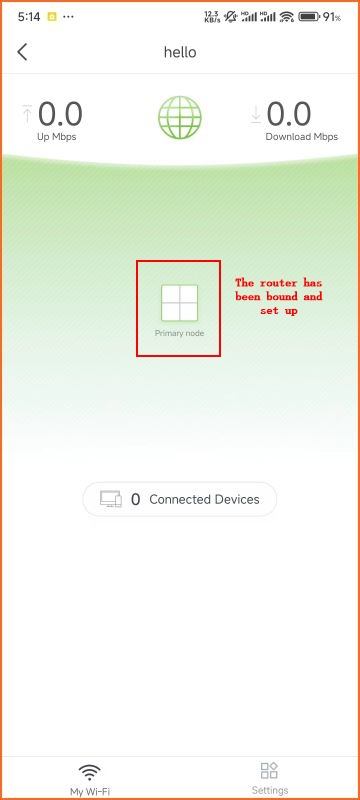
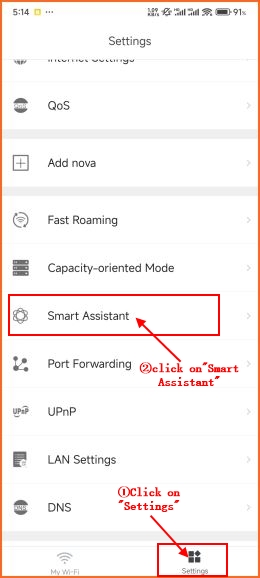
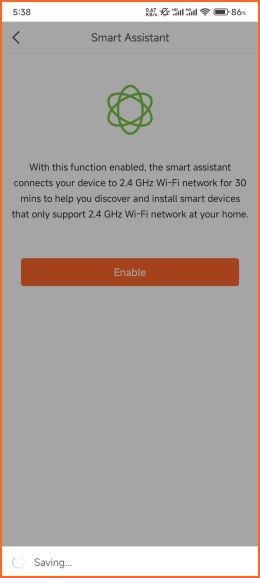
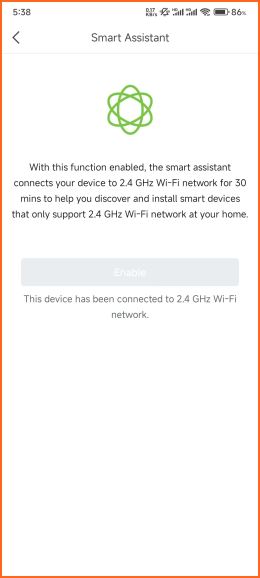
- After clicking "Enable" and waiting for 3-4 seconds, the phone will automatically switch to 2.4GHz wireless for 30 minutes, so that the host can discover and install smart home devices that only support 2.4GHz wireless.
Will it help you?