

How to configurate client mode for CPE
Update: 2024-05-25Format:html
Mobile View
For:
CPE&Basestation
How to configurate client mode for CPE
Note :Please make sure your PC connect with CPE in the network.
Step1:we should modify to the same network segment between CPE and PC. Click WLAN and go to properties>Internet Protocol Version 4 TCP/IPv4,change to Use the following IP address。Enter IP address 192.168.2.X, and Subnet mask :255.255.255.0. Save.
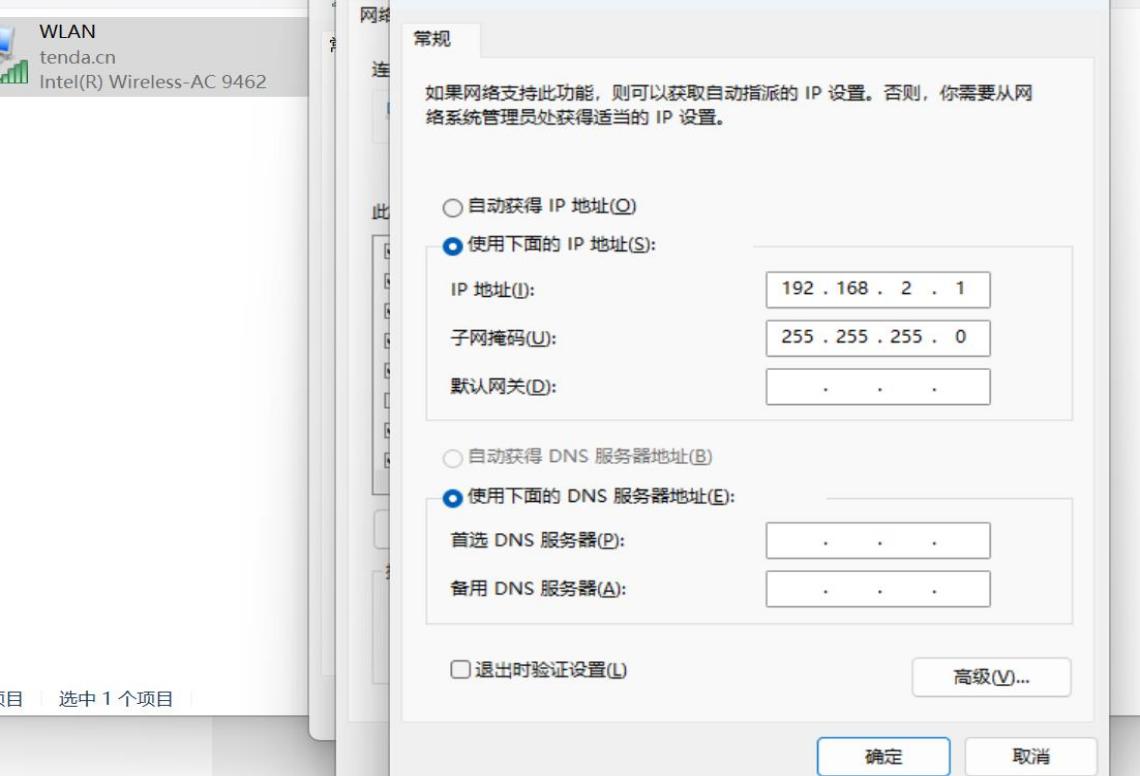
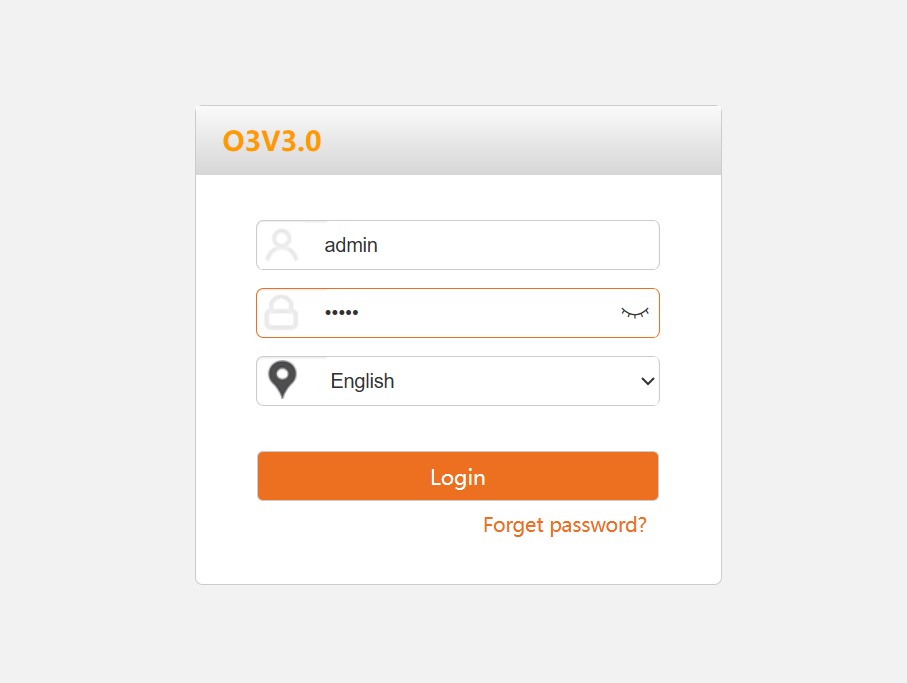
Tip: if your cannot log on the web,please reset your CPE
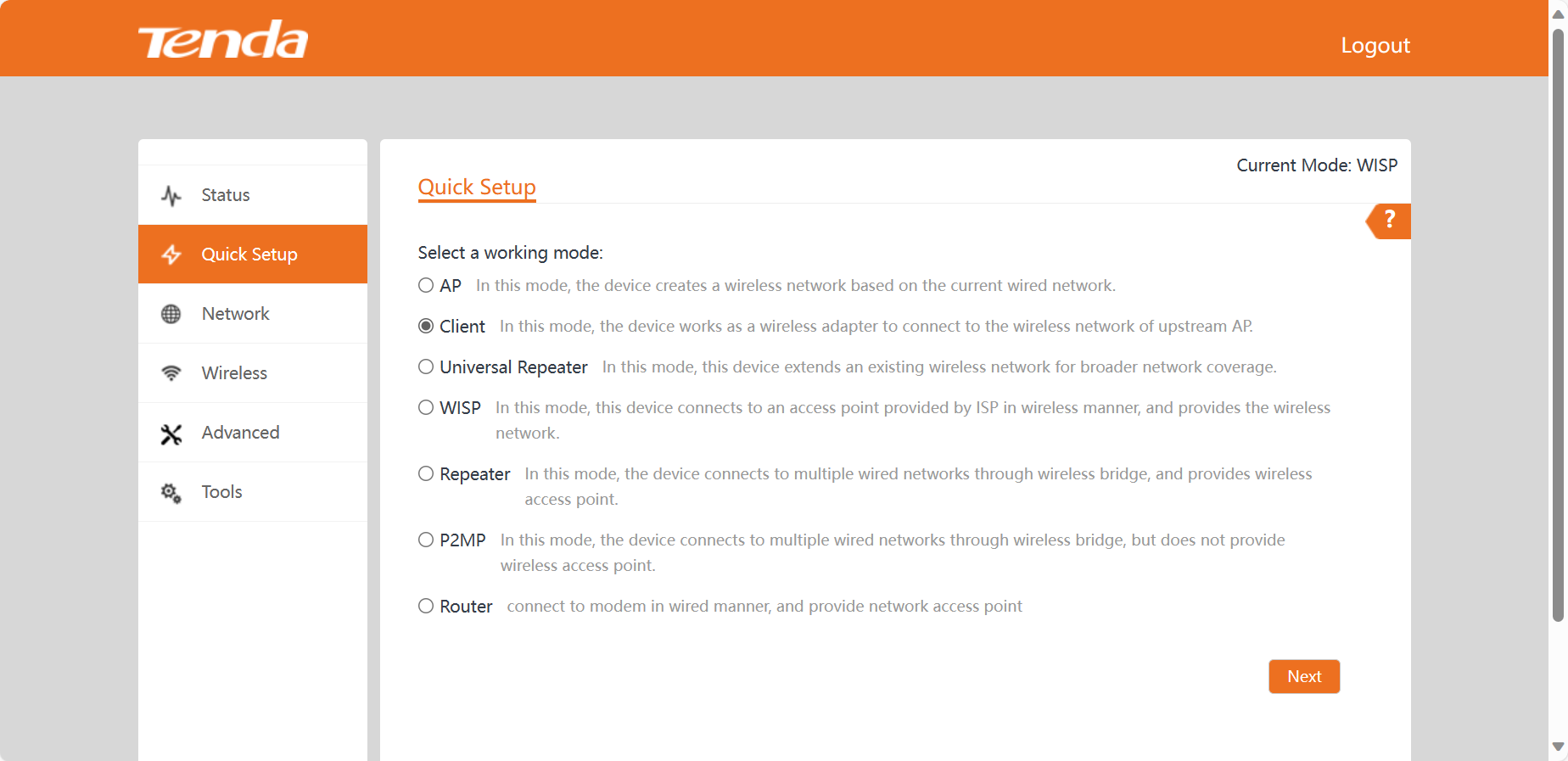
Step2:Select Client mode in Quick Settings, click next step
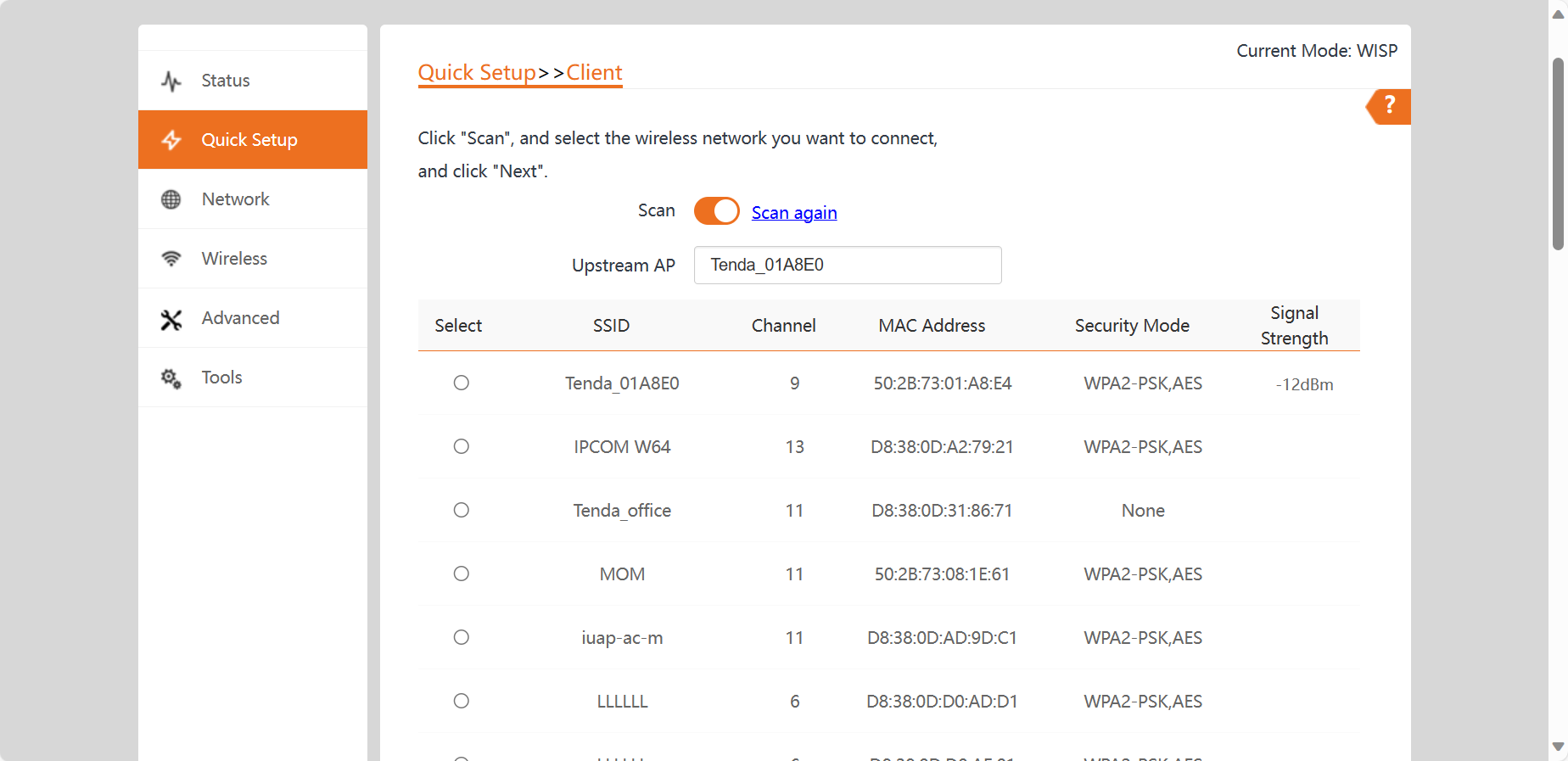
Step3: Click "Scan", and select the wireless network you want to connect,enter the password.
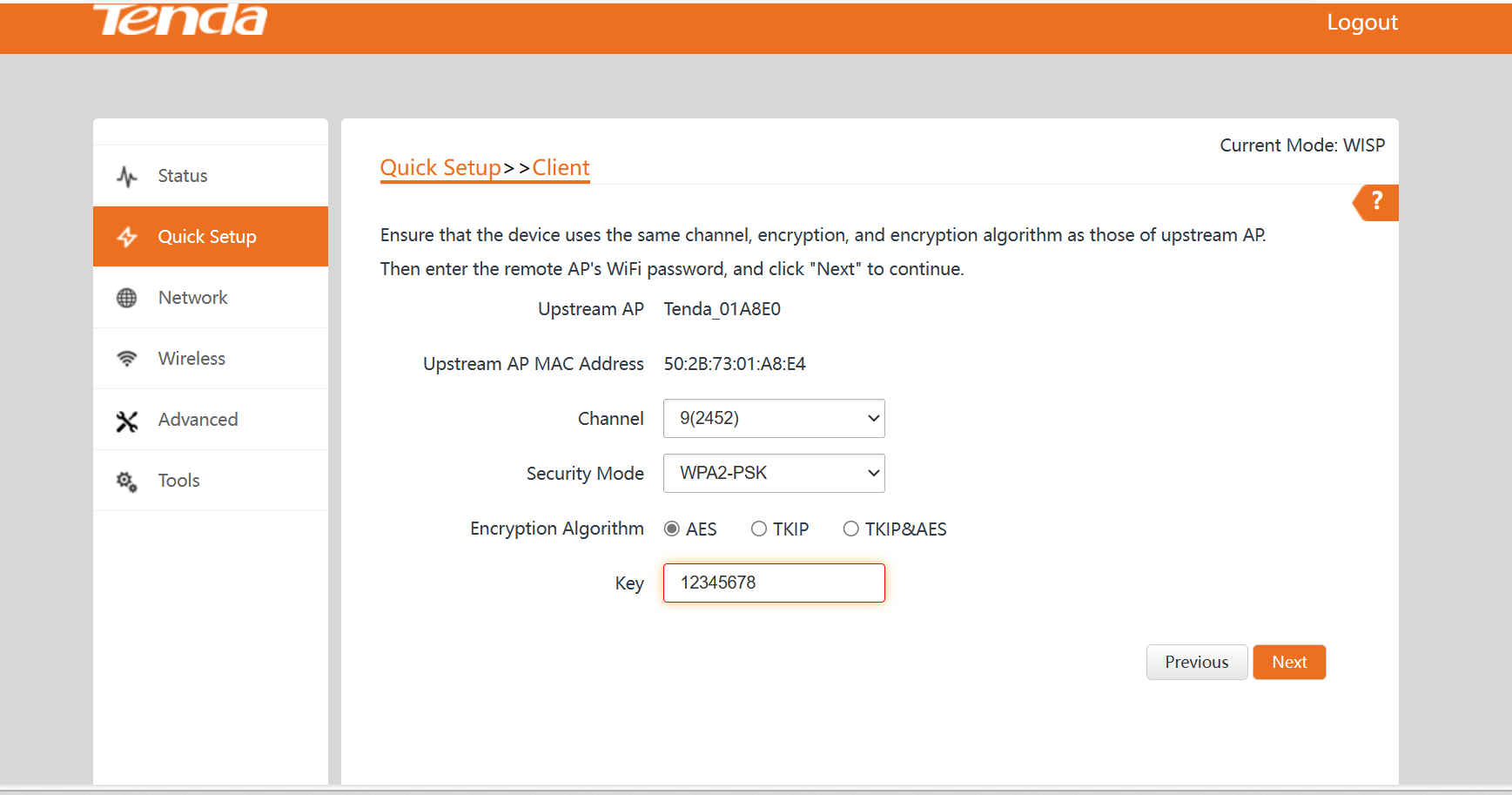
Step4: Set the IP address to an unused IP address belonging to the network segment of upstream AP. Click Next.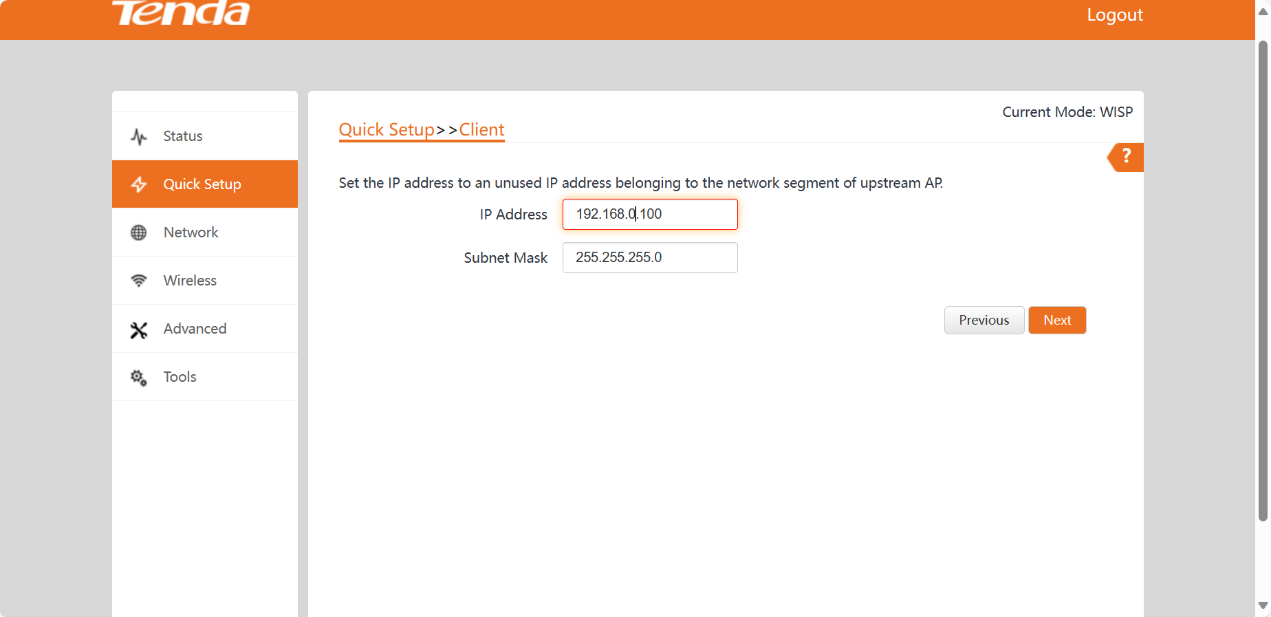
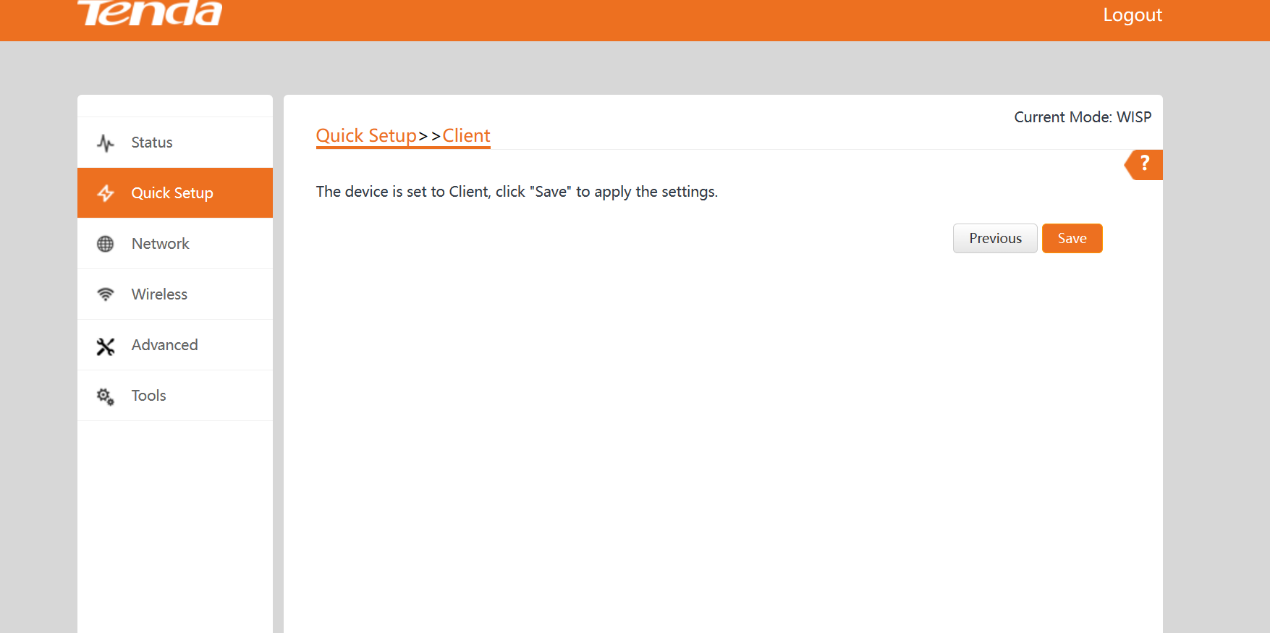
Step4: Save and apply this setting
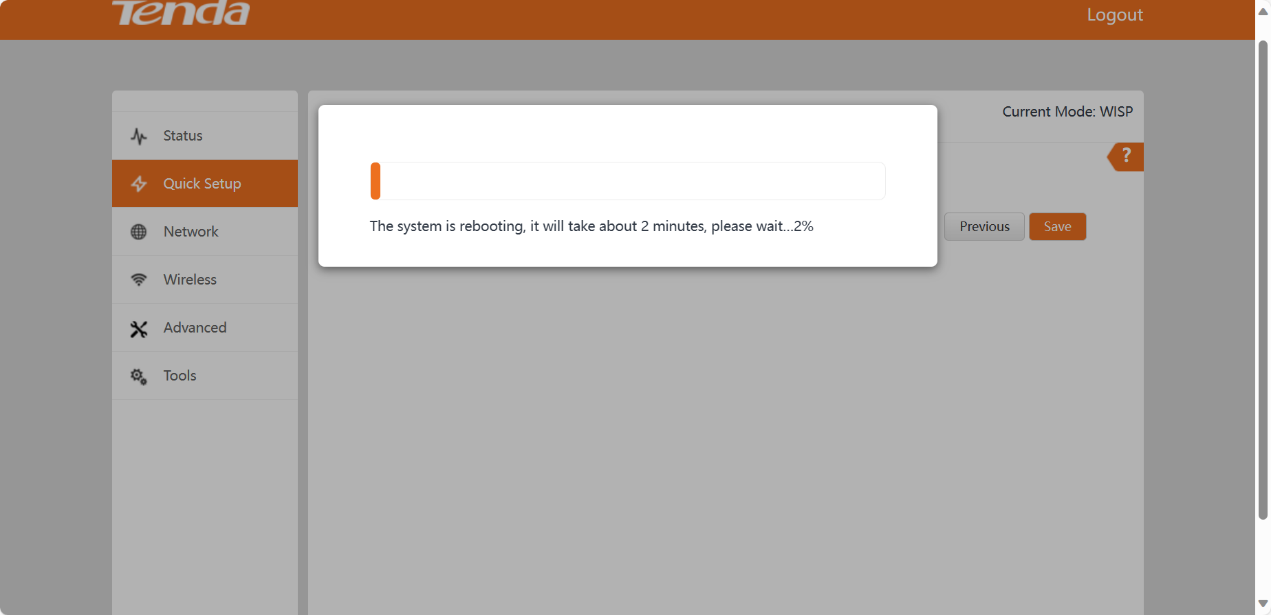
Step5:Successfully applied after device restart
Will it help you?