

Tenda AC5V1.0-How to setup PPTP, L2TP
Update: 2018-06-08Format:html
Mobile View
For:
AC5 V1.0AC5
Model Number: Tenda AC5
Question Classification: Function Setting
Step 1: Open a browser and type tendawifi.com in Address Bar, tap “Enter”. Input login password and tap “Login”.

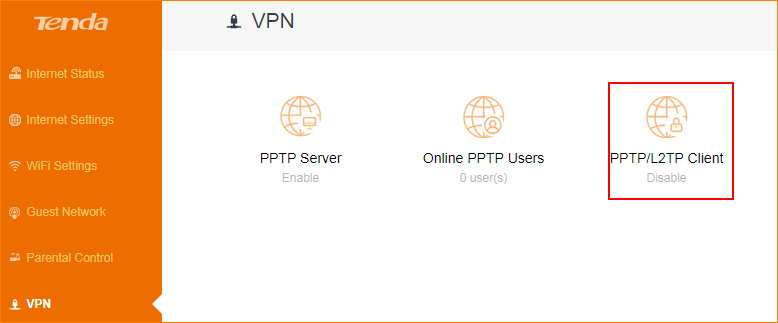
Step 2: Tap “VPN”. and choose “PPTP/L2TP Client”.
Step 3: Enter correct VPN information and tap “Connect”.
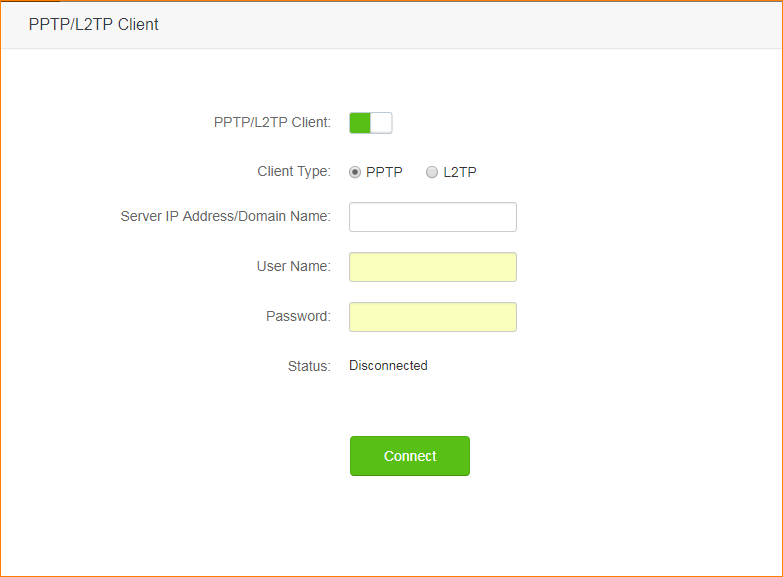
Step 4: If connect successfully, you can see “Connected” in connection status.
Will it help you?