

How to remotely control CP3 Pro to restart
更新:2025-06-11格式:html
手機查看
為了:
CP3 Pro
How to remotely control CP3 Pro to restart?
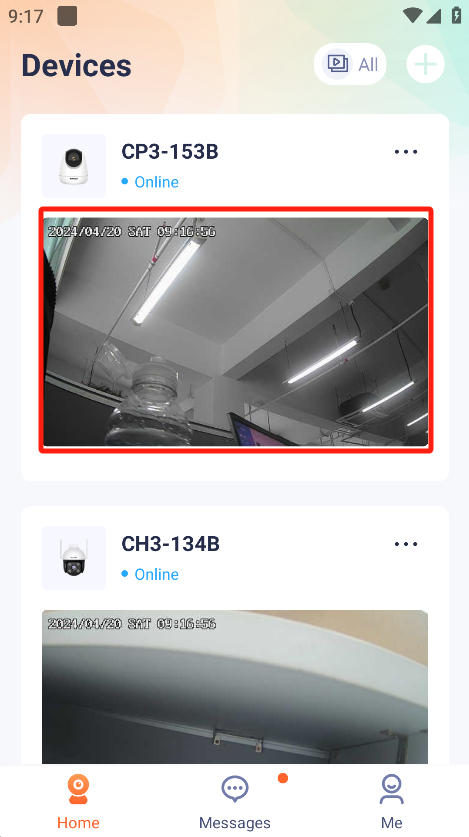
- Enter the TDSEE homepage and select the IPC you want to restart.
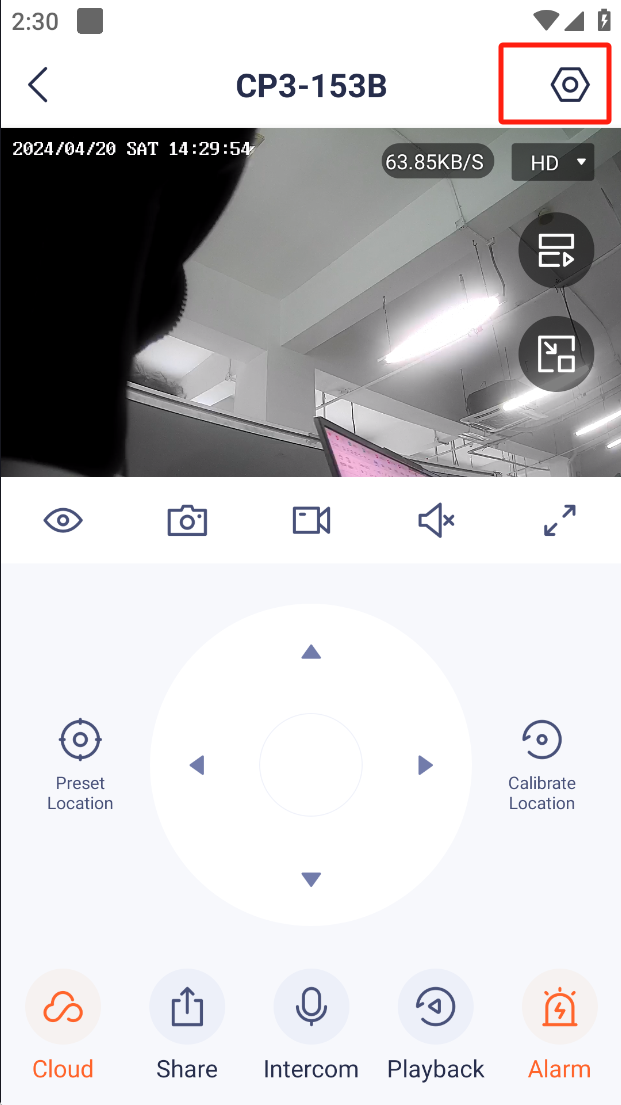
2.Press “Settings”.Enter the settings Interface.
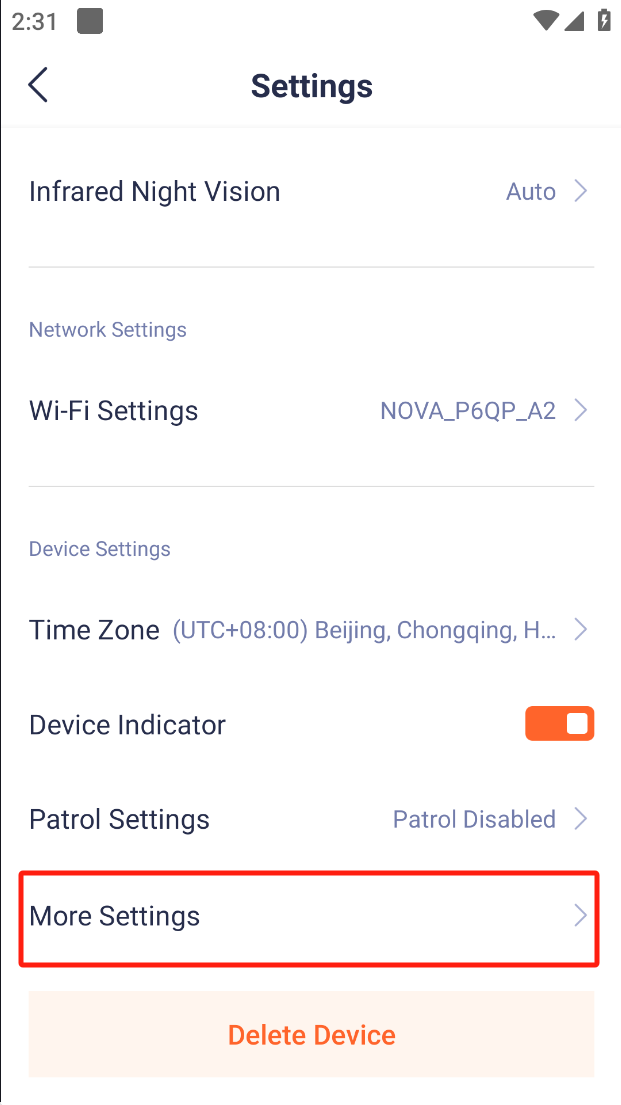
3.Press “More Settings”
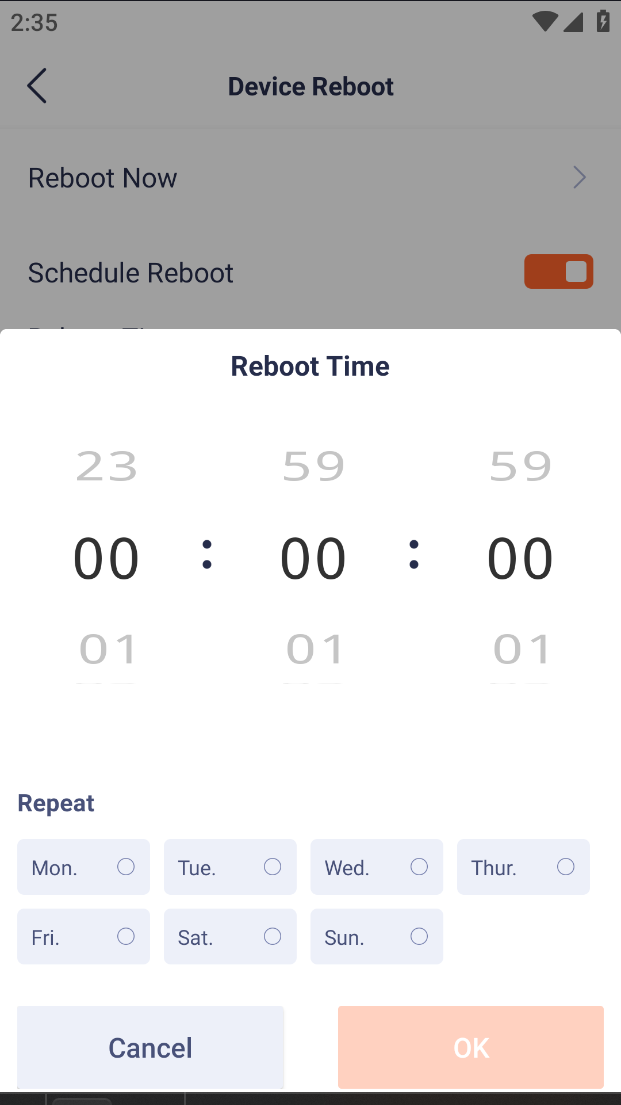
4.Press “Device Reboot”
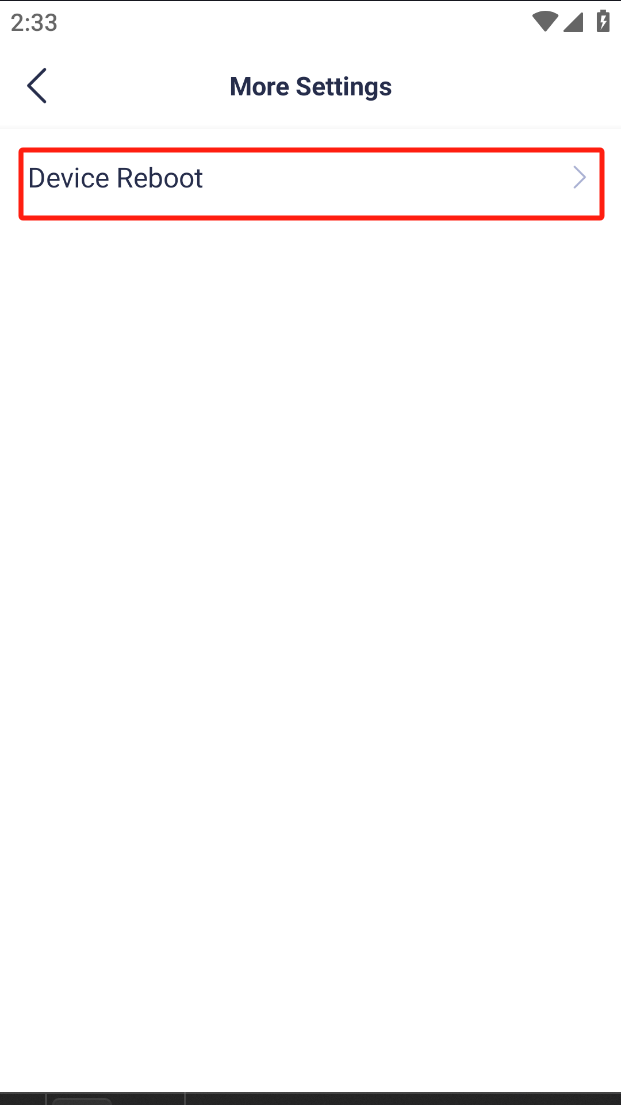
5.You can choose to restart immediately or schedule a restart.
它會對你有幫助嗎?