

How to reset my camera’s password on NVR?
Mise à jour : 2025-07-28Format:html
Vue mobile
Pour :
PMEPoE NVRNetwork Video RecorderIP CameraNon-PoE NVR
Before you begin, please check if your NVR firmware version is V12.1.4.16 or above.
If it is lower than this version, please upgrade your NVR firmware version.
Step 1
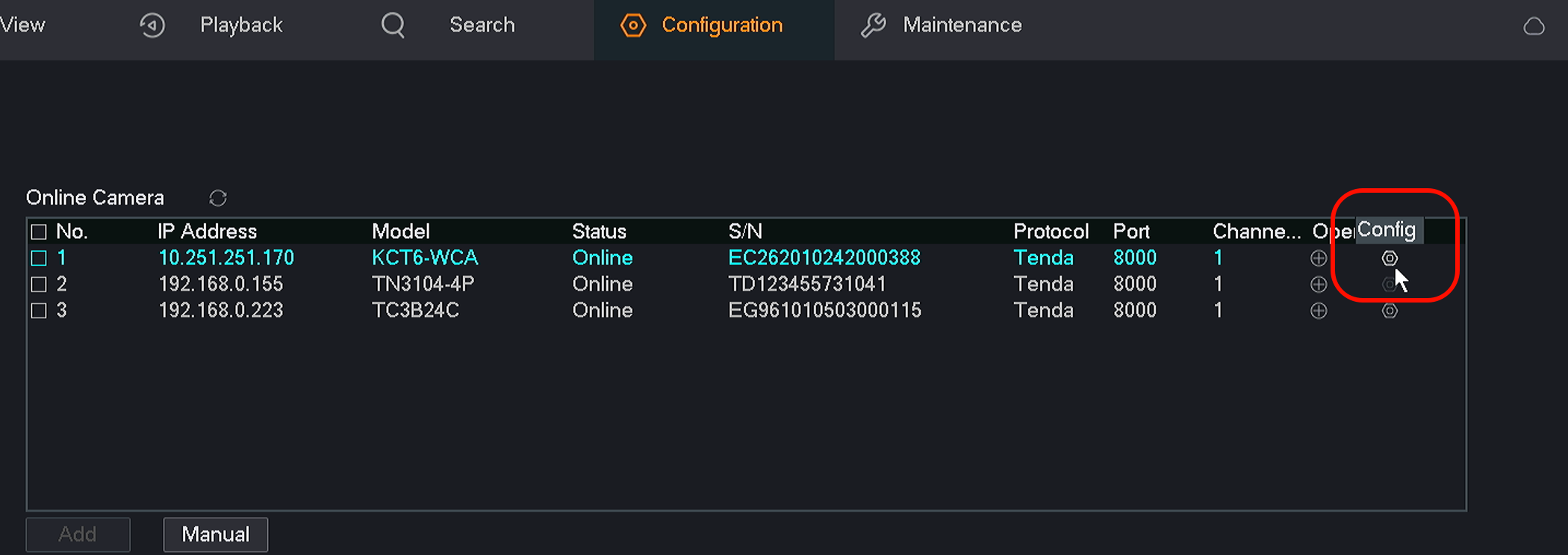
Please go to Configuration page and delete the camera which password is incorrect.

Step 2
Then click the config button as shown in the red box.
Step 3
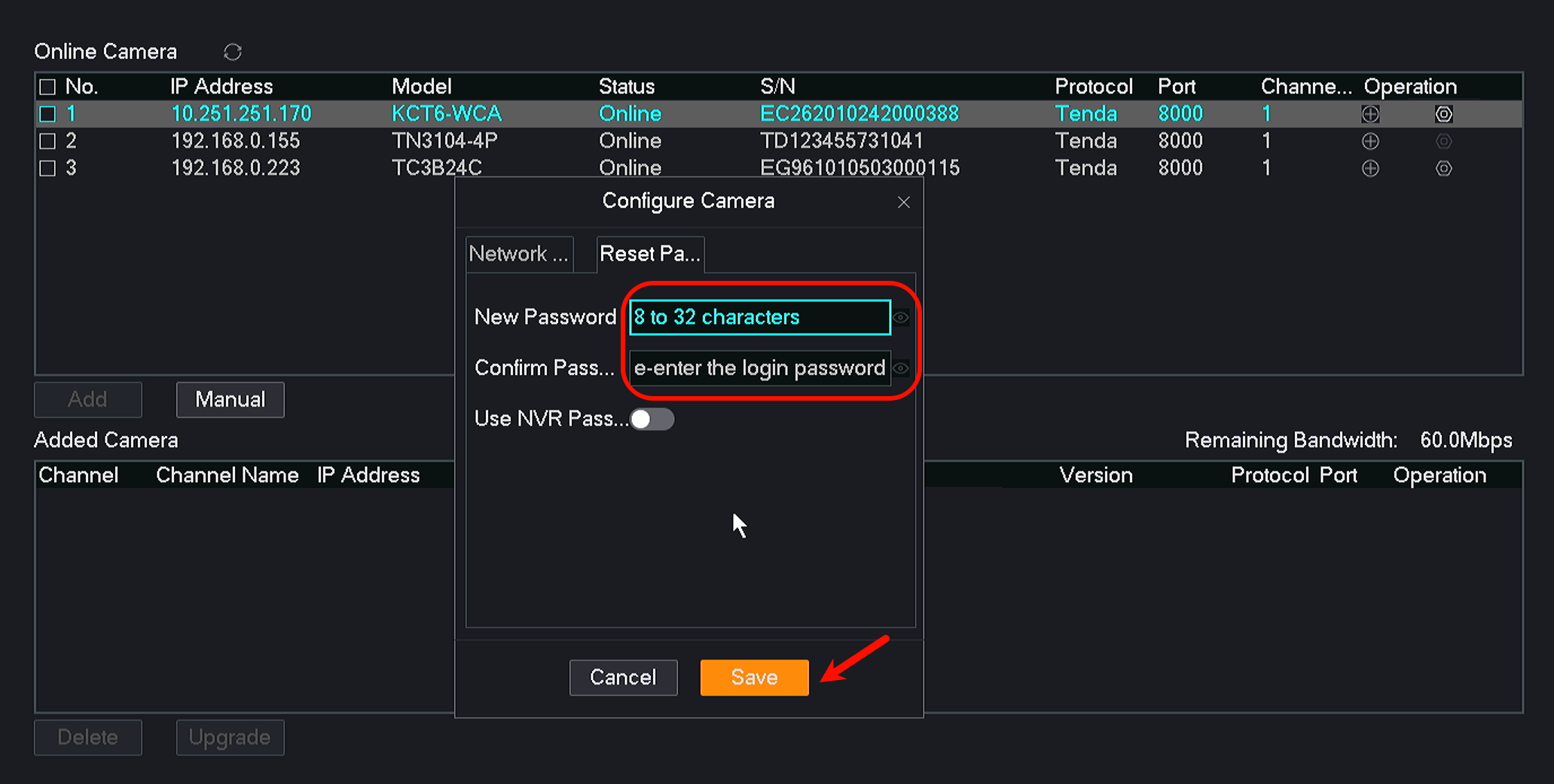
A window will pop out. Click Reset Password.
You can reset your password here as shown in the picture.
When you are done, don’t forget to click Save.
If this article could not solve your problem, please contact our technical support.
Contact us: tendasecurity@tenda.cn
Ce document est-il utile ?