

How to disable the one touch call of CP3 Pro
Mise à jour : 2025-06-11Format:html
Vue mobile
Pour :
CP3 Pro CP3 Pro RP3 Pro RP7 V2.0CP7 V2.0+
How to disable the one touch call of CP3 Pro
2025-06-11
Pour :
CP3 Pro CP3 Pro +
How to disable the one touch call of CP3 Pro
- Enter the camera
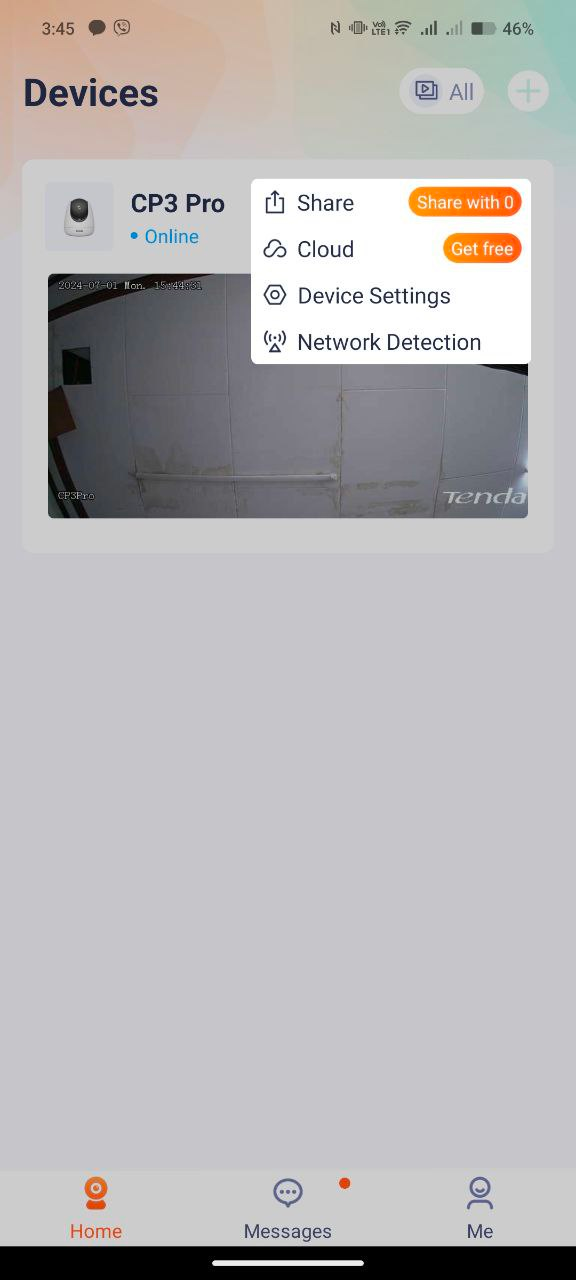
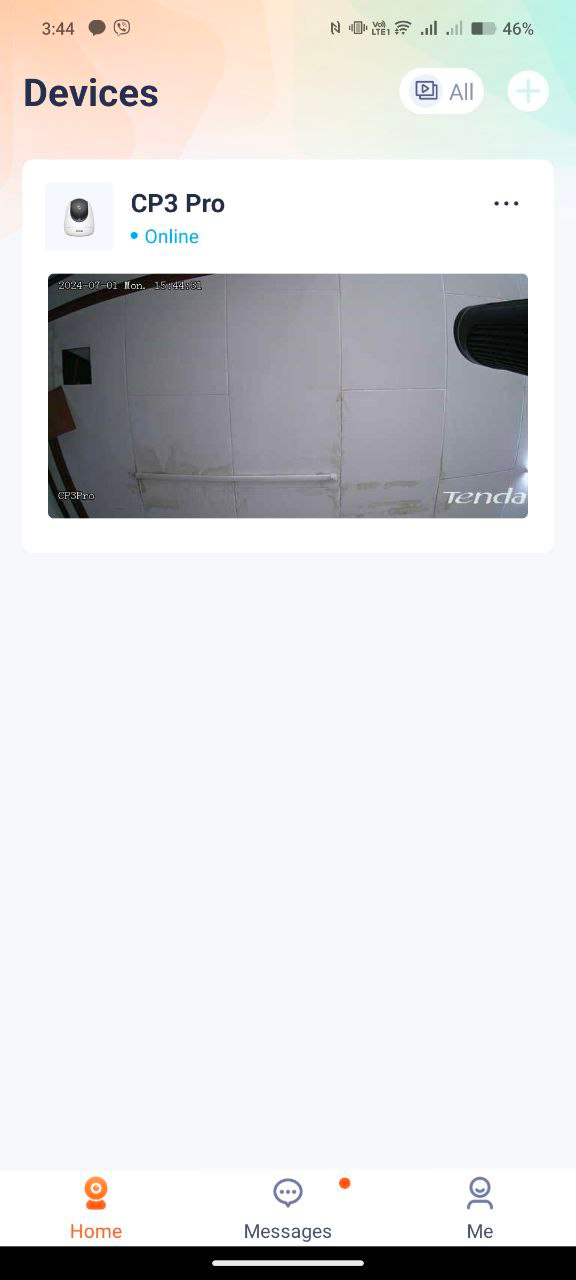
Open the Tenda Security app—Homepage—Click on the screen to enter the camera settings located at the upper right part of the camera monitor. And choose Device settings
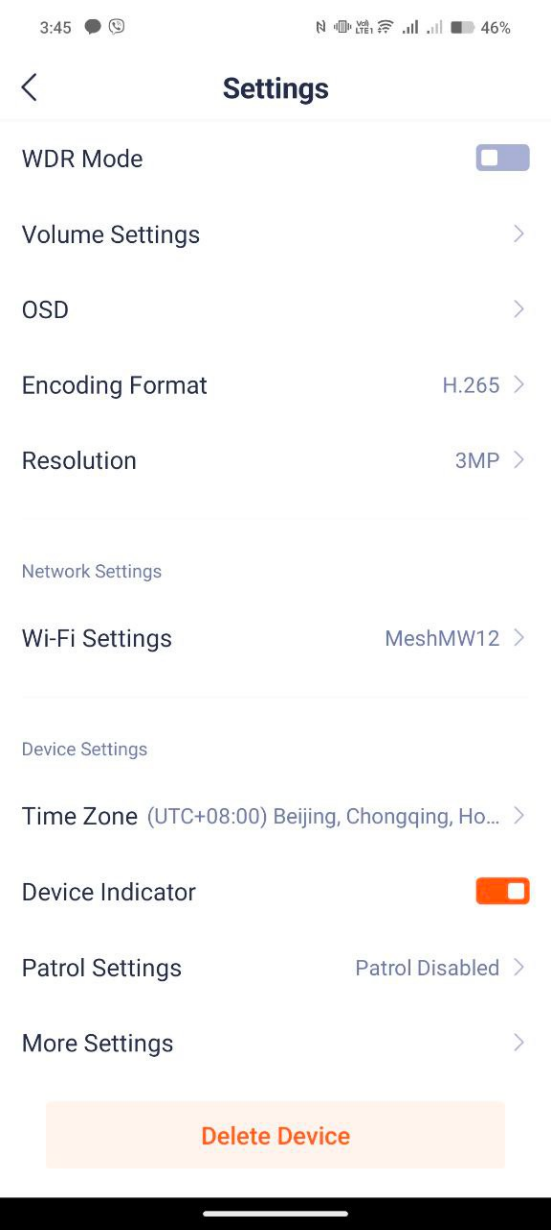
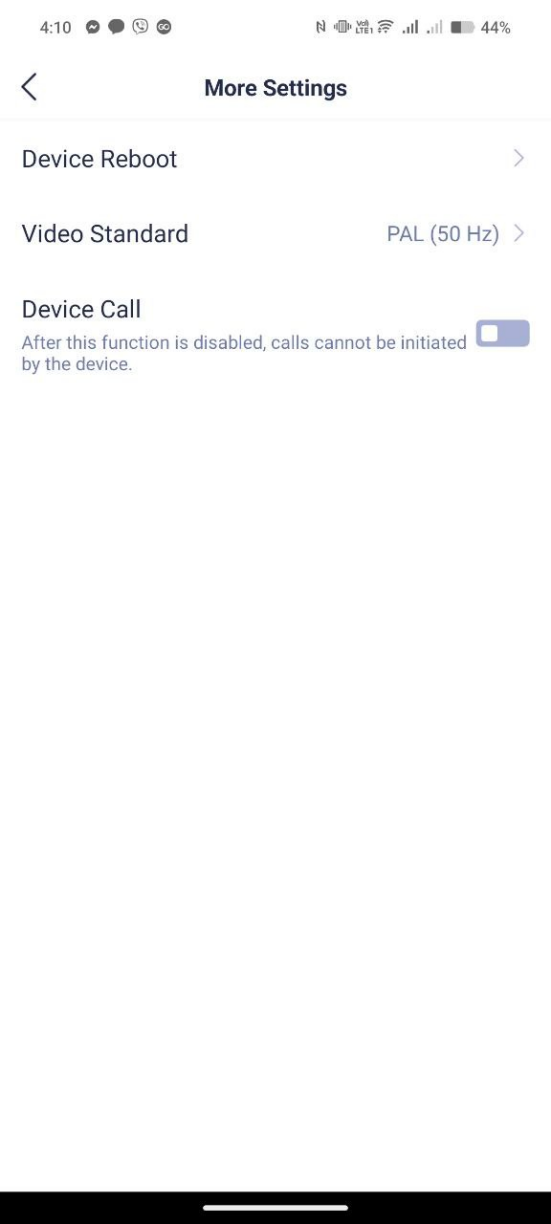
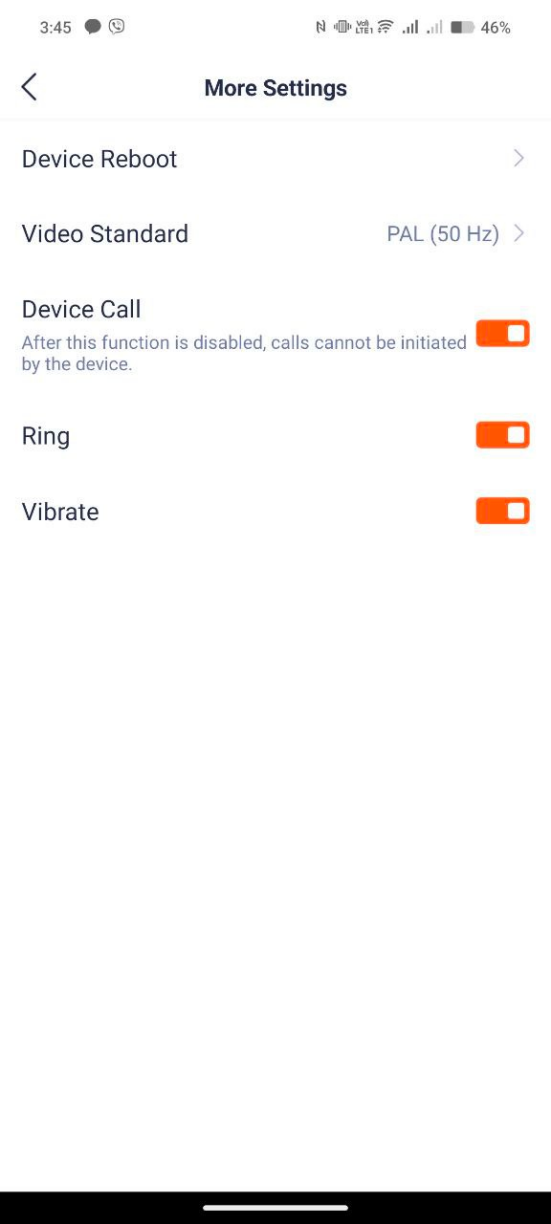
- Tap the “Device Call” setting to disable the One Touch Call features of CP3 Pro
Ce document est-il utile ?