

[NVR-1.1] How to add a camera to an NVR
[NVR-1.1] How to add a camera to an NVR
2025-06-11
Function introduction:
Tenda NVR supports manual and automatic addition of camera devices, and also supports setting scheduled restart plans for SMB cameras.
Operation Introduction:
Ⅰ. Use Google browser first, connect the computer and NVR via a wired cable or let the computer and NVR use the same WIFI to ensure that the computer and NVR are in the same LAN.
Ⅱ. Enter the IP address of the NVR in the address bar of the browser page, enter the login interface of the NVR, and log in after entering the username and password.

Ⅲ. Click Configure, then select Channel-Camera. You can choose to add devices manually or automatically.
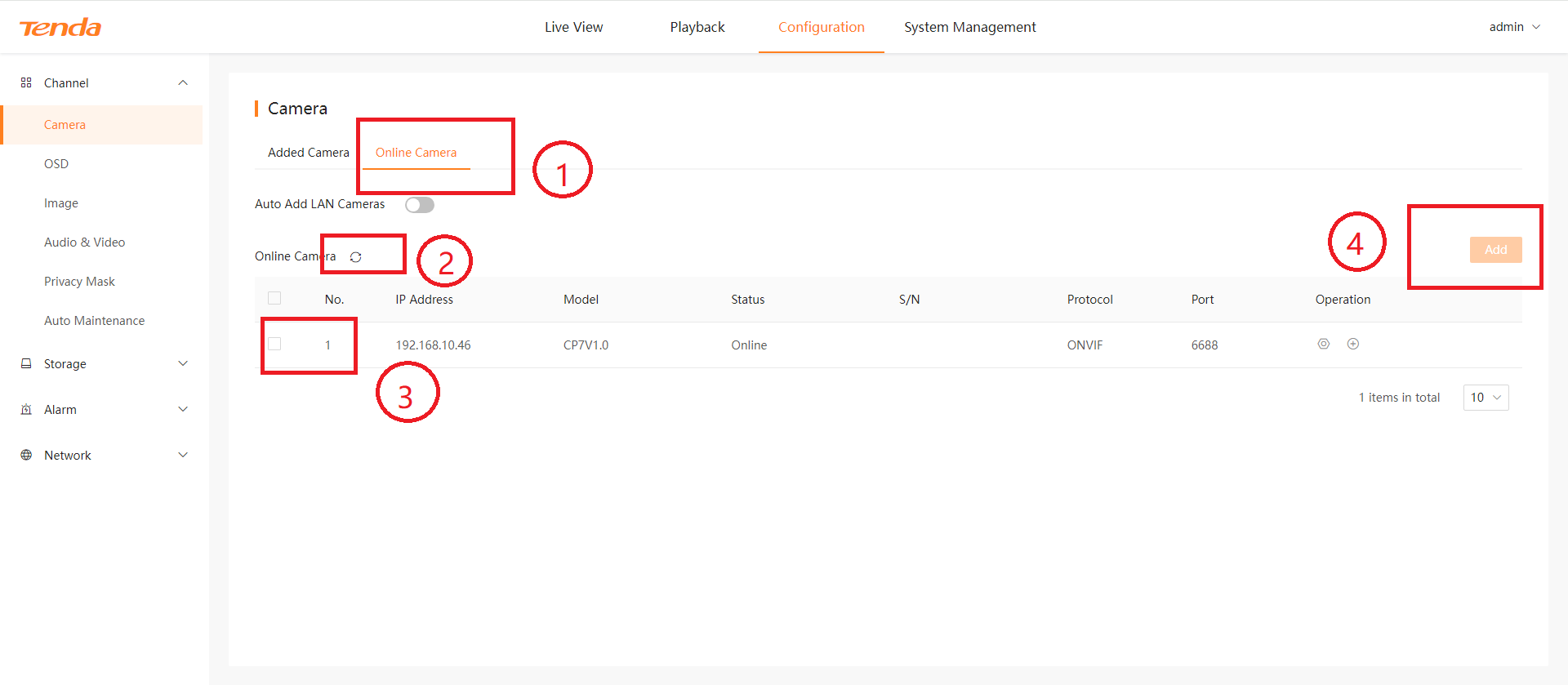
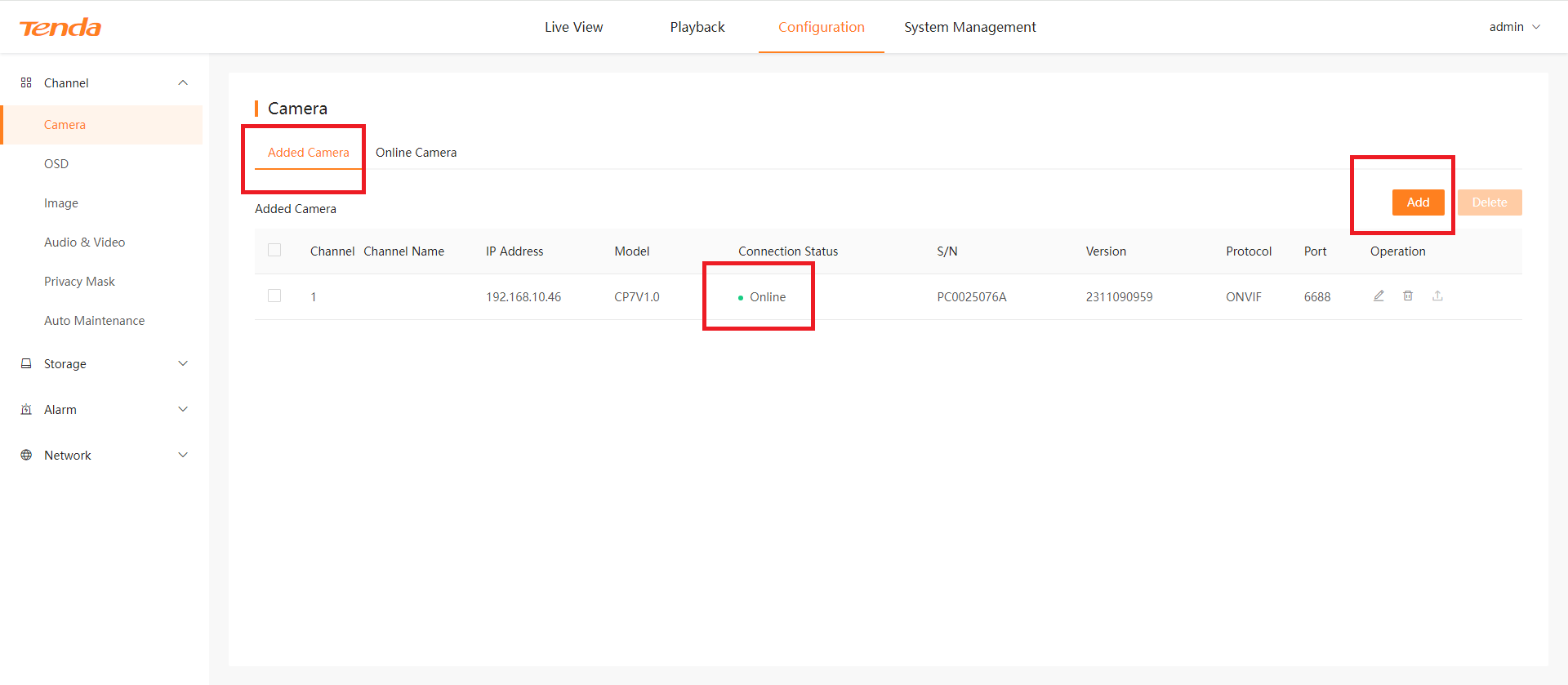
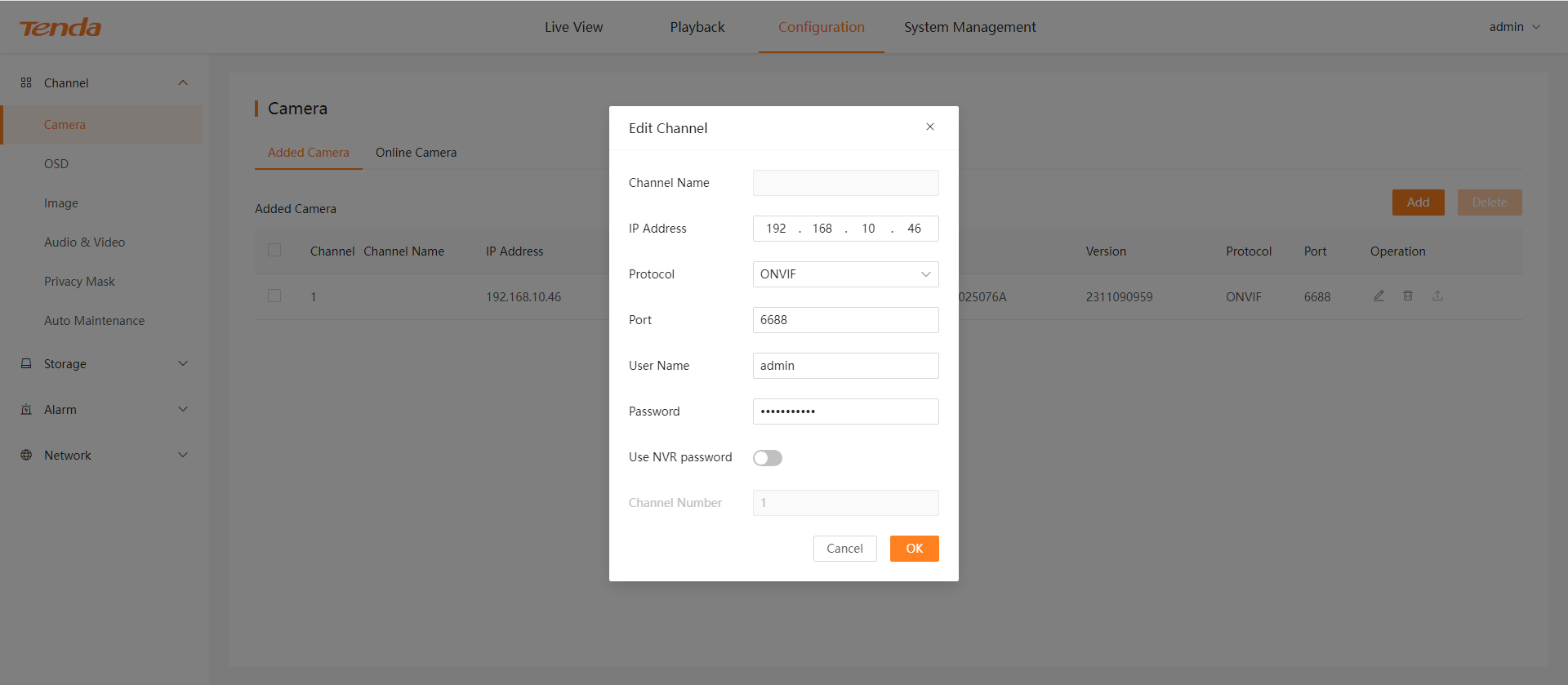
Ⅳ. Click Added Camera, then click Add, fill in the ip address ,protocol, port number, user name, and password. If the camera displays "Online", it means it has been added successfully.
Ⅴ. When the camera and NVR are in the same LAN, you can use the automatic adding method. Click online camera, then click refresh to search for devices in the current LAN, check the corresponding device, and click add.