

How to use Tenda Mobile Wi-Fi in foreign countries?
Mise à jour : 2025-11-10Format:html
Vue mobile
Pour :
4G180 v3.04G185 v3.0MF3 v1.04G180 v4.04G185 v4.0+
How to use Tenda Mobile Wi-Fi in foreign countries?
2025-11-10
Pour :
4G180 v3.04G185 v3.0+
Step 1.
Make sure your SIM card’s data-roaming facility is on.
Step 2.
Make sure your SIM card has not been temporarily stopped because of an overdue bill.
Step 3.
Make sure the ISP you connect to can operate on the bands your MiFi supports.
For Tenda MiFi
Step 4.
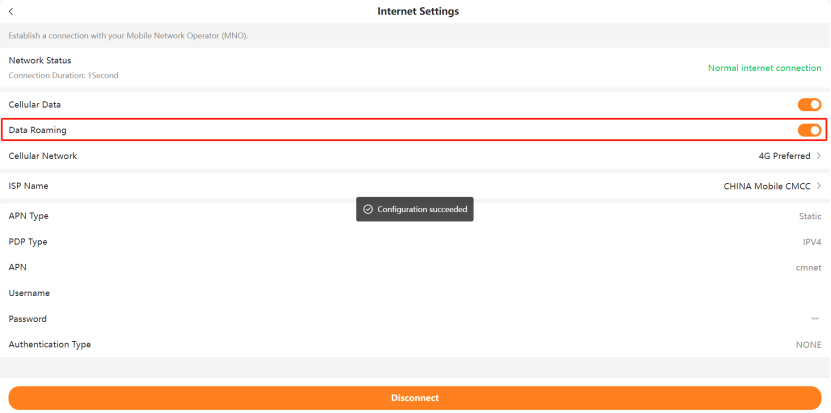
Enable Data Roaming.
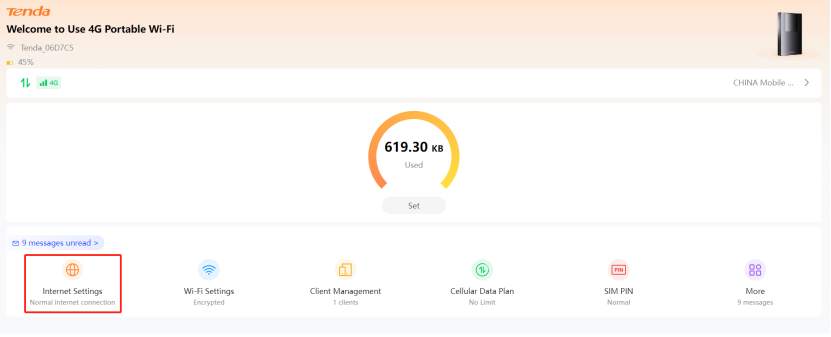
Click Internet Settings on the menu, then enable Data roaming.
1.Click Internet Settings
2.Enable Data roaming
Step 5.
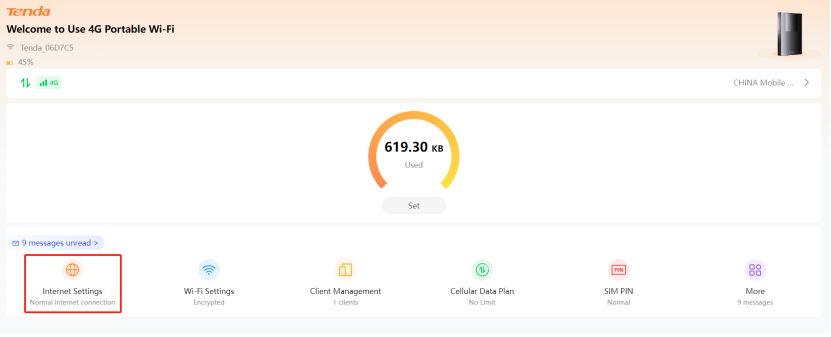
If you can’t access to Internet after all steps above, please collect information about APN, username, password and set them manually.
1.click Internet Settings
2.click ISP Name
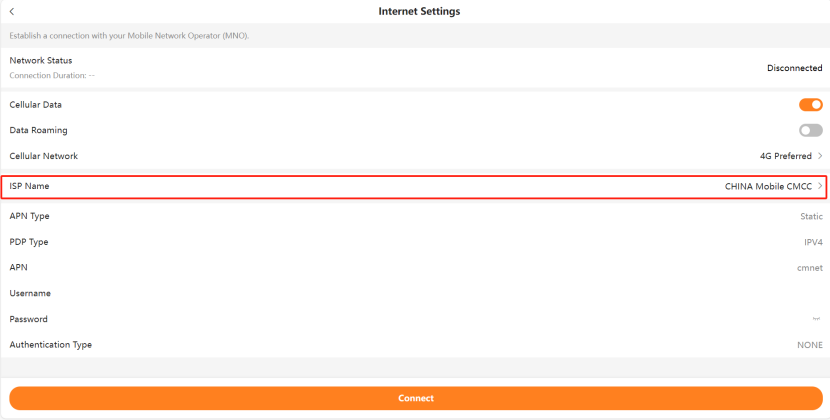
3.Enter ISP Selection,click Add

4.Set APN, username, password manually and click Save.
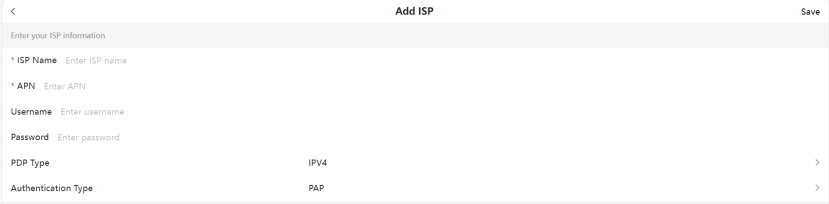
If you still can’t access to Internet, please contact Tenda support for help.
Ce document est-il utile ?