

[Mesh-MW-3.1] How to change LAN IP address
Mise à jour : 2025-06-11Format:html
Vue mobile
Pour :
MW5 3-PackMesh Wi-Fi SystemsNova Mesh Wi-Fi 5
[Mesh-MW-3.1] How to change LAN IP address
2025-06-11
Pour :
MW5 3-PackMesh Wi-Fi Systems+
User Scenario: I used a router before with login address 192.168.0.1. I configure static IP address 192.168.0.x for IP camera. How to change MW5 LAN port address from 192.168.5.1 to 192.168.0.1 if I replace the router with MW5.
Solution:
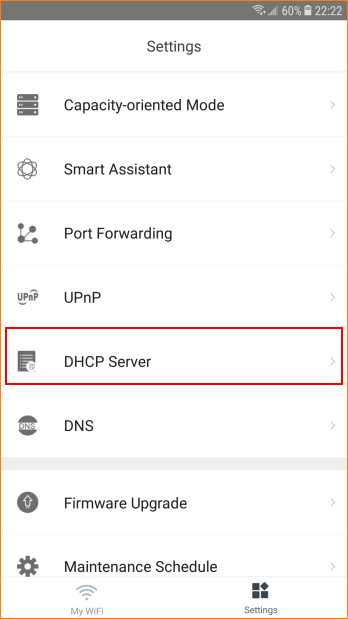
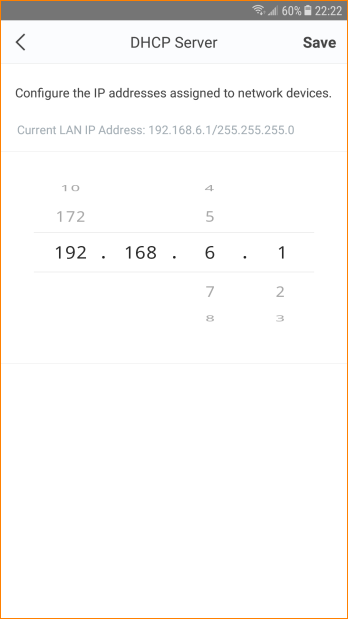
Step 1: Open Tenda Wi-Fi App, tap “Settings” > “DHCP Server”, change address to 192.168.0.1, tap “Save”.
Ce document est-il utile ?