

Note: This guidance will guide you how to access the Internet when router is in factory settings and the steps as below.
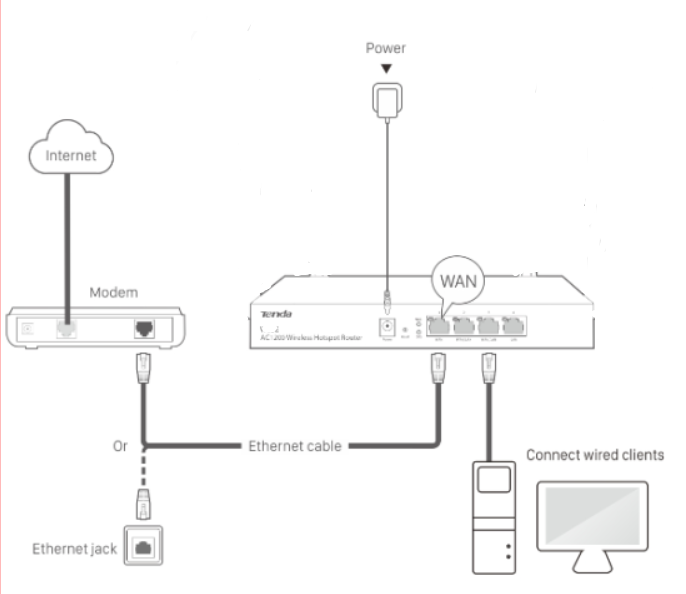
Step 1: Connect the computer to the router.
1.1 Connect the included power adapter to the Power jack of the router to power it on.
1.2 Use an Ethernet cable to connect an Ethernet jack or a LAN port of your Modem to the WAN port of the router.
1.3 Connect your computer to a LAN port of the router.
At this point, the SYS indicator light should be blinking slowly. If it's not, please wait for a moment.
Step 2: Enter management interface of router.
2.1 Open a Web Browser -> Input tendawifi.com or 192.168.0.252 in the address bar -> Press Enter.
2.2 Follow the instructions step by step for the setup.

Login↑
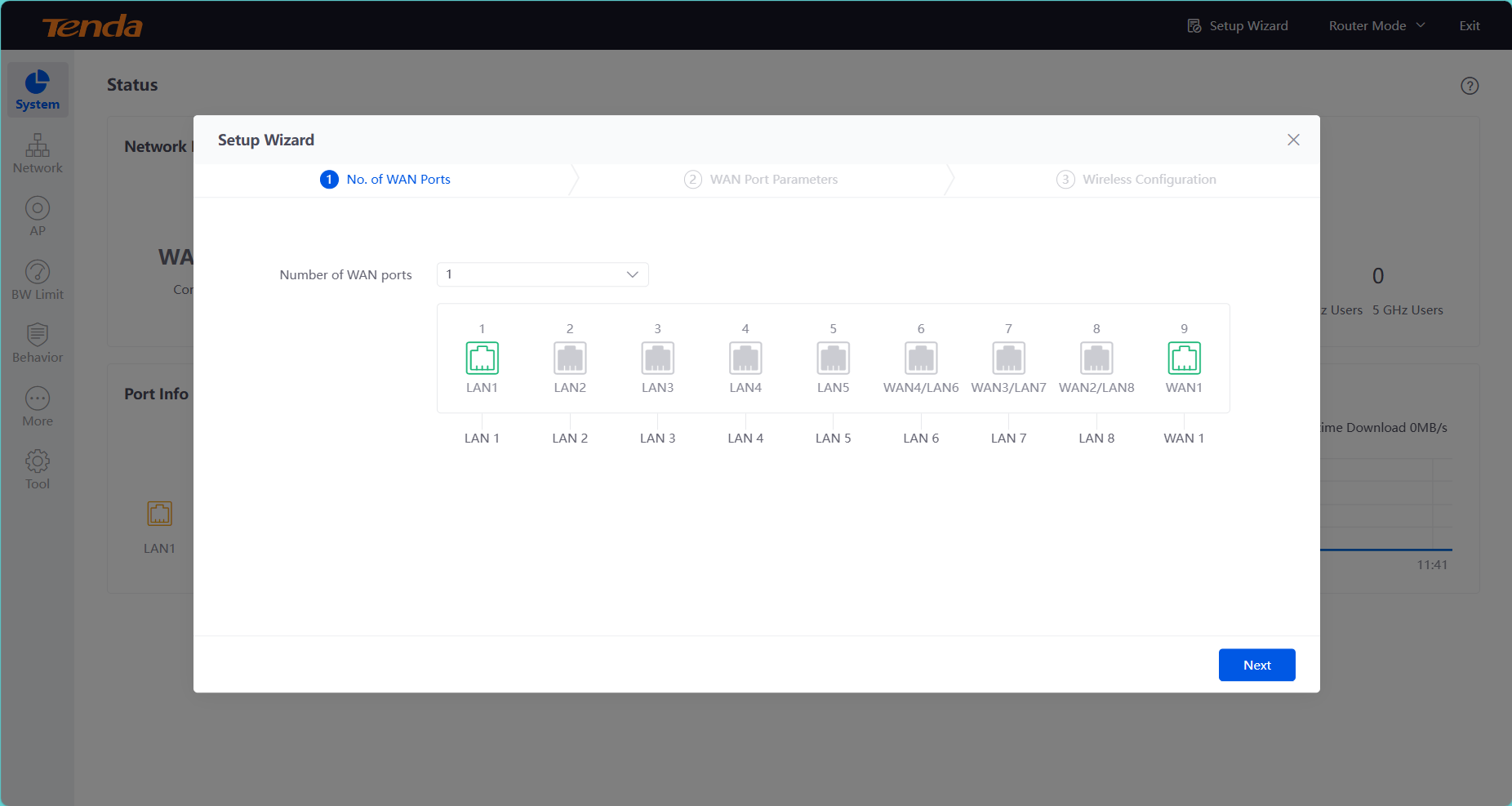
Chose WAN ports as there are. If there is one or fewer, select 1.
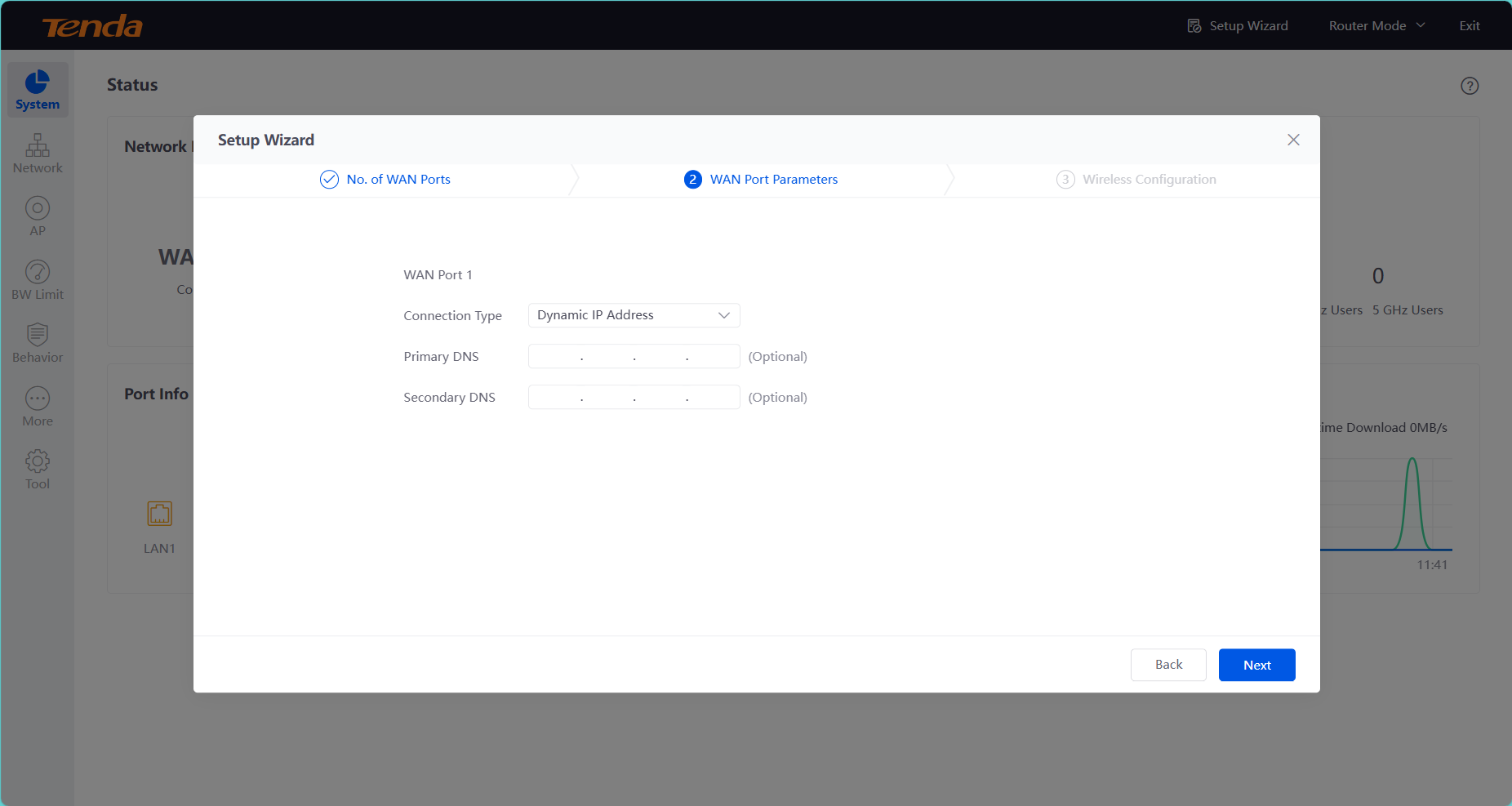
Please consult your ISP to determine your network connection type.
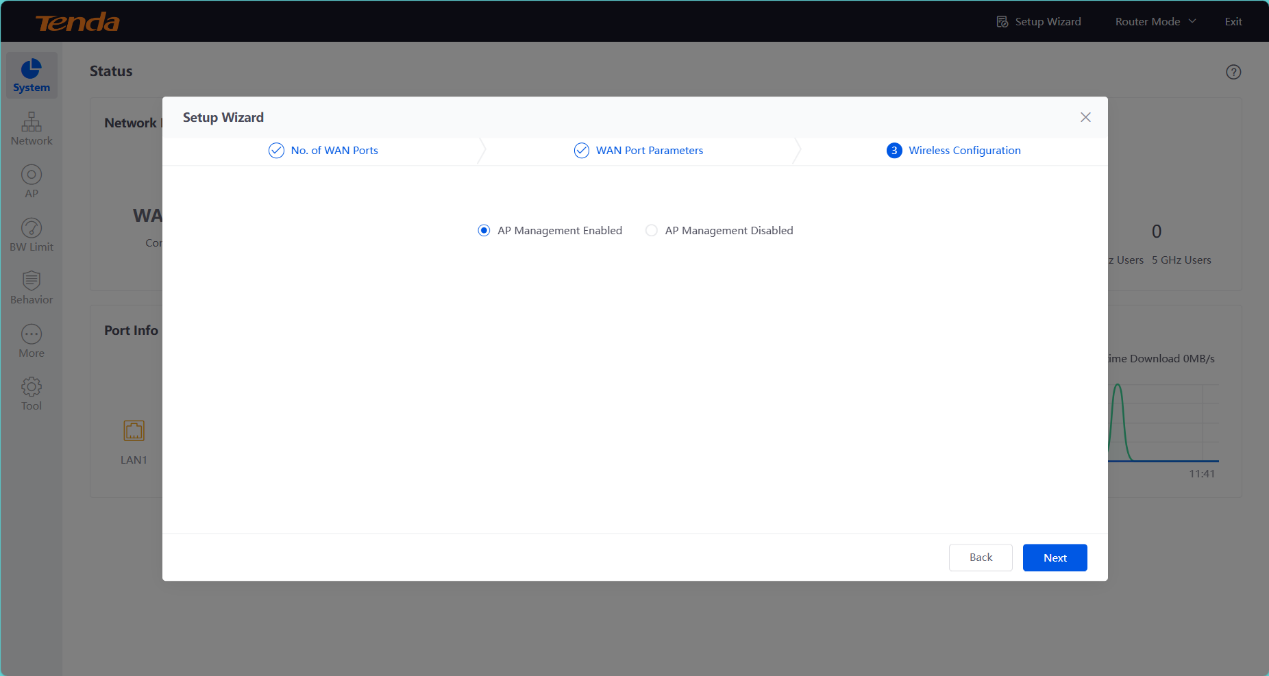
Usually Default one
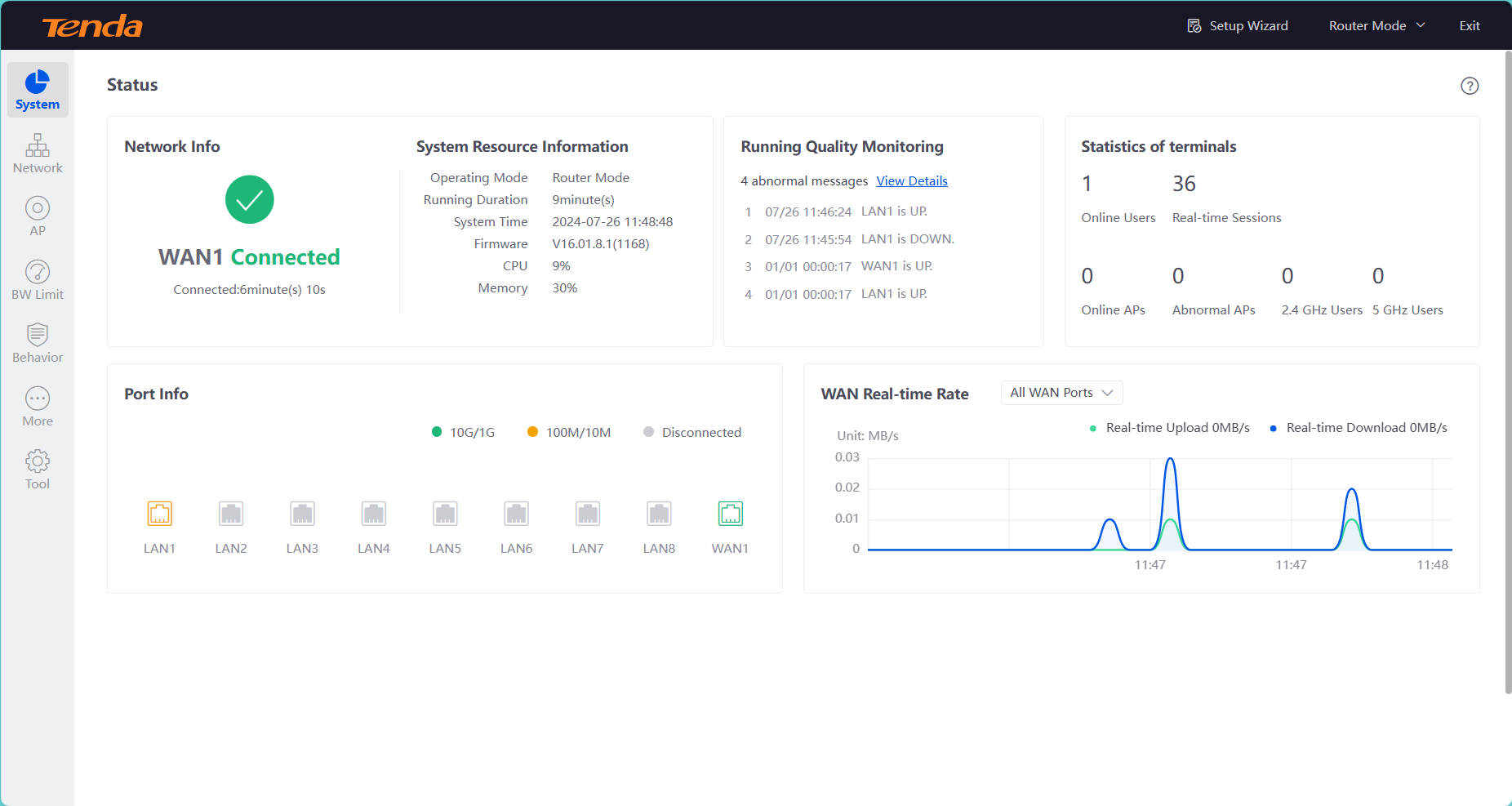
Access Successfully!!!!