

Step 1
Please use your computer to connect to your router, go to http://tendawifi.com or http://192.168.0.1 and log in.
Step 2
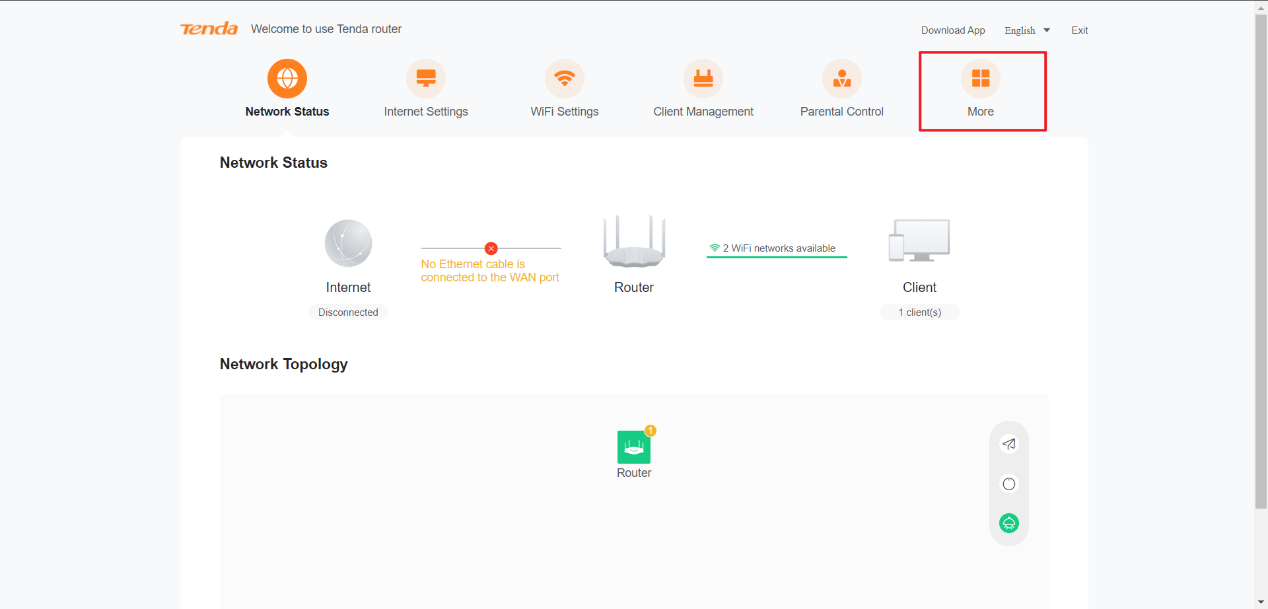
After logging in, please click More.
Step 3
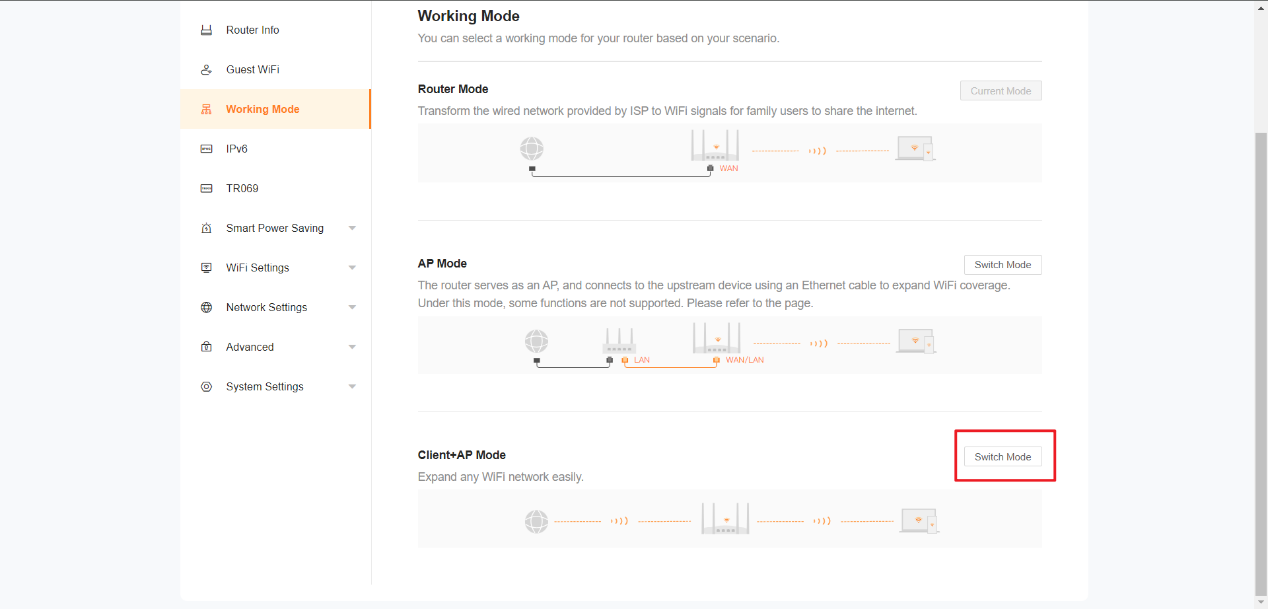
Then, click Working Mode and find Client+AP mode. Click Switch Mode.
Step 4
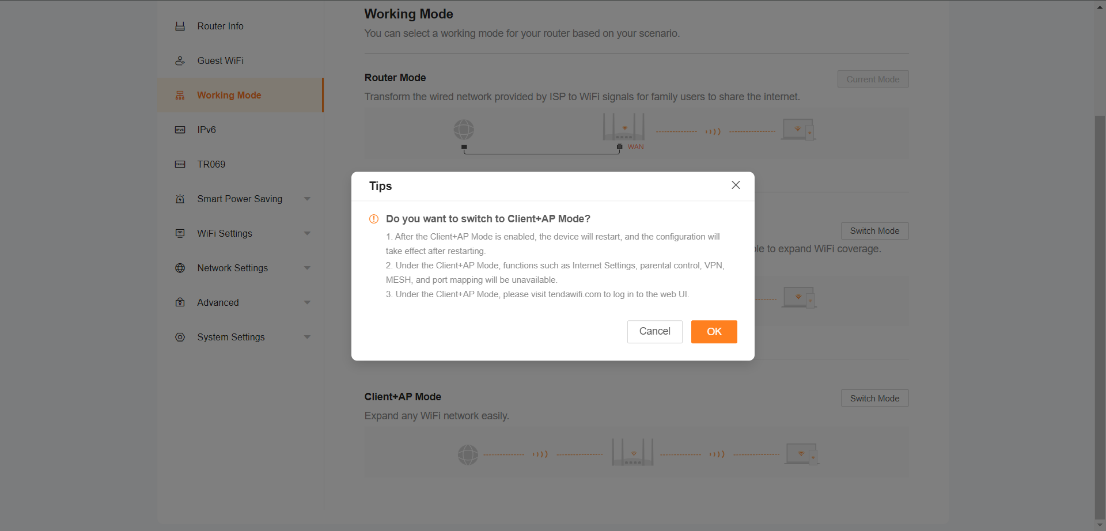
Click OK to continue.
Step 5
Please select the WiFi to extend and enter the WiFi password (If there is a password).
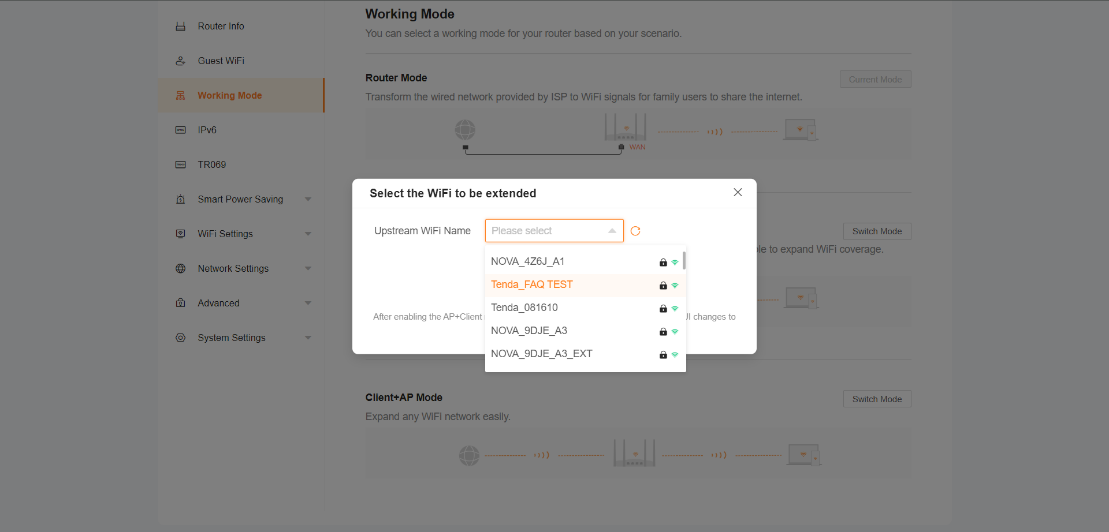
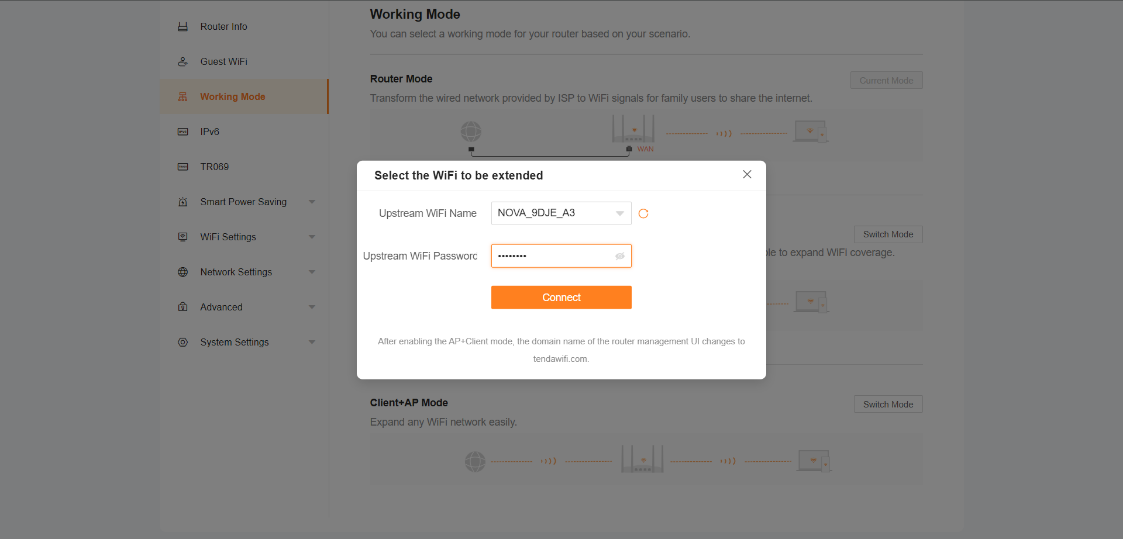
After filling in the password and confirming that the WiFi password is correct, click Connect.
Step 6
Please wait for the router to reboot.
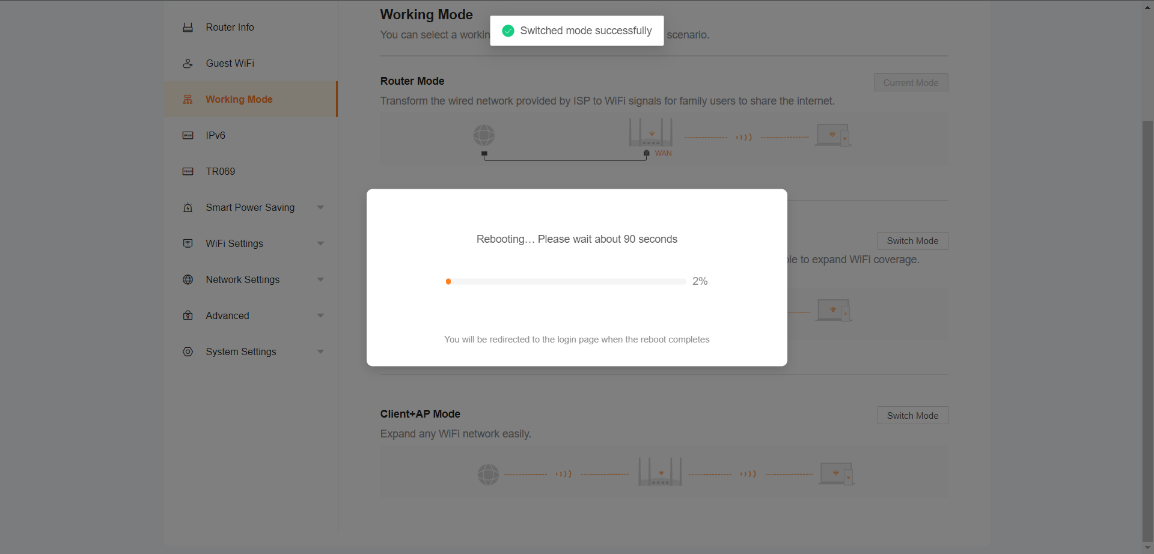
Step 7
Waiting for a while, you will be returned to the router login page.
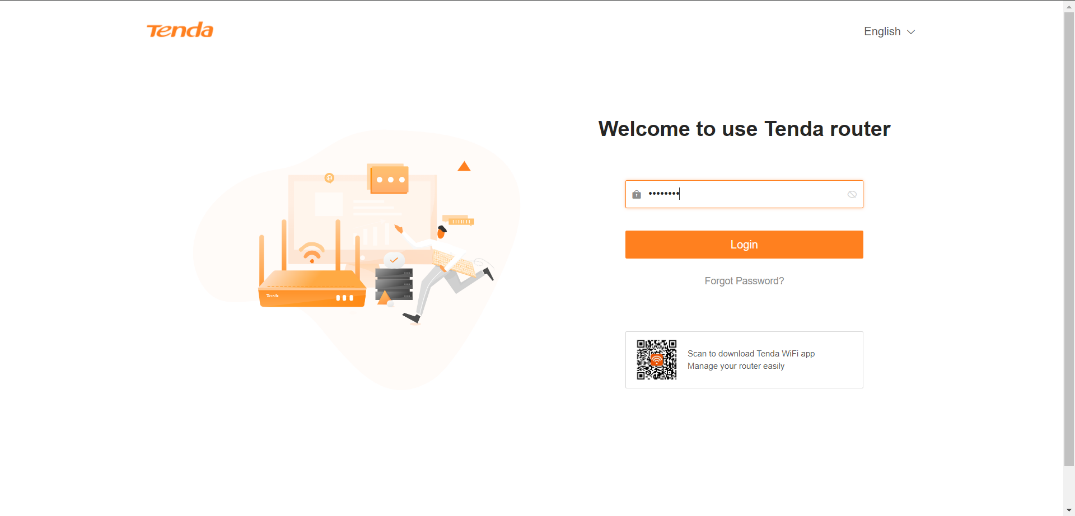
Log in again and you will find that it has been successfully set to wireless AP mode.
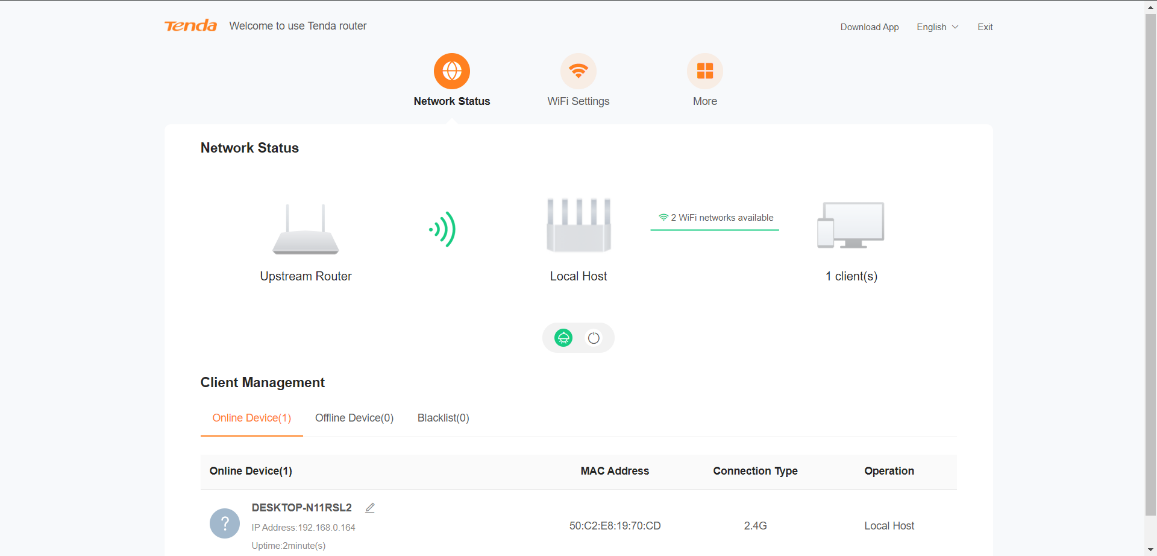
Attention: The product images on the web page are generic images, not actual product images, so there may be slight differences in shape or color from the actual product.
If above steps could not solve your problem, please contact our technical support.
Contact us: Contact Us_Tenda-All For Better NetWorking