Home Network
Business Network
Video Surveillance
Service Center
Materials
Store
Partner
Tenda SP3-How to find the firmware of your smart plug in the Beli app
需要幫助嗎?與我們聊天。
更新:2025-06-11 預覽:764 為了:SP3 EU、
Step
1:
Log into
Beli
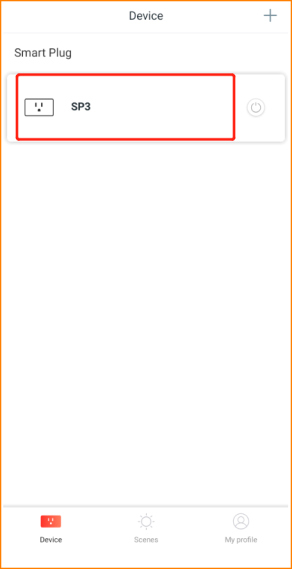
app, then tap your device.
Step
2
:
Tap the “three dots” icon on the top right corner.
S
tep3:
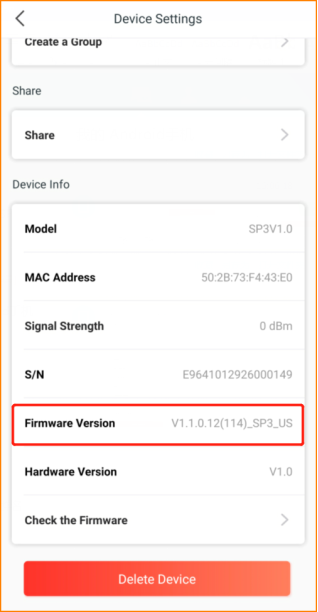
Slide down to the button you could find
the firmware of your smart plug
.
Tenda SP3-How to find the firmware of your smart plug in the Beli app
它會對你有幫助嗎?