

How to upgrade your device firmware via TD Search Tool
Обновление: 2025-07-28Формат:html
Мобильный вид
Before you begin, please use your computer to connect to the LAN where the camera is located.
Step 1
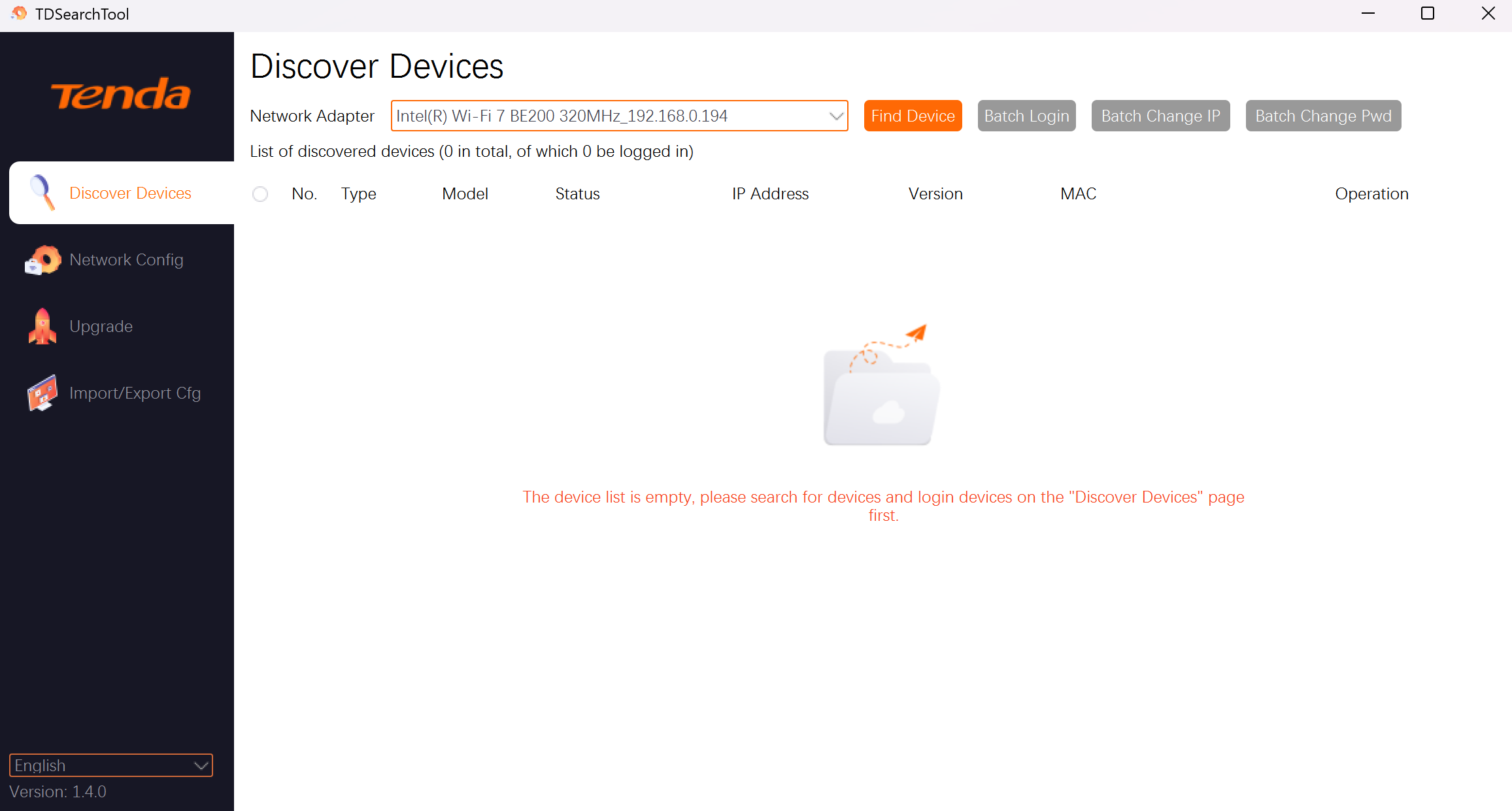
Please download TD Search Tool (Download link: Tenda security search tool_Tenda Global), install and open it.
Step 2
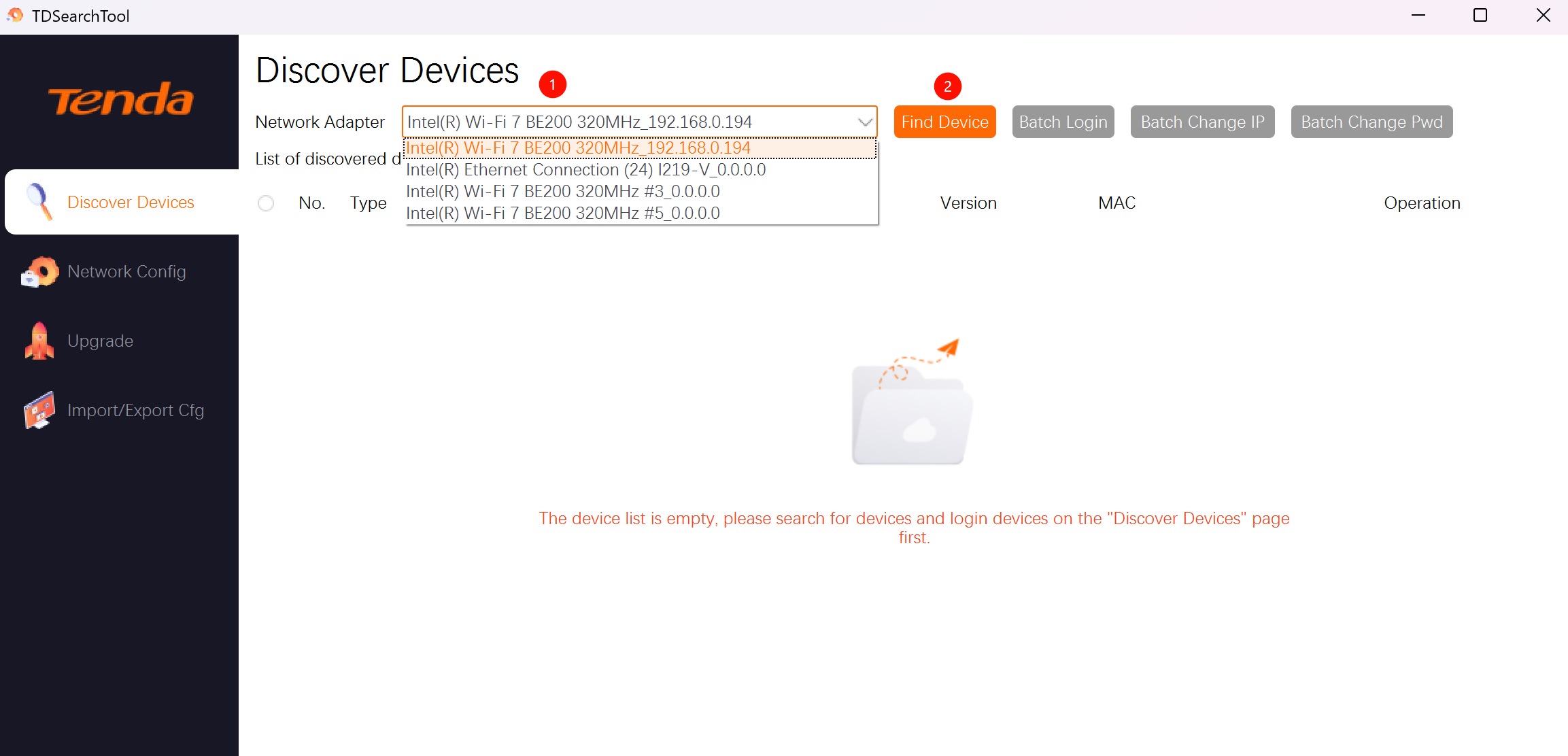
Select your network adapter and click Find Device.
Step 3
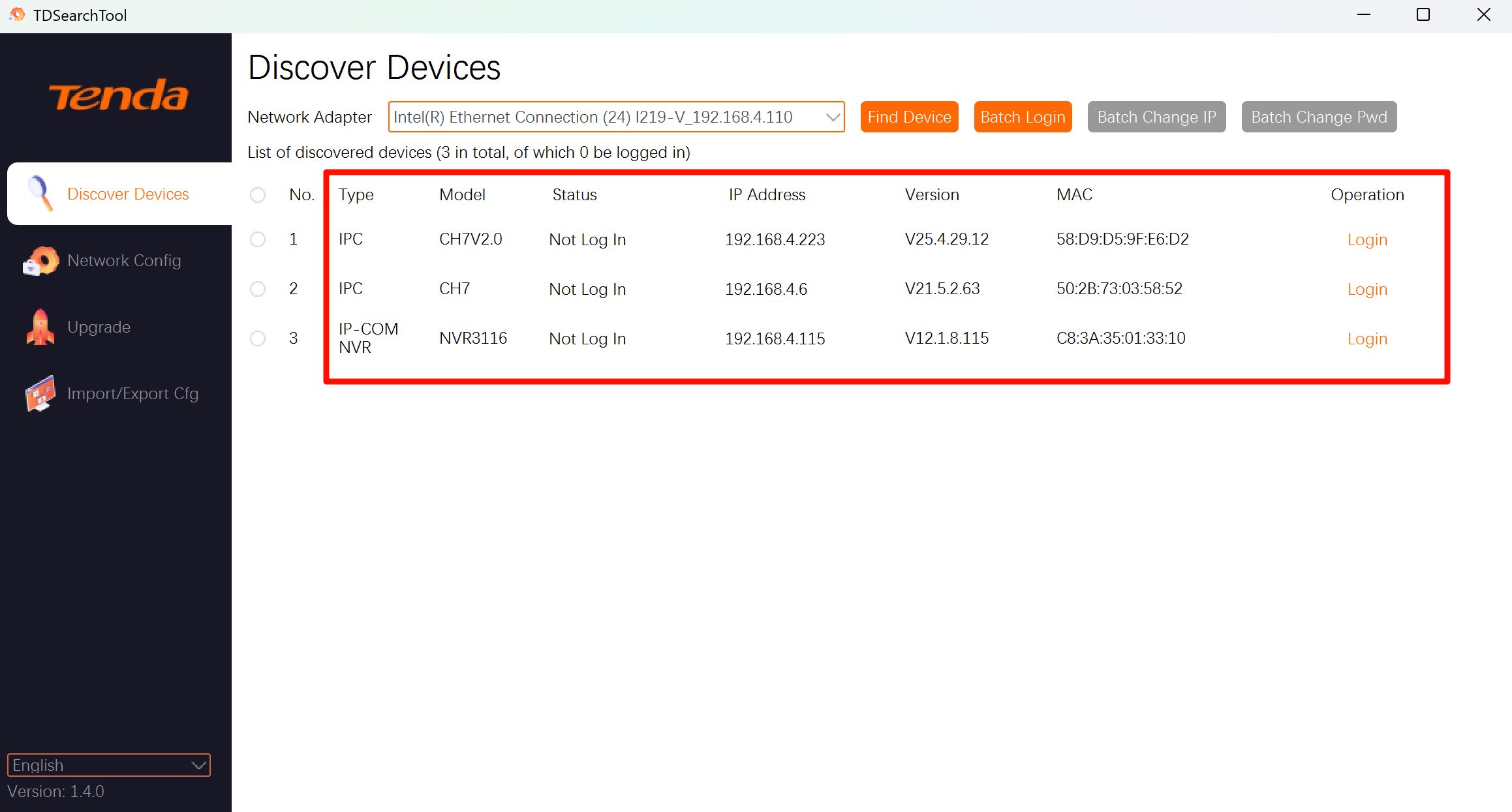
Select the device you want to upgrade and click login.
Step 4
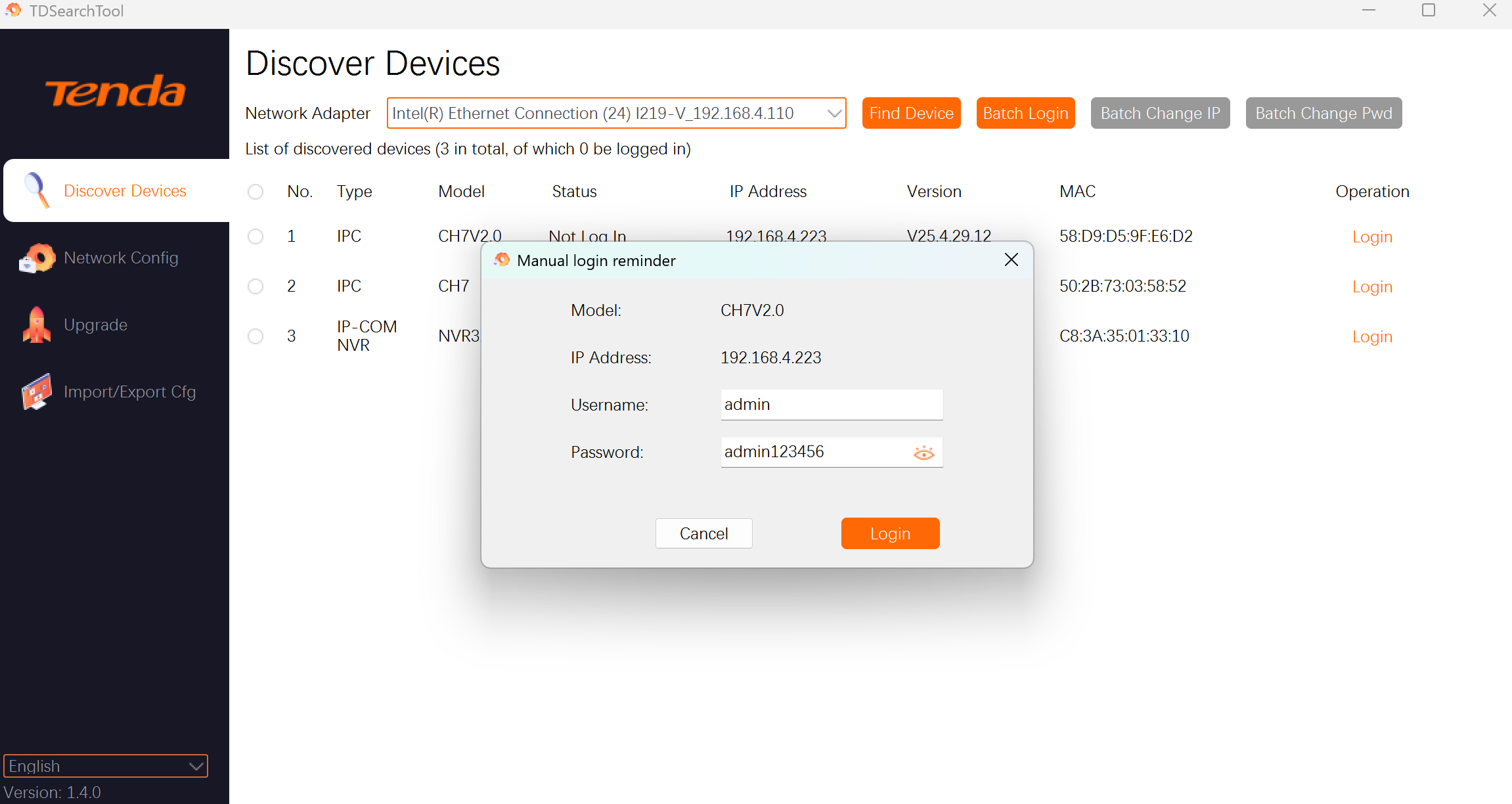
Enter your camera's username and password and click Login.
(Default username: admin, Default password: admin123456)
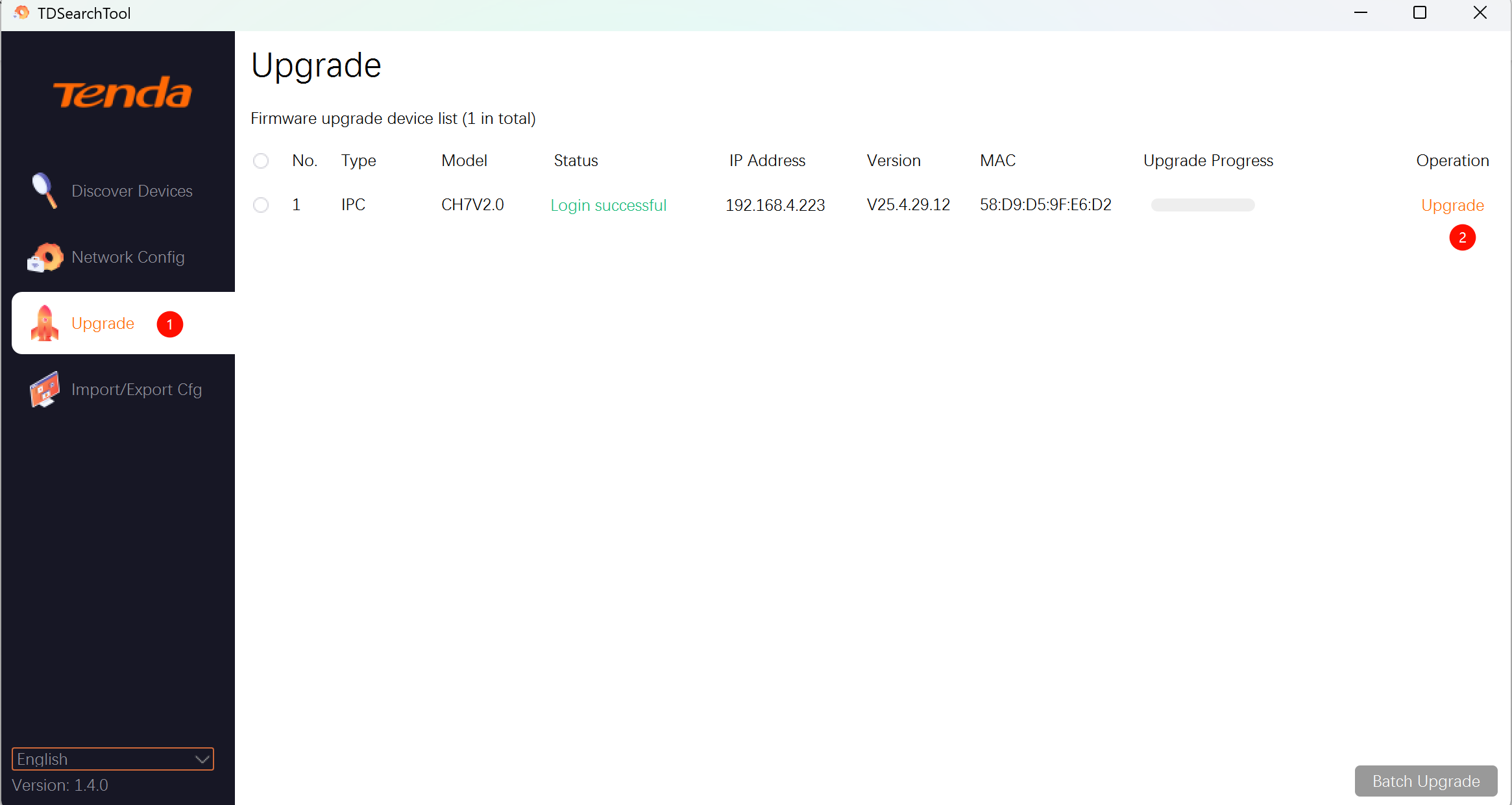
Then, click on the Upgrade column on the left. You can see that the camera has logged in successfully. Click Upgrade on the right to finish the operation.
If above steps could not solve your problem, please contact our technical support.
Contact us: tendasecurity@tenda.cn
Полезен ли этот документ?