

 Introduction to Wireshark Tools:Wireshark is a popular network protocol analysis tool that can capture and analyze network packets。Download address:www.wireshark.org
1、Tool preparation,Network line connection。
Grab the WAN port packet of the router and prepare netting twine, HUB, or switch or router with port mirroring function.The Wireshark is installed on the PC。
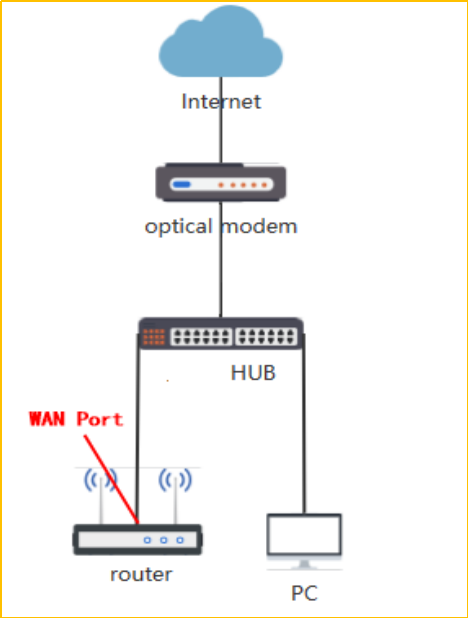
Network topology diagram:
2、Start capturing packets
2.1 Check the network card used to connect the computer to the HUB port.
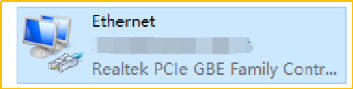
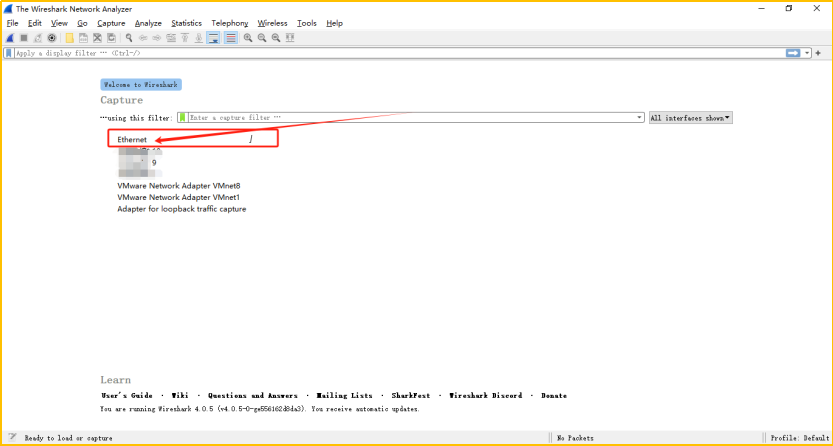
3.2The computer starts the Wireshark and starts to capture packets。find this network card, and double-click "Ethernet" (start wireshark to capture packets first, After starting the problematic router, perform packet capture and reproduce the problem)
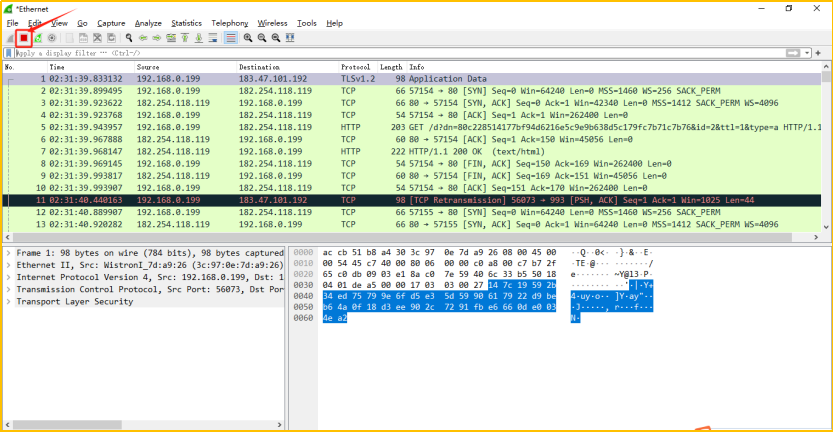
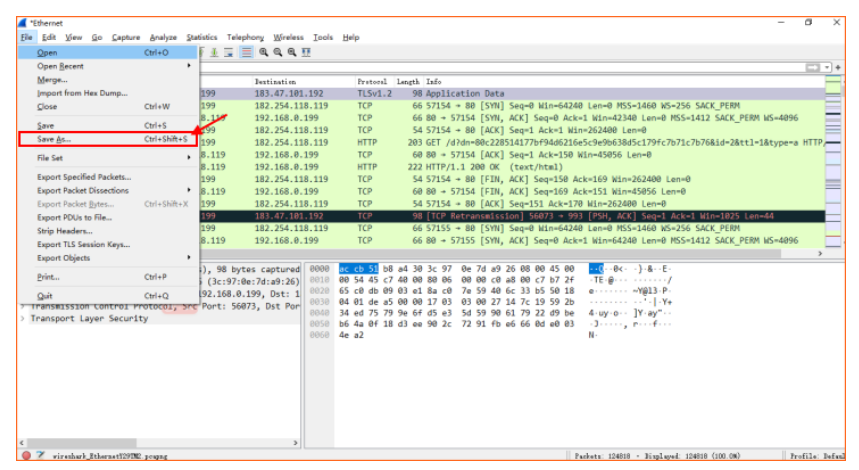
3.3 save the captured packets
Click the red button to stop capturing packets
Notice :If the data packet is too large and the email cannot be sent, you can log in to https://we.tl/t-IoLeaGqKac website to upload the file and send the link to us
Click File --> Save As
Select the save path--> Name the packet--> Click Save
Finally, please send the captured data packets to us for analysis