

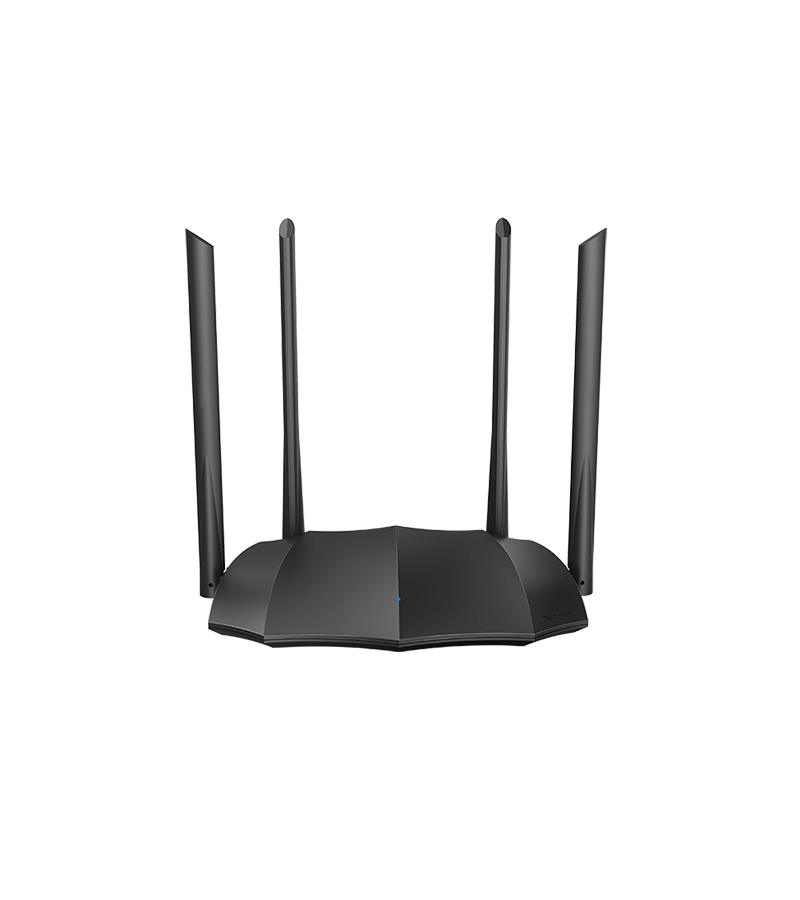
AC8 v4.0
Quick Start
Parameter
IEEE802.3,IEEE802.3u,IEEE802.3ab
1*10/100/1000Mbps WAN port
3*10/100/1000Mbps LAN ports
4*6dBi external dual band antennas
1*WPS/Reset button
Input:AC 100-240V—50/60Hz
Output:DC 12V 1A
1*LED
200x127x33.6mm(L*W*H)
IEEE 802.11ac/a/n @5GHz
IEEE 802.11b/g/n @2.4GHz
5GHz: 867Mbps
2.4GHz: 300Mbps
2.4GHz & 5GHz
CE:
<20dBm(2.4G)
<23dBm(5G)
FCC:
<30dBm
WPA-PSK/WPA2-PSK, WPA/WPA2
Wireless Security : Enable /Disable
PPPoE, Dynamic IP, Static IP
Support automatic access detection
Supports broadband account automatic transfer
Wireless Router Mode
Universal Repeater Mode
WISP Mode
AP Mode
DHCP Server
DHCP Client List
DHCP Reservation
Port Forwarding
DMZ Host
UPnP
Forbid UDP flood attack
Forbid TCP flood attack
Forbid flood attack
Forbid WAN PING from internet
Support DynDNS, 88ip
IPsec pass through
PPTP pass through
L2TP pass through
PPPoE Username/password Clone
Smart WiFi Schedule
Smart Power Saving
Smart LED on/off
Tenda Cloud
Tenda App
IPv6 Features Supported
Broadband management
MAC address clone
System Log
Backup & Restore configurations
Firmware upgrade from local
Operating Environment:0℃~40℃
Storage Environment:-40℃~70℃
Operating Humidity:10% ~ 90% RH non-condensing
Storage Humidity: 5% ~ 90%RH non-condensing.
CE,FCC,CCC
Wireless Router*1
Gigabit Ethernet Cable*1
Power Adapter*1
Installation Guide*1
Downloads
| Title | Size | Date | # |
|---|---|---|---|
 AC8v4.0 Firmware V16.03.33.05 AC8v4.0 Firmware V16.03.33.05 | 7.34 M | 2023-02-20 | |
| AC8v4.0 Firmware V16.03.33.04 | 7.37 M | 2023-01-11 | |
| AC8V4.0 CE | 3.00 M | 2024-09-12 | |
 AC8 v4.0 User Guide AC8 v4.0 User Guide | 3.89 M | 2026-04-20 | |
| Tenda WiFi App User Guide for Wi-Fi Routers | 3.81 M | 2026-03-23 | |
| AC8 v2.0 User Guide | 2.89 M | 2026-04-20 | |
| Safety and Regulatory Information | 0.89 M | 2026-04-17 | |
| Symbols on Products and Materials | 0.38 M | 2025-06-21 | |
| Wi-Fi 5 Router Installation Guide(multi-language) | 2.89 M | 2025-06-05 | |
| AC8 Globalization Installation Guide | 4.91 M | 2025-06-05 | |
| AC8 Installation Guide | 2.96 M | 2025-06-05 | |
| AC8 HD Image | 9.37 M | 2025-06-05 |
FAQs
1/2