

Mise à jour : 2025-09-11 Aperçu:29 Pour :5G06 、
Access internet through the WAN port
If you want to connect your broadband to the router to access the internet, you can set the router through the WAN port.Contact your ISP for any doubt.−By default, the Ethernet ports (1Gbps, 2.5Gbps) act as LAN ports. When the Failover function is enabled, the 2.5Gbps port is used as a WAN port.
1.Log in to the web UI of the router.(192.168.0.1 or tendawifi.com)
2.Navigate to Internet Settings.
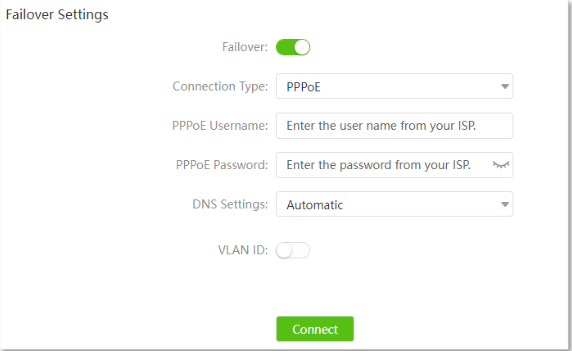
3.Enable the Failover function.
4.Select connection type.
5.Set DNS Settings and VLAN ID as required.It is recommended to keep the default DNS settings.
6.Click Connect
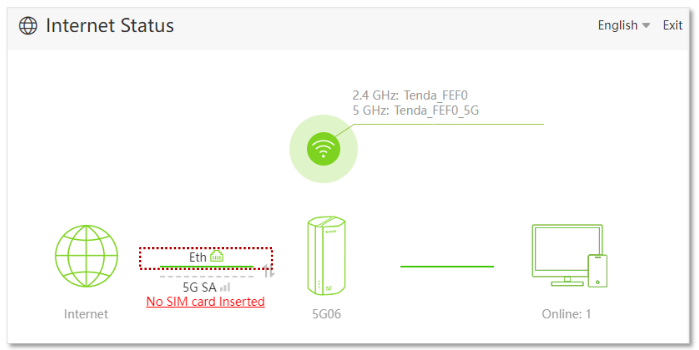
Wait a moment until “Eth”is shown on the InternetStatuspage, and you can access the internet.
Ce document est-il utile ?