

Mise à jour : 2025-10-20 Aperçu:46 Pour :Wi-Fi 7 Routers、Nova Mesh Wi-Fi 7、
Possible causes and troubleshooting steps:
Troubleshooting mobile phone issues:
1.Contact the customer service of the mobile phone manufacturer to confirm that both the model and the current system firmware version used by the phone support the WiFi7 protocol.(Some mobile phone manufacturers have pre installed WiFi7 chips on their models but have not yet opened their features. For example, the Honor Magic5 Pro needs to wait for official OTA updates. Check the system version in the phone settings and keep it updated automatically.)
2.The Qualcomm Snapdragon 8 Gen2/Gen3 models have chip limitations and must be paired with a Qualcomm solution router to enable WiFi7 mode.
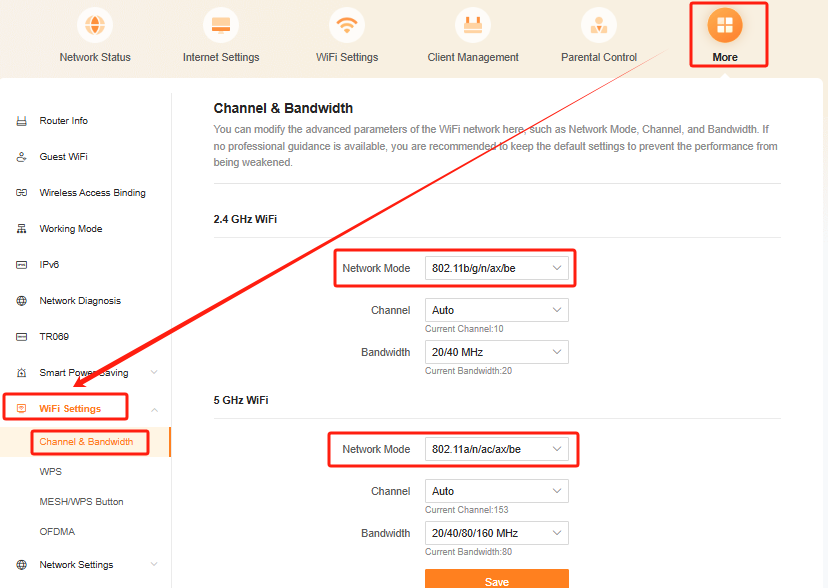
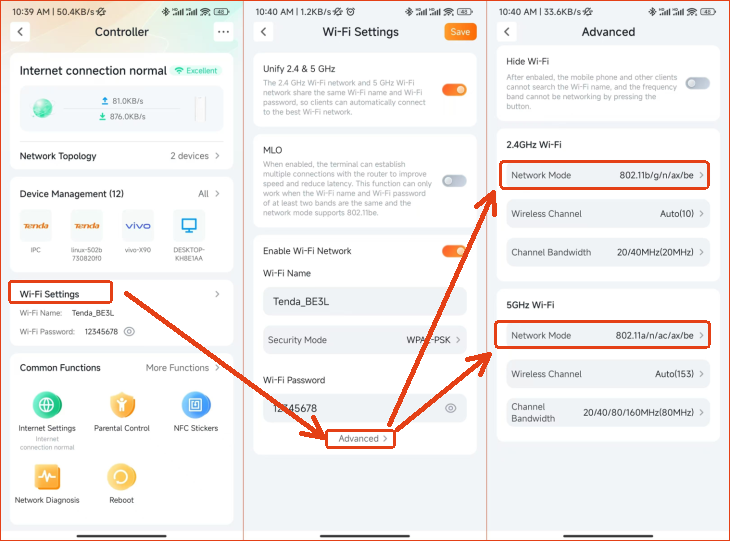
3.Check whether the current 2.4G and 5G network modes of the WiFi7 router include 802.11be mode, as shown in the following figure:
If using a computer to view, after logging into the router management page, open "More" - "WiFi Settings" - "Channels&Bandwidth"。
If use Tenda WiFi APP:Open the Tenda WiFi app, click on "Wi Fi Settings", and then click on "Advanced Settings" under both 2.4G Wi Fi and 5G Wi Fi settings. The network mode should include 802.11be mode.
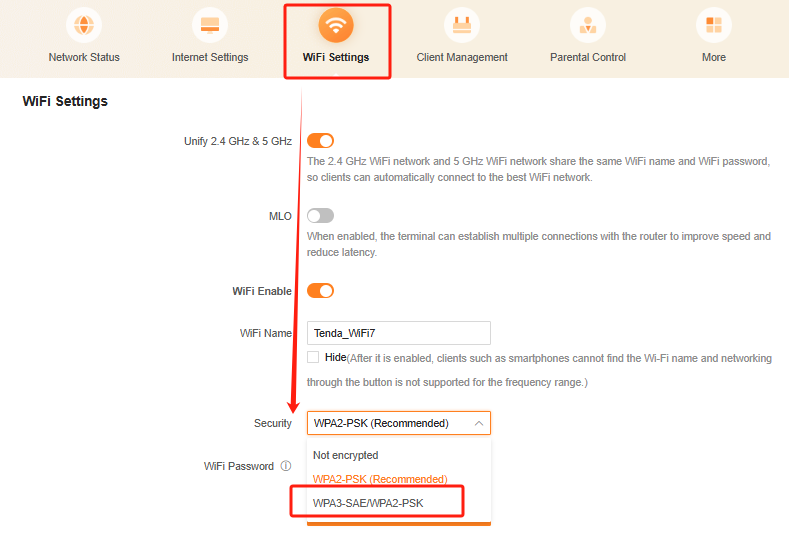
4.To modify the WiFi encryption method, it needs to be changed to include WPA3 encryption. Some models of mobile phones, such as iPhone 16 Pro, Samsung S24 Ultra, Samsung S25 Ultra, etc。
If use pc browser,open "WiFi Settings" - "Security" , change to WPA3-SAE/WPA2-PSK.
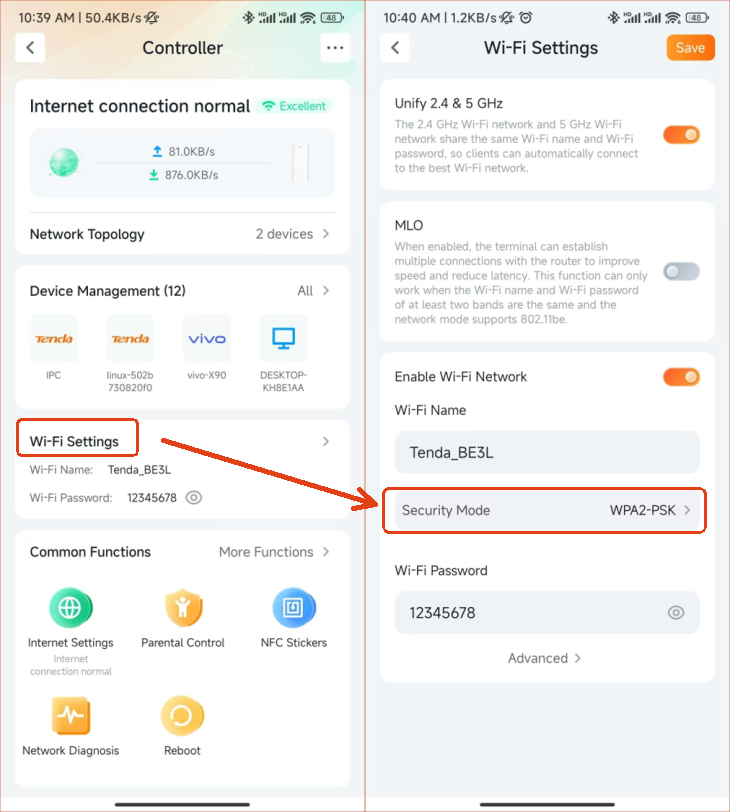
If use Tenda WiFi APP,please click“WiFi settings”-“Advanced”,check if the security mode includes WPA3.
5.OPPO Find X7、 Huawei P70 and other models are prone to protocol degradation when connected to third-party routers, due to incompatibility with the manufacturer's proprietary protocols, authentication processes, and security mechanisms. When a non branded router's encryption method or roaming protocol is detected, the system will automatically initiate a downgrade policy.