

Mise à jour : 2025-07-28 Aperçu:413 Pour :Wi-Fi 7 Routers、Wi-Fi 7 Routers、Wi-Fi 7 Routers、Nova Mesh Wi-Fi 7、
Step 1
Please open Tenda WiFi app and tap your router.

Step 2
Tap More Functions to continue.

Step 3
Tap Management Password.

Step 4
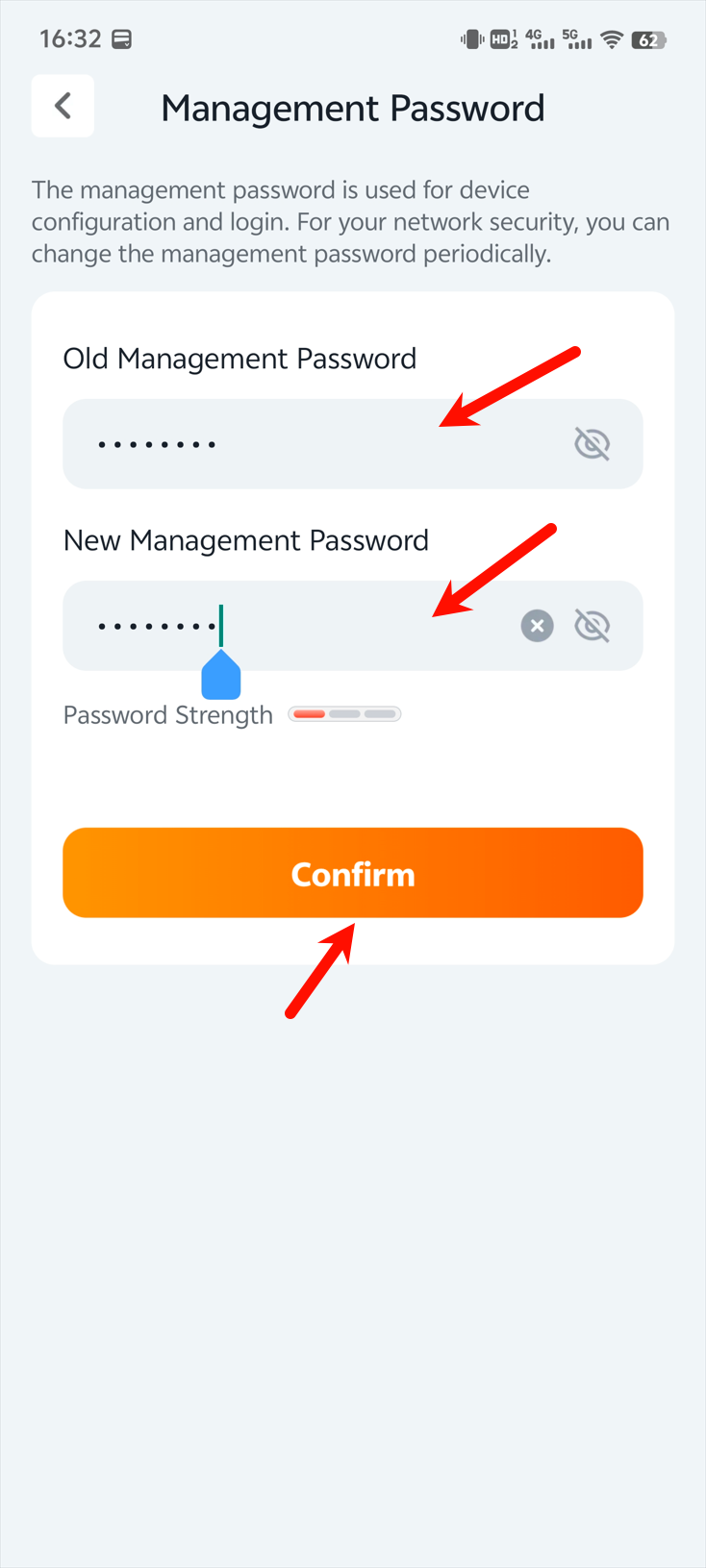
Please follow the prompts to change the password (the old password is usually your Wi-Fi password). After setting up, don't forget to click Confirm.
Ce document est-il utile ?