

Mise à jour : 2025-06-11 Aperçu:1492 Pour :Mesh Wi-Fi Systems、
Note: This article will guide you how to change the WiFi name and WiFi password using MX21 Pro as an example.
Step 1: Use mobile phone to download "Tenda WiFi" App.
Step 2: Use mobile phone to connect MX WiFi signal. (SSID and Password can
be found at the bottom of the node).
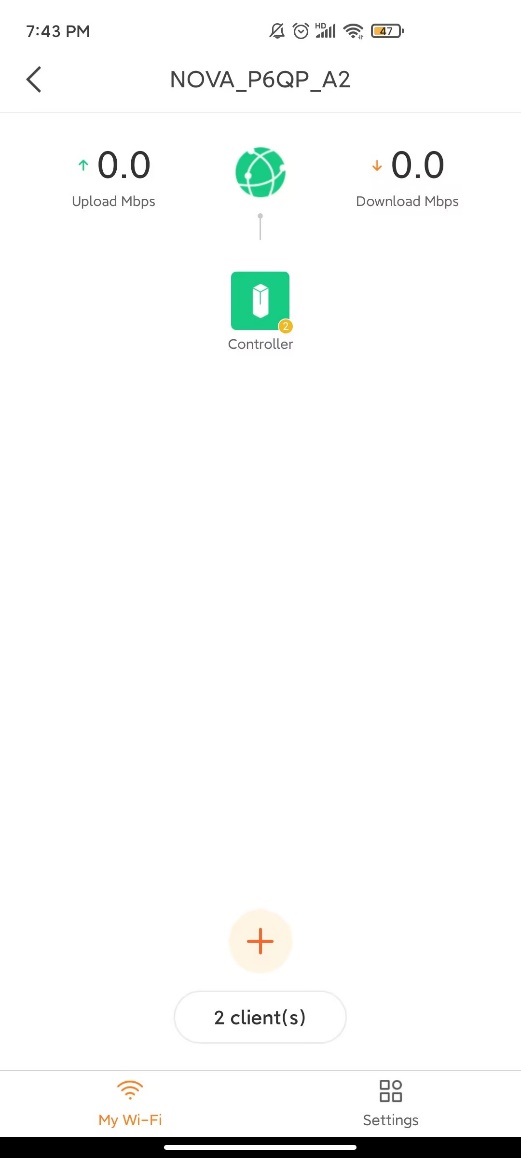
Step 3: Open the App to finish configuration by following instructions. Picture will be showed as below:
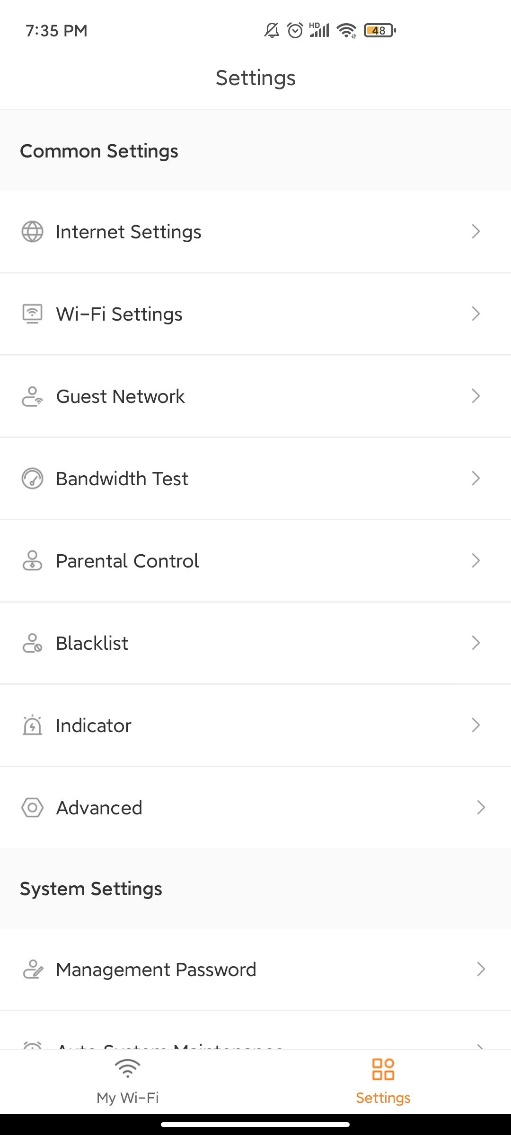
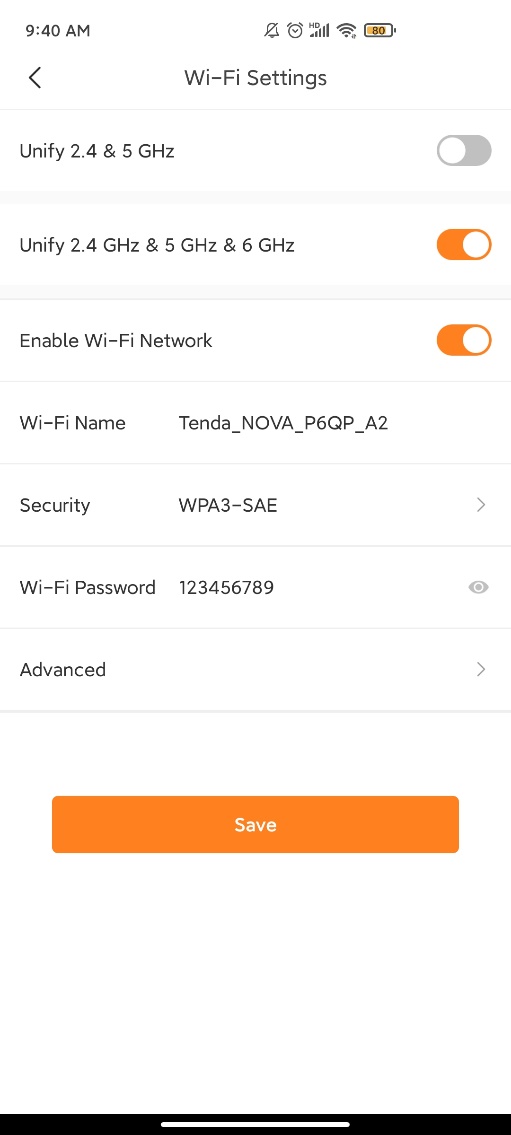
- Tap "Settings" > "Wi-Fi Settings".
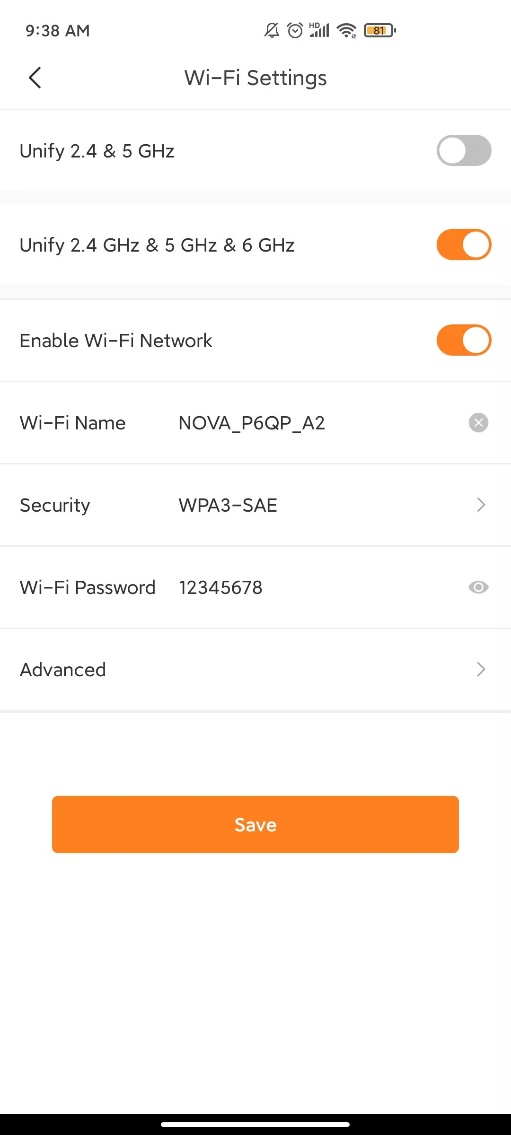
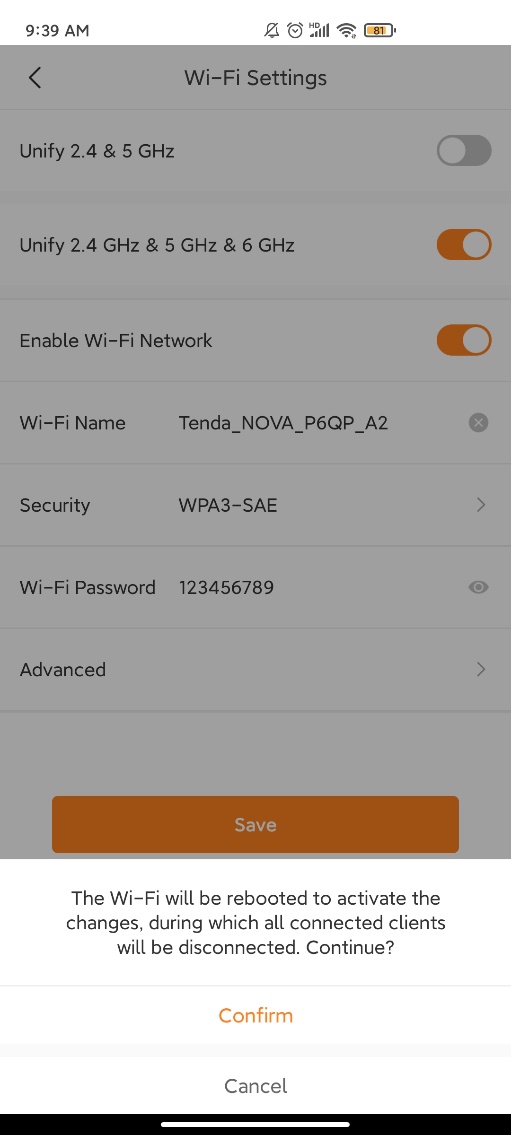
- Change the Wi-Fi name and Wi-Fi Password as you want. Click “Save” then Click “Confirm” to save the settings.
- After rebooting, WiFi name and WiFi password are successfully set.
Ce document est-il utile ?