Mise à jour : 2025-06-11 Aperçu:141 Pour :Gateway、Wired Enterprise Router、
Note: This guidance will guide you how to access the management page to set up connection and SSID. Pls make sure you finish steps as fellowing
Step 1: Connect the computer to the router.
1.1 Connect the included power adapter to the Power jack of the router to power it on.
1.2 Use an Ethernet cable to connect an Ethernet jack or a LAN port of your Modem to the WAN port of the router.
1.3 Connect your computer to a LAN port of the router.
First, let’s access the management page:
Open a Web Browser -> Input tendawifi.com or 192.168.0.252 in the address bar -> Press Enter.
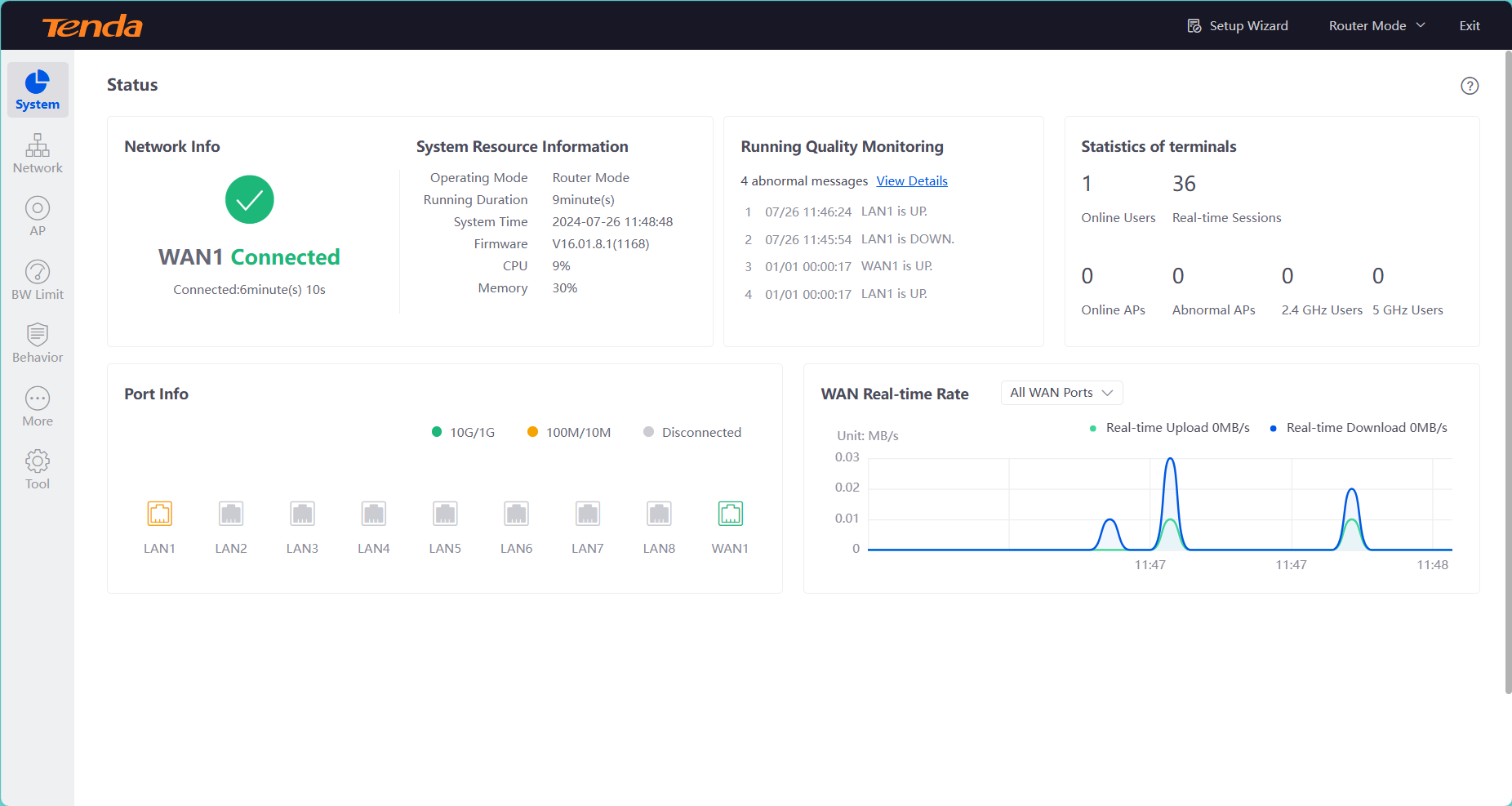
Now, you can see the screen as image.

Login
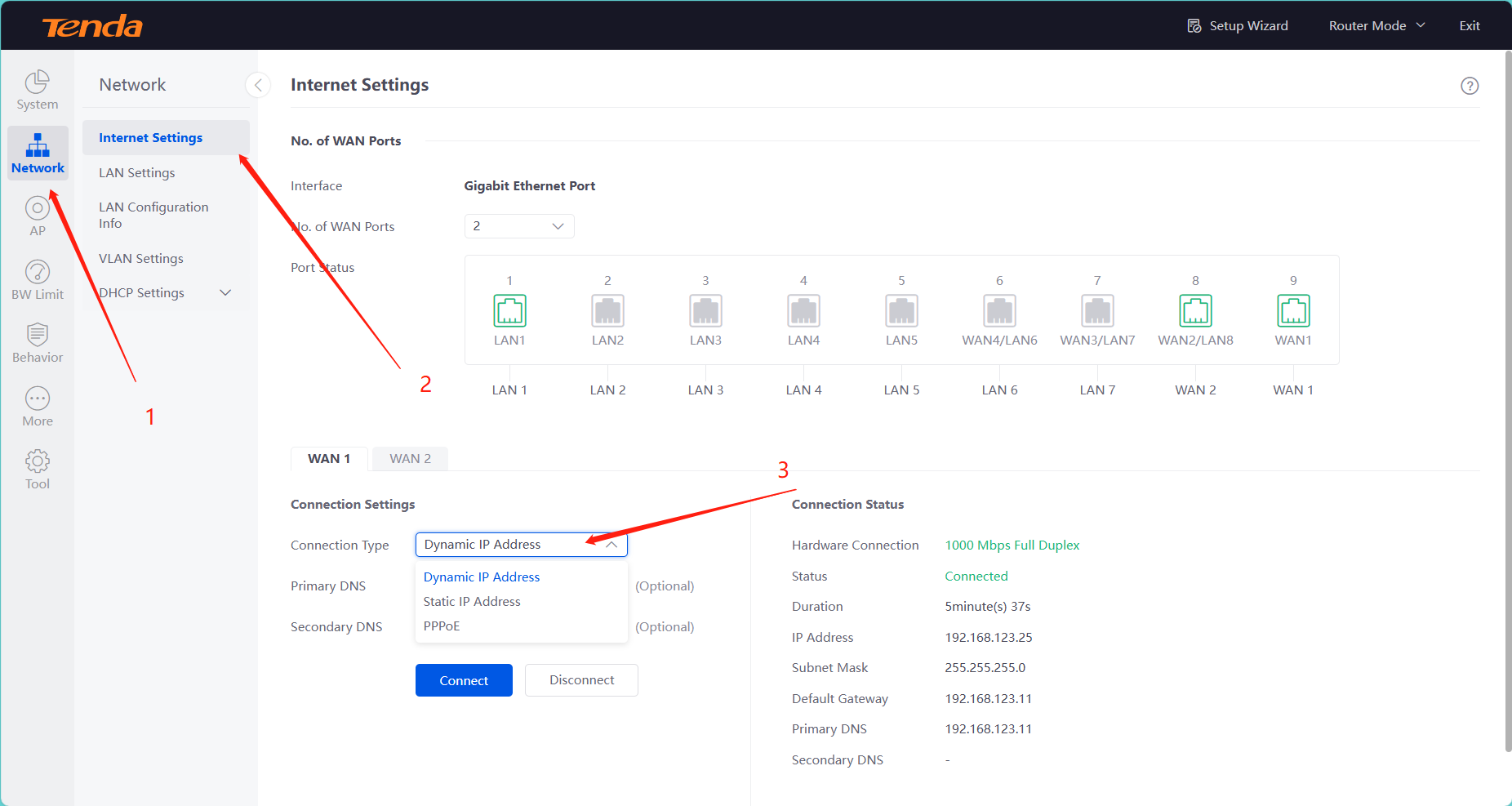
As shown in the diagram below, follow the steps to find out how to change the network connection type.
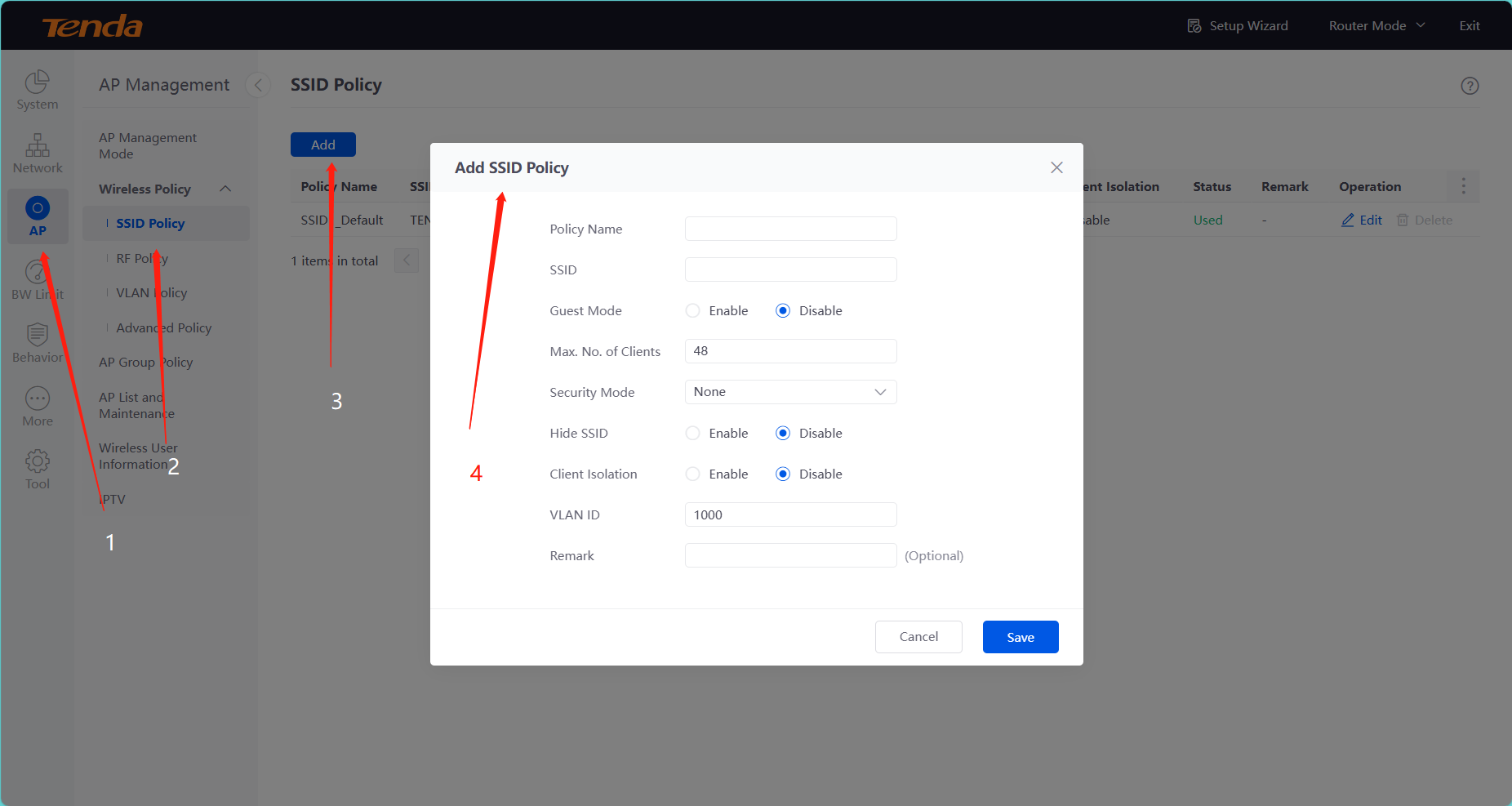
According to SSID, you can set as following