

Mise à jour : 2025-06-11 Aperçu:3161 Pour :O3 1-pack、CPE&Basestation、
Note: This article will guide you how to setup AP mode and the steps as below. In this mode, the device creates a wireless network based on the current wired network.
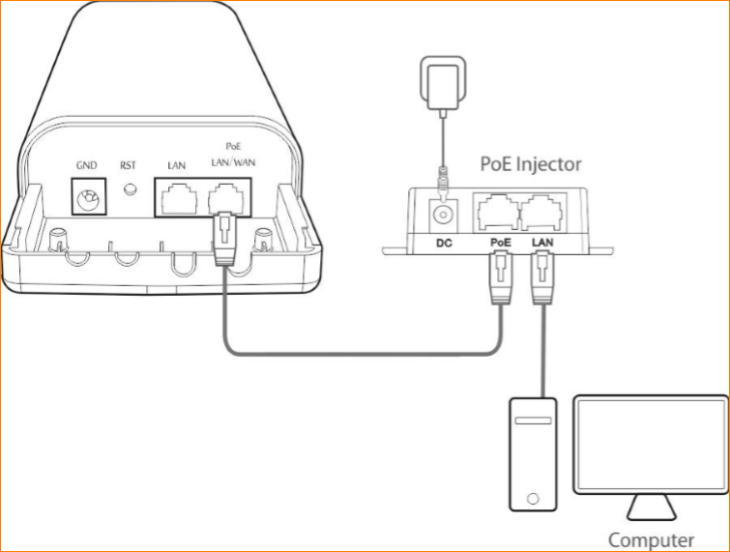
Step 1: Connect the computer to the device
1.1 Open the plastic cover of CPE.
1.2 Connect the PoE LAN/WAN port to the PoE injector.
1.3 Power on the CPE, the LAN/WAN LED indicator of the CPE lights up.
1.4 Connect your computer to the LAN port of the CPE injector.
Step 2: Enter management interface of CPE
2.1 Open a Web Browser -> Input 192.168.2.1 in the address bar -> Press Enter

2.2 Type the default username and password (admin for both defaults) and click “Login”.

Step 3: Select AP Mode
3.1 Click “Quick setup”, select “AP”.
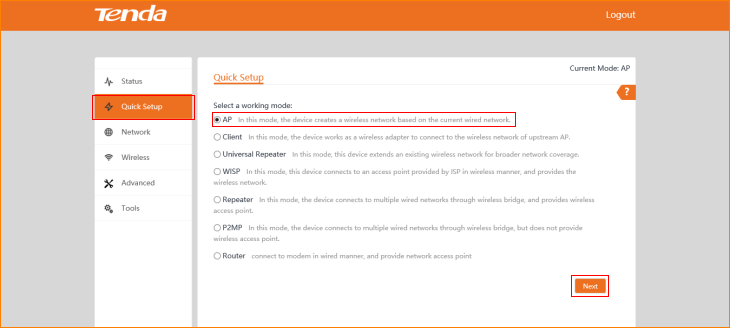
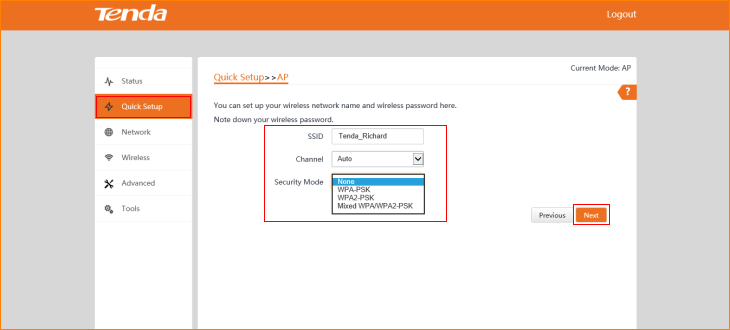
3.2 Modify custom local wireless network parameters and click “Next”.
3.3 Click “Save”.
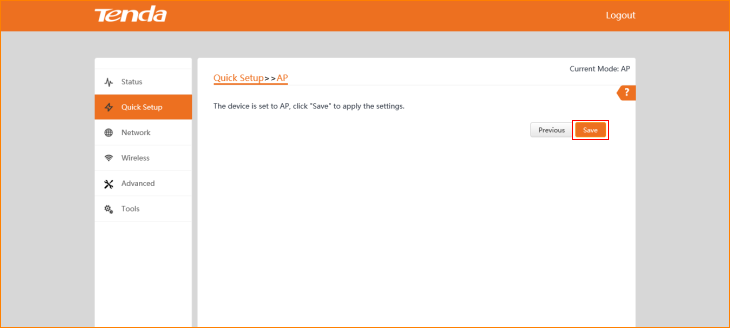
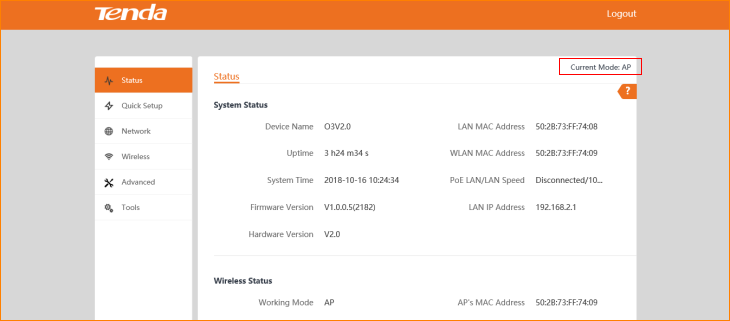
The Current Mode is AP Mode.
Ce document est-il utile ?