

Mise à jour : 2025-06-11 Aperçu:5145 Pour :F9 、
Applicable Model:Tenda F9 Question Category:Internet Setting

The main router connect to WAN/LAN ports of F9, PC connect to LAN port of F9, the picture as below:
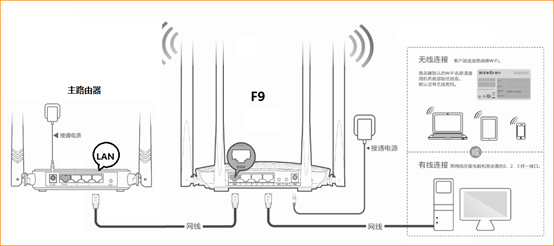
You also can connect to F9 via wireless, the default SSID name is Tenda MAC last six characters, and no password.
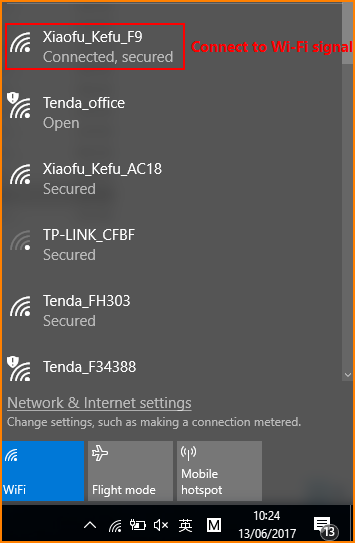

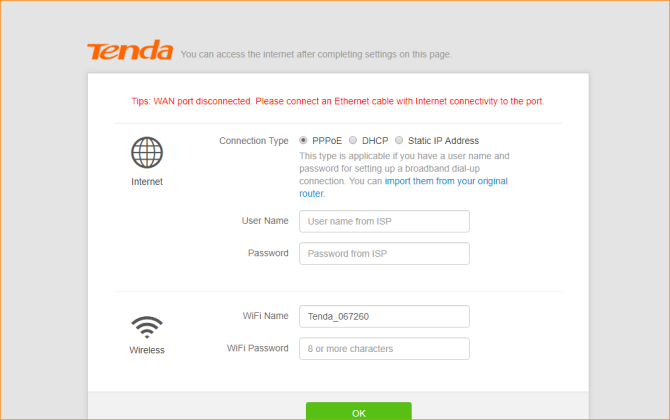
①Open browser, input “tendawifi.com” in address bar or “192.168.0.1”and login router setup interface. (delivery status don’t have password)
②You can select PPPOE, DHCP, Static IP as you want and configure wireless name and password.

① Click ‘Internet Settings’, select ‘AP Mode’, and then click ‘OK’, it will pop a dialog and click OK.
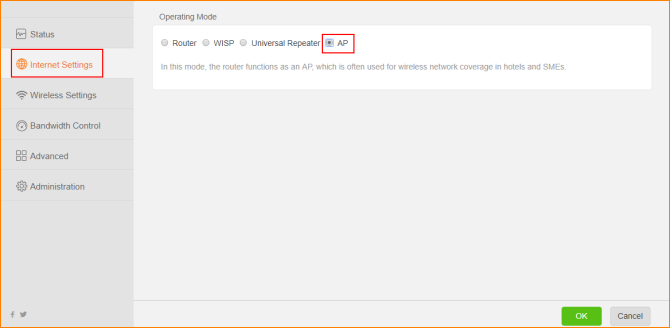
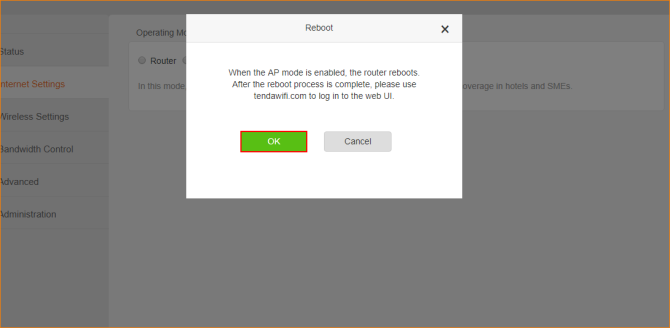
②After the reboot process is complete, please use ‘tendawifi.com’ to login to the Web UI.
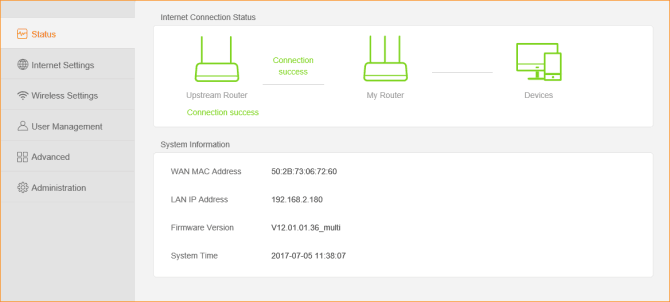
Noted: AP Mode, you can login webpage of router with ‘tendawifi.com’, if you want to login webpage of F9 with cable, you need to login main router and check IP address of F9.
Ce document est-il utile ?