

Mise à jour : 2025-06-11 Aperçu:18777 Pour :W368R 、
Product line: Wireless question category: function config
Step1 Connect to tenda router.
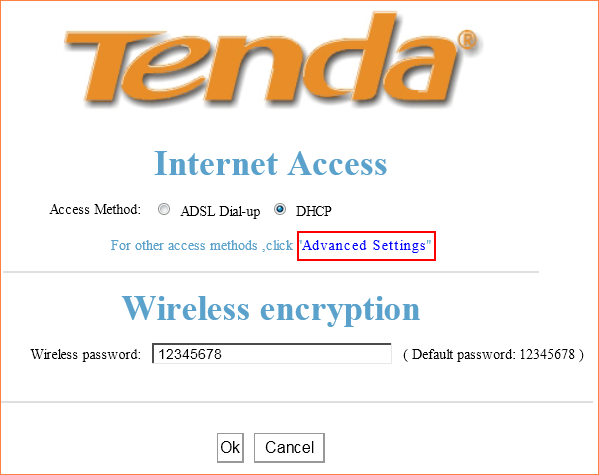
Step 2 Login to the homepage of the router.
Open a browser or safari, then input 192.168.0.1 in the address bar, click Enter.

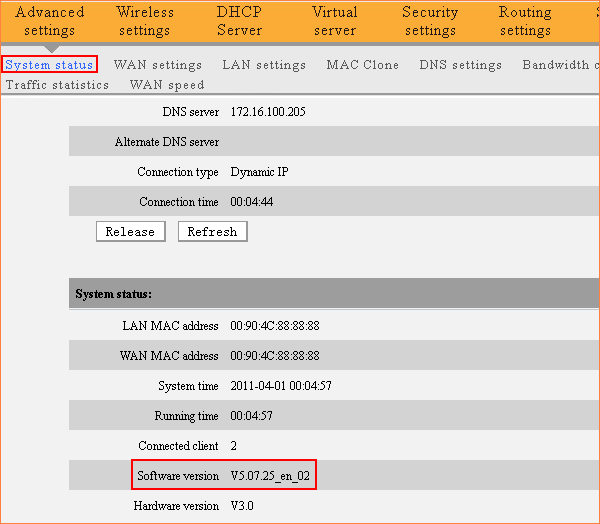
Step 3 Go to Advanced Settings,then you will in the System Status page where you can check the current software version of the router.
Ce document est-il utile ?