How to set the alarm function of CP3 Pro

Update: 2025-07-17   Preview:140  For:CP3 Pro V1.0、CP3 Pro 、RP3 Pro V1.0、RP3 Pro 、

Step 1: Enter the camera

Open the Tenda Security app—Homepage—Click on the screen to enter the camera settings located at the upper right part of the camera monitor. And choose Device settings
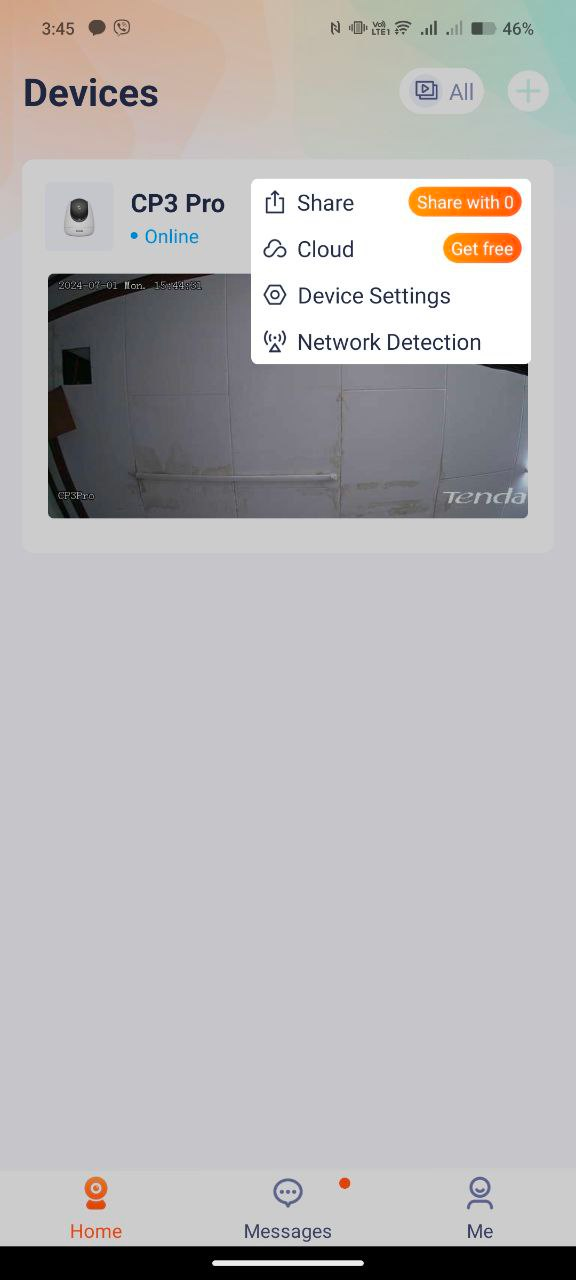
A screenshot of a cellphone

Description automatically generated

Step 2: Click “Alarm” settings to check smart alarm functions.
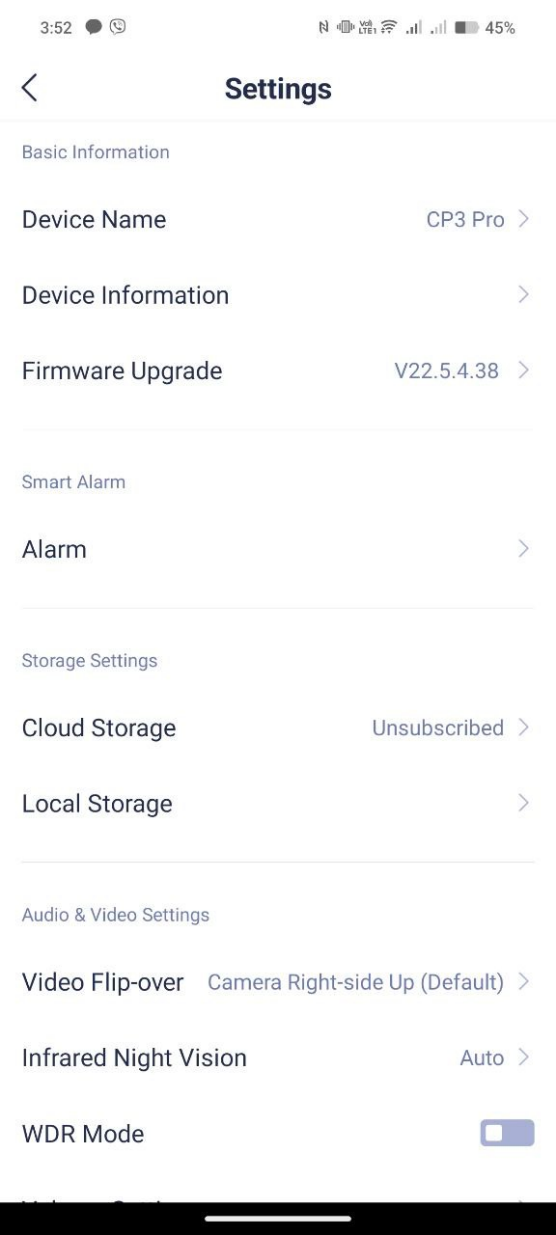
A screenshot of a phone

Description automatically generated

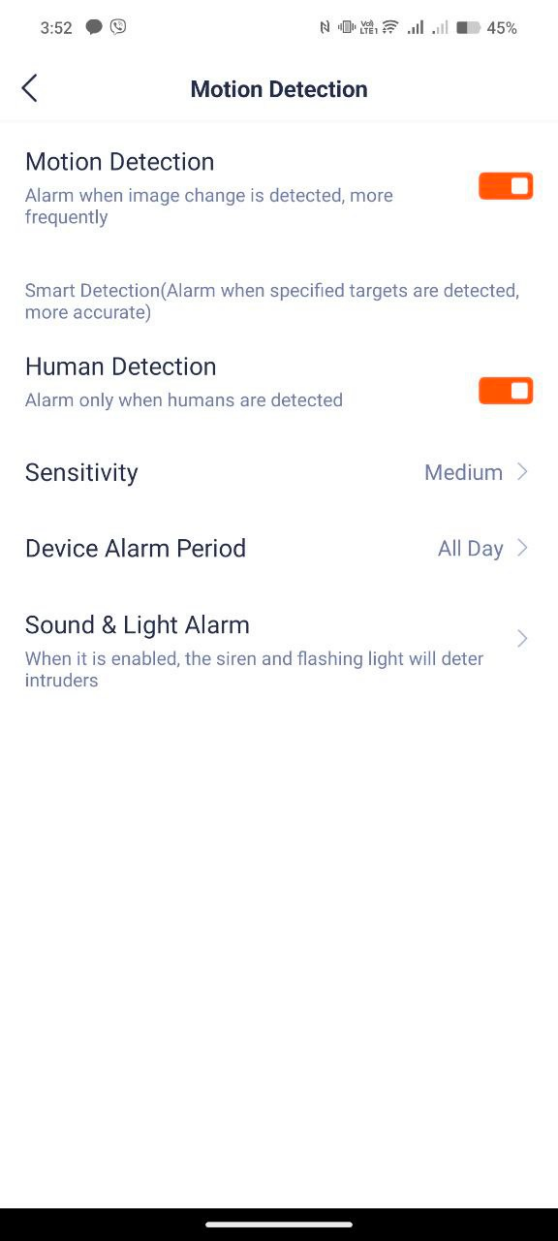
Step 3: Click “Motion detection” if you want to turn it on or to turn it off.
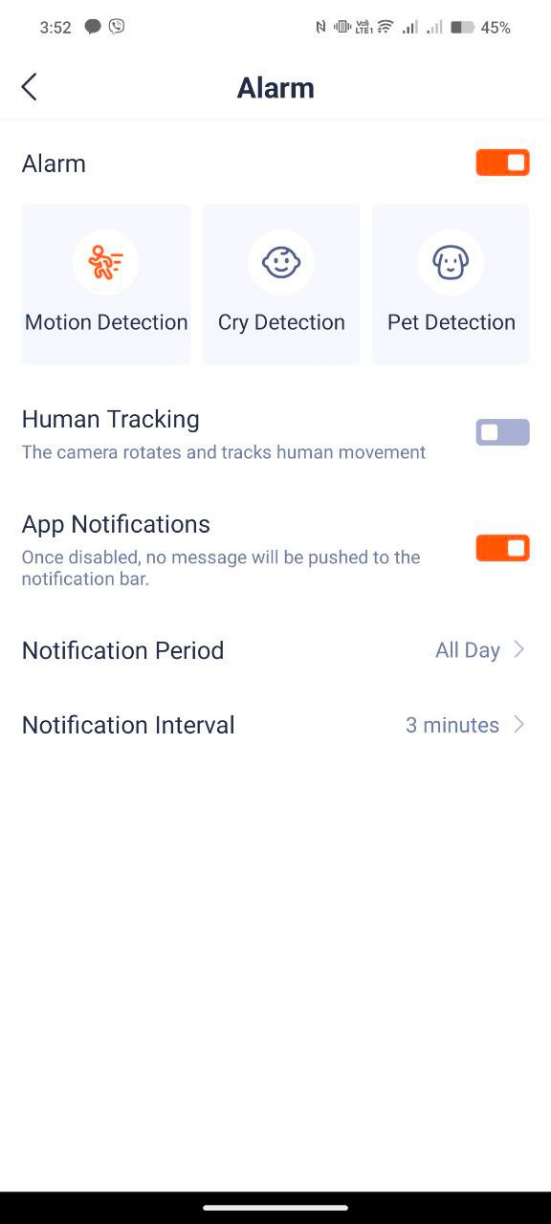
A screenshot of a phone

Description automatically generatedA screenshot of a device

Description automatically generated

  • Click “Cry Detection” if you want to turn it on.

A screenshot of a phone

Description automatically generatedA white background with black dots

Description automatically generated

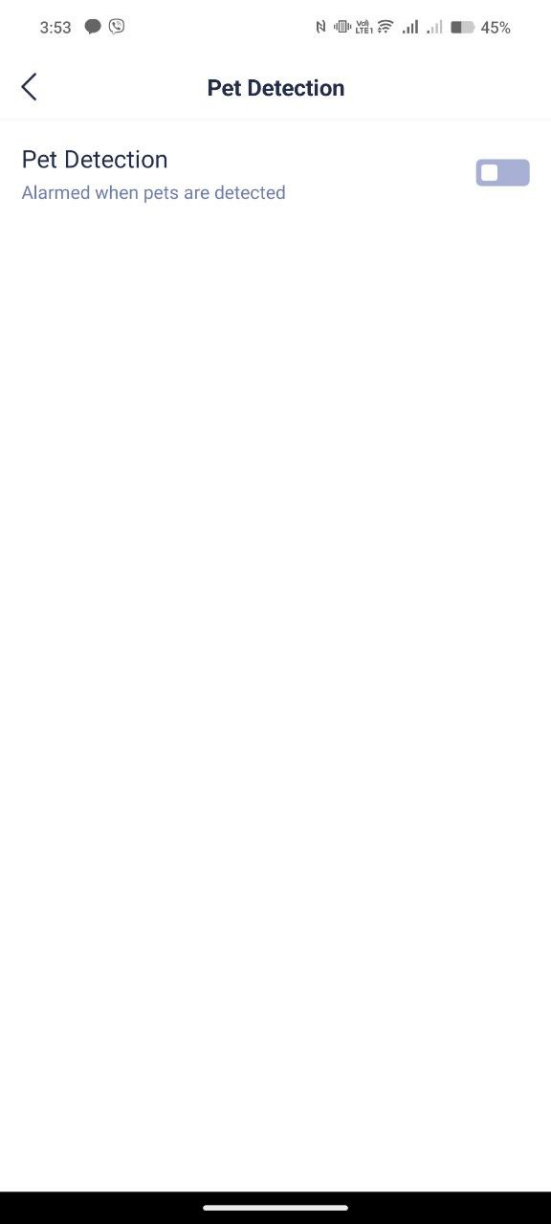
  • Click “Pet Detection” if you want to turn it on.
A screenshot of a phone

Description automatically generatedA white background with black dots

Description automatically generated