

Update: 2025-07-21 Preview:2226 For:Network Video Recorder、PoE NVR、Non-PoE NVR、Video Security Kit、Wi-Fi Kit、PoE Kit、
Step 1: Please use your computer's browser to access the NVR's LAN IP address and log in to your NVR.

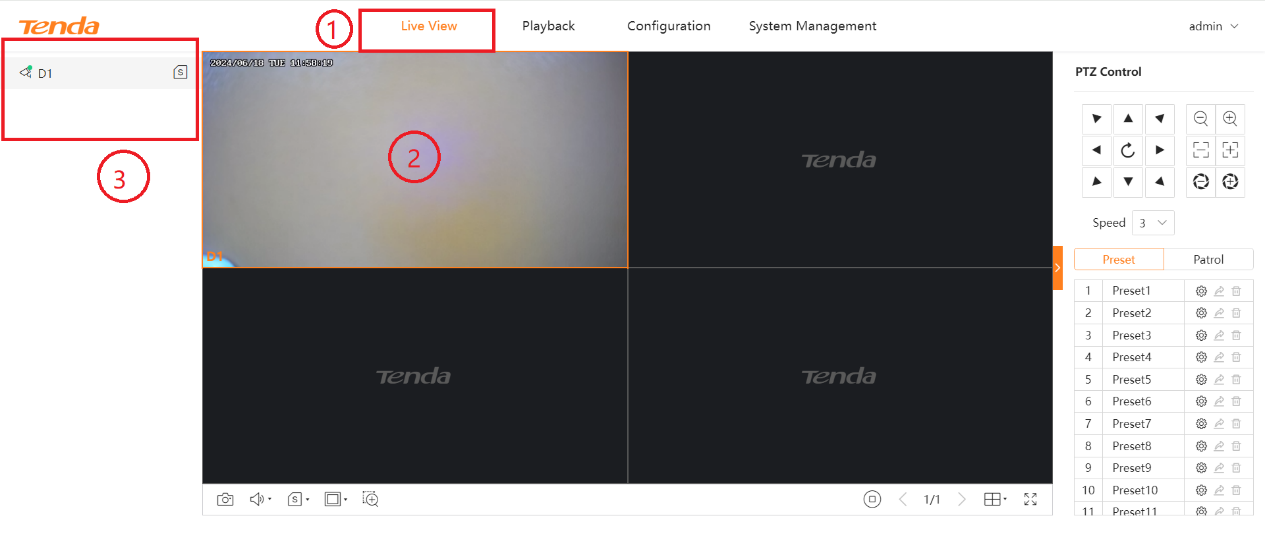
Step 2: After entering the WEB interface, select live view, then select a display area, and then double-click the camera channel on the left to display the real-time image.
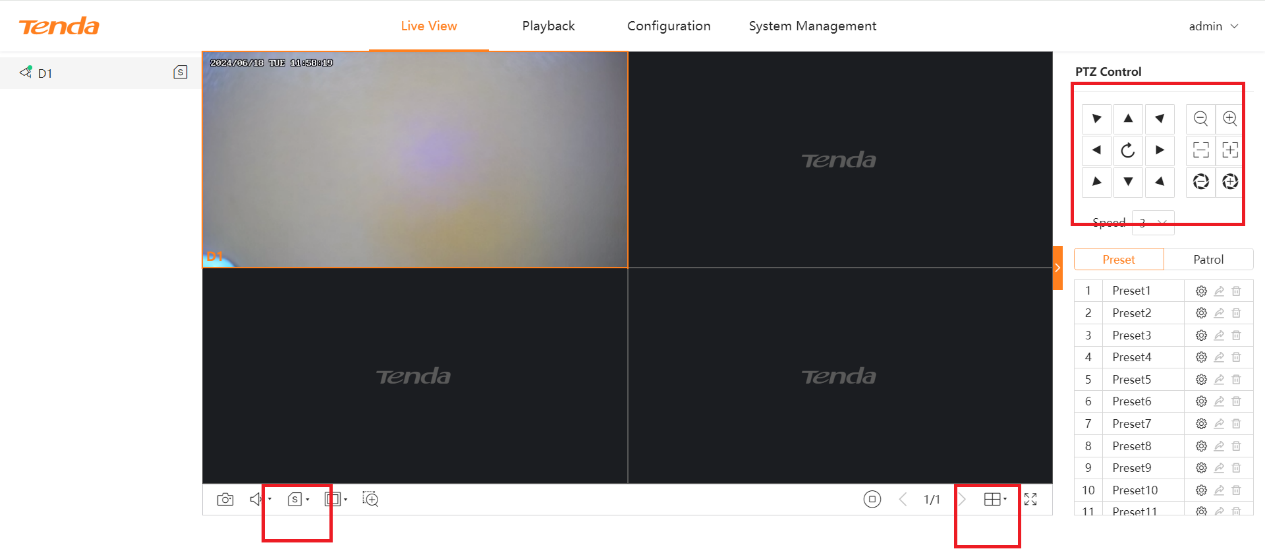
Step 3: At the bottom of the live view interface, you can switch the main/auxiliary streams as needed, and select the number of preview windows.
On the right side of the interface, you can control the camera pan and the camera focus.
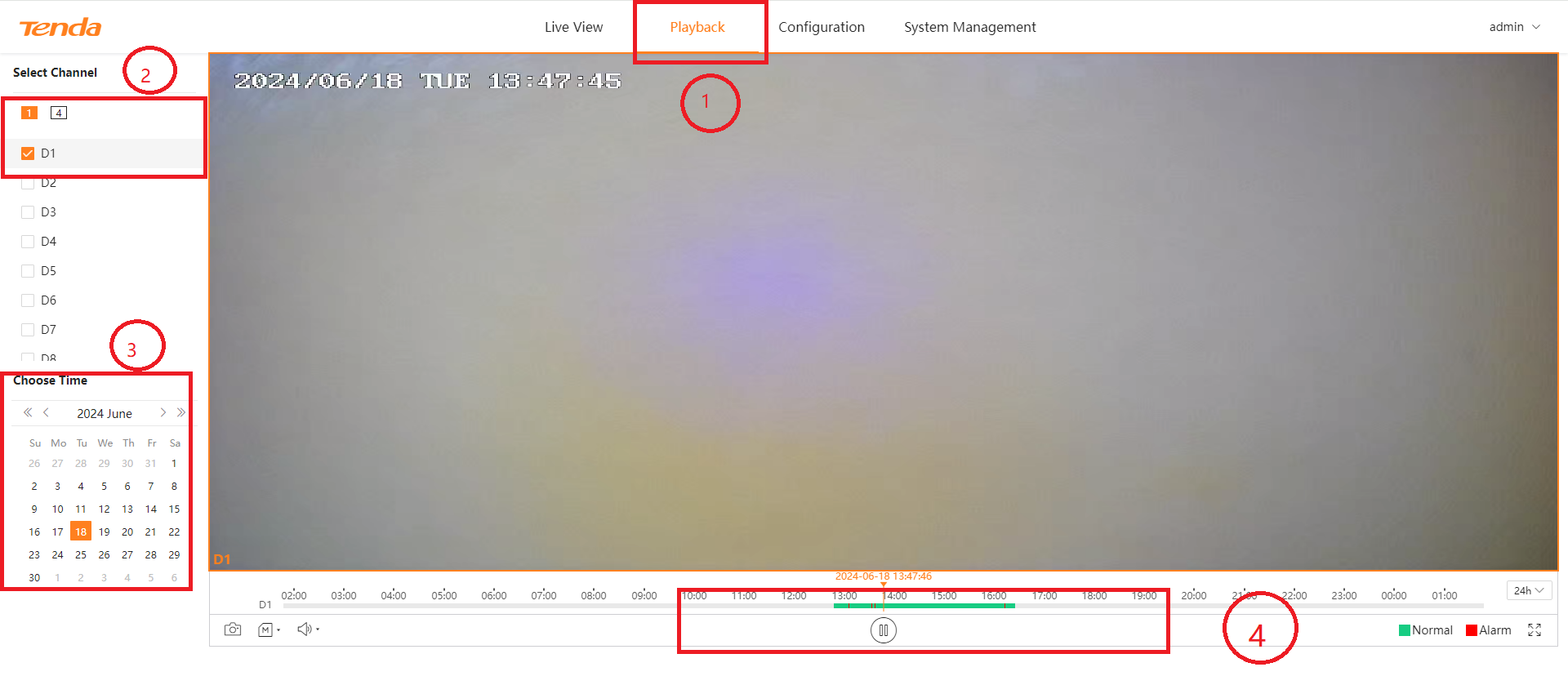
Step 4: Click playback to enter the video playback interface. Select the camera video you want to view on the left, then select the date you want to view below, and then you can see the video of the corresponding date.
You can drag the progress bar below the video to view the video at the corresponding time point.
Will it help you?