

Update: 2025-07-30 Preview:747 For:Wi-Fi Kit、PoE NVR、Network Video Recorder、Video Security Kit、PoE Kit、Non-PoE NVR、
Tips: Tenda NVR supports manual and automatic addition of camera devices, and also supports setting scheduled restart plans for SMB cameras.
Operation Introduction:
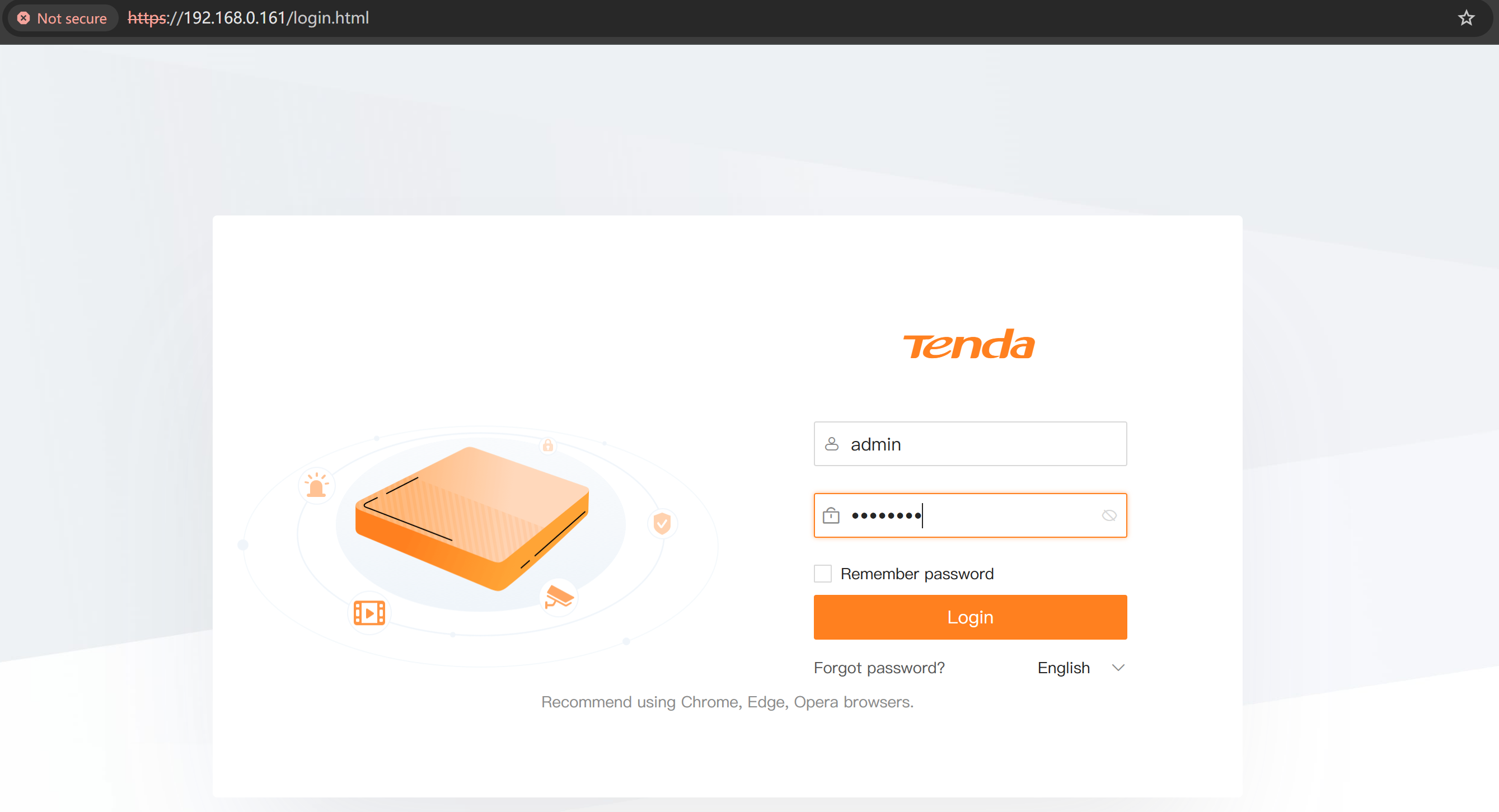
Step 1: Please use your computer's browser to access the NVR's LAN IP address and log in to your NVR.
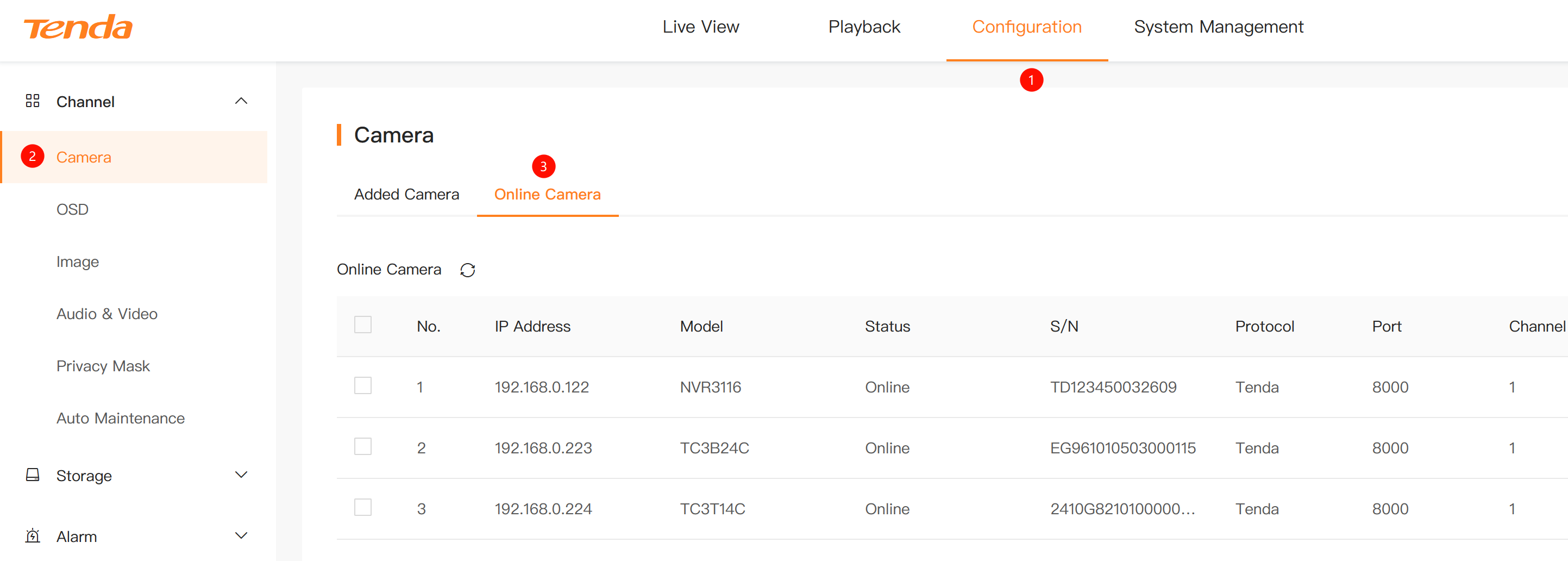
Step 2: Then go to Configure → Camera → Online Camera as shown in the picture. You can add online devices here.
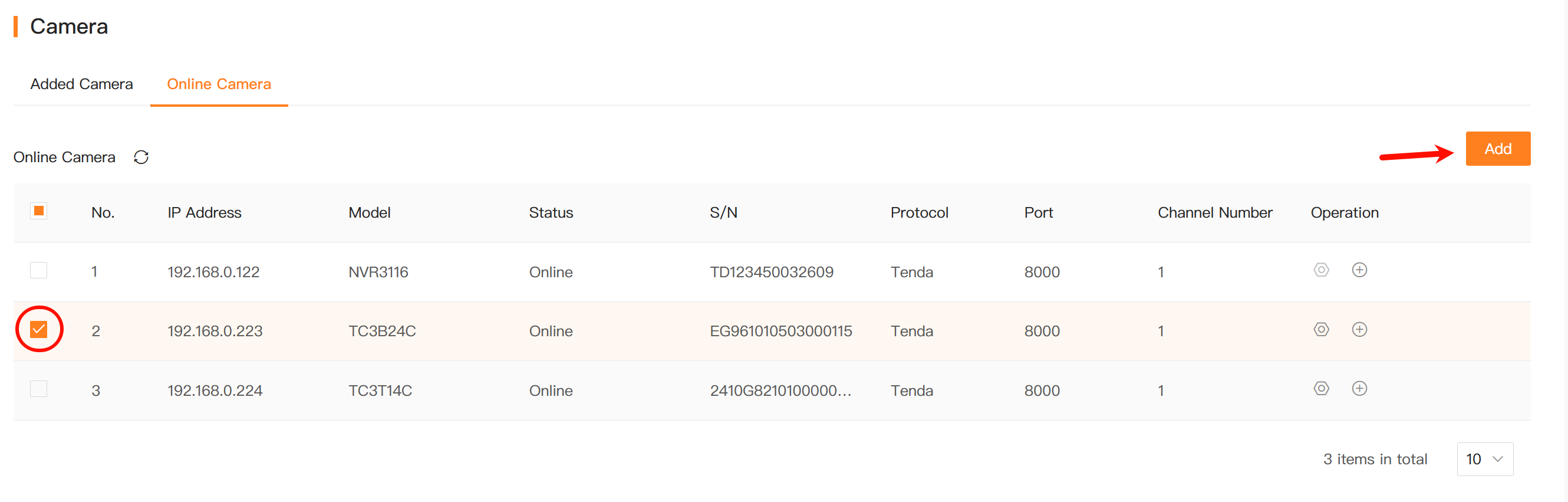
Choose a camera and click Add.
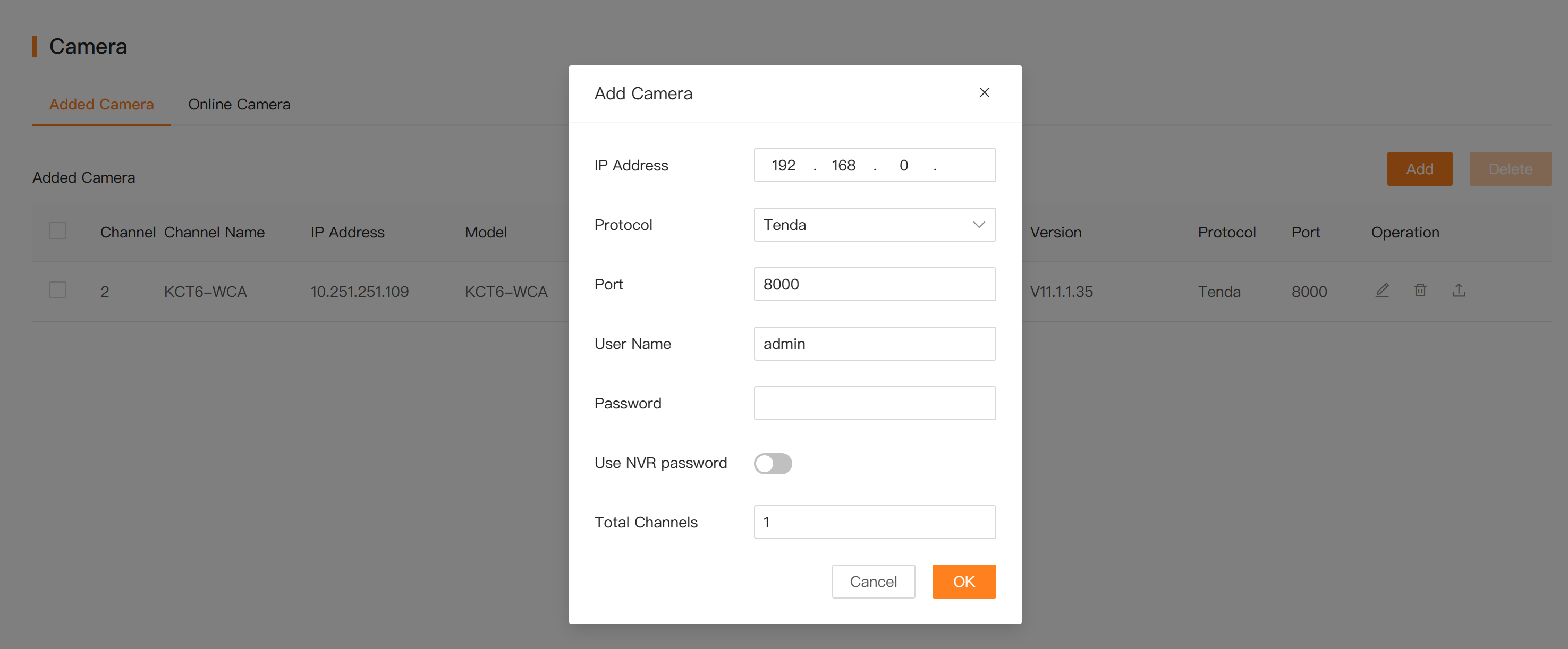
Step 3: If the camera you want to add is NOT in the online camera list, you can also add it manually.
Click Added Camera, then click Add. Please fill in the IP address, protocol, port number, user name and password. If the camera displays "Online", it means it has been added successfully.
If above steps do not solve your problem, please contact our technical support.