

Update: 2018-10-27 Preview:1840 For:W6-S 、
1. Click on “Network”, double click “LAN Setup” to set up the IP Address Type in Static or Dynamic.
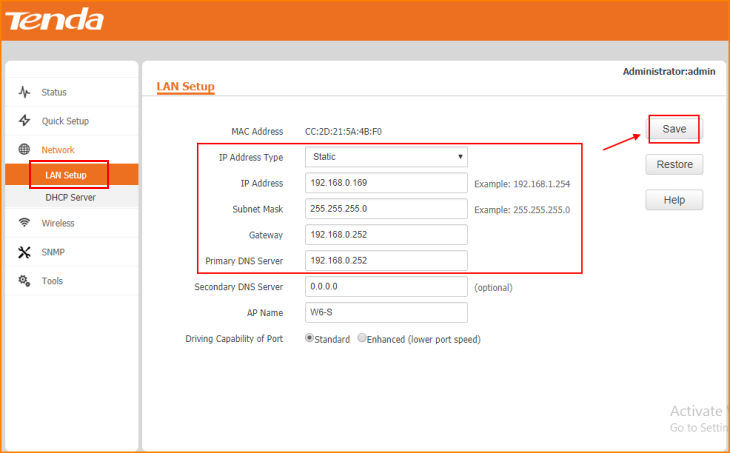
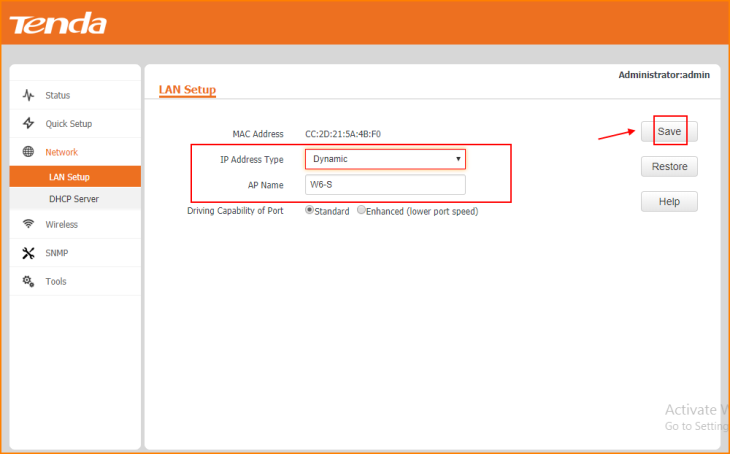
Note: Remember to “Save” the configuration.
2. Click on “DHCP Server” and Enable the option of “Enable” to set up a Server for your own.
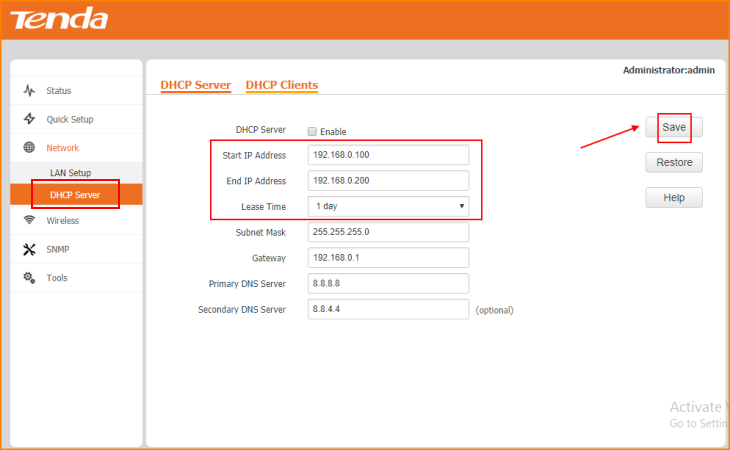
Note: Remember to “Save” the configuration.
3. Click on “DHCP Server” to set the “Lease Time”.
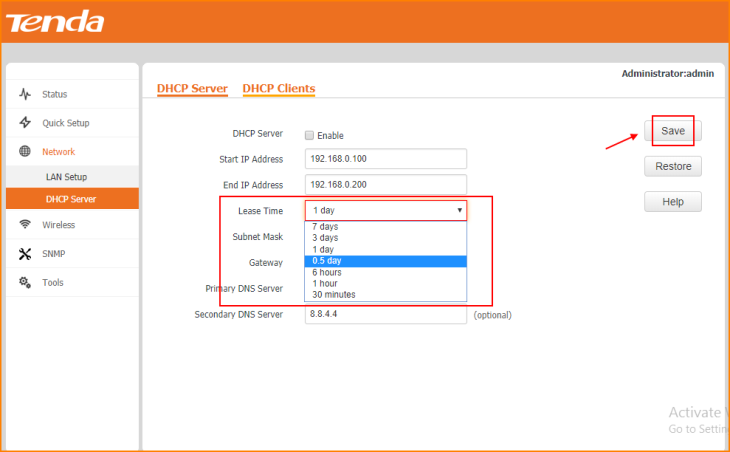
Note: Remember to “Save” the configuration.
Will it help you?