

Update: 2016-12-15 Preview:9314 For:AC6 V1.0、
This document applies to users who need to use WPS function
Model: Tenda AC6 Question Classification: Function Setup
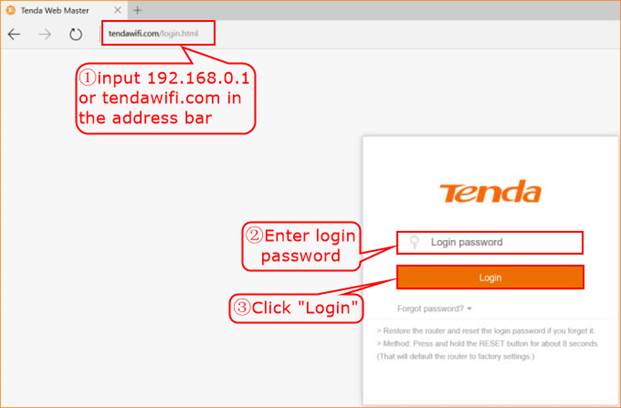
Step 1: Open a browser on your computer, input tendawifi.com in address bar, then press enter key on your keyboard, enter login password of router’s management interface, click “Login”.
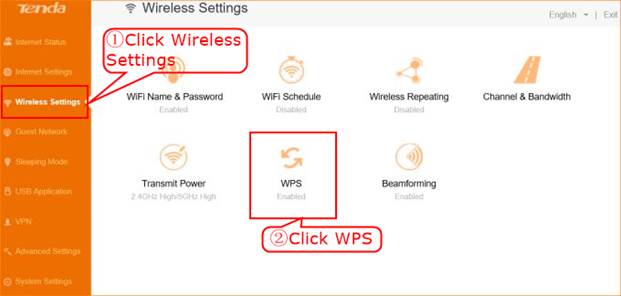
Step 2: Click “Wireless Settings”, choose “WPS”.
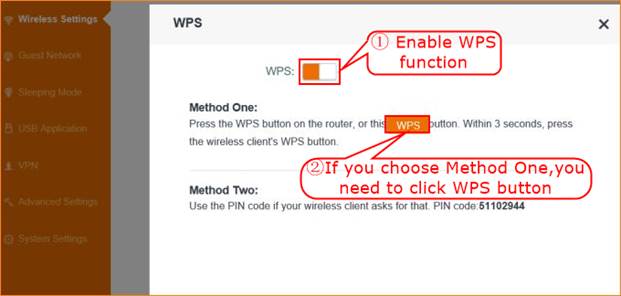
Step 3: Enable “WPS” function, choose WPS method that you need.
Will it help you?